
Sponsored
OP
OP
Van Solo

Van Solo

TRD Off-Road Premium
Well-known member
First Name
Van
Joined
May 20, 2025
Threads
13
Messages
363
Reaction score
250
Location
Calgary / Canada
Vehicle(s)
4Runner
Hello.

Question for anyone who has already installed with the parking mode wiring from the overhead console.

When you went through the liner, towards the mirror (to connect to the dash cam) what's the best route so that the wiring is best hidden and out of site.

It is probably obvious when I get into it tomorrow but I thought I would ask the ones that have already installed it.

Appreciate any input. Thank you in advance.
Follow your instinct, you will see the path. lol
Sponsored


ecornista

SR5
Member
Joined
Feb 21, 2025
Threads
0
Messages
5
Reaction score
1
Location
Nevada
Vehicle(s)
camry
Hey everyone who set up this on your 4Runner! I’d love to hear your thoughts on the installation—what went well, and if you ran into any snags along the way.
 

Ahmad310

Platinum
Well-known member
First Name
Ahmad
Joined
Jan 22, 2025
Threads
5
Messages
121
Reaction score
82
Location
Cincinnati, OH
Vehicle(s)
2025 4Runner Platinum
Trying to do my install now, got the old housing off but cannot get the overhead panel off. Pulling from the front with a lot of force and it’s not budging.
 

ToYoDaMan

TRD Off-Road Premium
Well-known member
First Name
Allan
Joined
Sep 11, 2025
Threads
1
Messages
157
Reaction score
71
Location
Bay Area
Vehicle(s)
Toyota
I will be installing later today. Thanks for the heads up!
 

Ahmad310

Platinum
Well-known member
First Name
Ahmad
Joined
Jan 22, 2025
Threads
5
Messages
121
Reaction score
82
Location
Cincinnati, OH
Vehicle(s)
2025 4Runner Platinum
I finally got it, took a lot of force. Be careful not to pull down the bezel that goes around the housing or you will break tabs.
 

ToYoDaMan

TRD Off-Road Premium
Well-known member
First Name
Allan
Joined
Sep 11, 2025
Threads
1
Messages
157
Reaction score
71
Location
Bay Area
Vehicle(s)
Toyota
I finally got it, took a lot of force. Be careful not to pull down the bezel that goes around the housing or you will break tabs.
Thanks for the tips. That's exactly what happened . The bezel partially came off and then the console came down with a bit more force.

my problem now is that when connecting to my iPhone, it went into a weird loop with my car Toyota app.

finally I was able to connect the camera. When I open the app, I see the name of my camera but the app asks me to connect to camera

again since the car is on, it goes into a loop with the Toyota connection and app.

are there any settings I'm suppose to apply so it just connects and does not have any conflicts with the Toyota app and other connections in the Runnwr while it's on?

I've had other dash cams and doesn't have this conflict. Weird.

Update:

Only way I get to connect to the FITCAMX is to turn off my cellular data and my Bluetooth.

It works this way per their instructions.
Other than that, if I keep the current settings on my iphone, it's always unsuccessful.
 
Last edited:

ToYoDaMan

TRD Off-Road Premium
Well-known member
First Name
Allan
Joined
Sep 11, 2025
Threads
1
Messages
157
Reaction score
71
Location
Bay Area
Vehicle(s)
Toyota
I have an old iPhone 11 Pro that I will be using to connect to the FitcamX.

My primary phone settings will remain as is and connects to the Runner app and CarPlay, etc. and not complicate things
 

Clipse

TRD Off-Road Premium
Member
Joined
Jul 28, 2025
Threads
0
Messages
15
Reaction score
11
Location
Washington
Vehicle(s)
2025 4Runner TRD ORP
thanks for the writeup and pictures. It was really helpful with the install this morning. Only issue was pulling down on the rearview housing and snapping a clip.

Is anyone else having similar issues like ToYo with the connection looping? After fighting with the car 4-5x it finally let's me connect and view the camera briefly. How are y'all mitigating it? I'm not carrying a second phone for this.
 

ToYoDaMan

TRD Off-Road Premium
Well-known member
First Name
Allan
Joined
Sep 11, 2025
Threads
1
Messages
157
Reaction score
71
Location
Bay Area
Vehicle(s)
Toyota
thanks for the writeup and pictures. It was really helpful with the install this morning. Only issue was pulling down on the rearview housing and snapping a clip.

Is anyone else having similar issues like ToYo with the connection looping? After fighting with the car 4-5x it finally let's me connect and view the camera briefly. How are y'all mitigating it? I'm not carrying a second phone for this.
@Clipse , only way I know how with my primary phone is to temporarily disconnect Bluetooth. If that doesn't work. disconnect both Bluetooth and Cellular data.

this is the only way to connect the dashcam to the app and view your files and view live.

after doing so, you can put your settings back on, Bluetooth and/or Cellular data so that your phone can connect back to Apple CarPlay.

Another way you can deal with it is to turn of your Bluetooth , so that you can connect your dash cam app and then hard wire your phone to the Runner for apple CarPlay.
 

Doofy

Limited
Well-known member
First Name
Matt
Joined
Mar 17, 2025
Threads
6
Messages
176
Reaction score
109
Location
Hamilton, ON Canada
Vehicle(s)
2025 4R
think about it - it isn't really possible for a phone to connect to two different bluetooth items at the same time, so you kinda need to disconnect one to access the other.

i'm not a techy, but that makes sense to me. annoying, but makes sense
 

Clipse

TRD Off-Road Premium
Member
Joined
Jul 28, 2025
Threads
0
Messages
15
Reaction score
11
Location
Washington
Vehicle(s)
2025 4Runner TRD ORP
Thanks for the tip @ToYoDaMan! That's makes a lot of sense

@Doofy the issue isn't that your phone can't connect to multiple Bluetooth devices--it certainly can. The issue is more of with Bluetooth turned on, Toyota forces the wifi to disconnect, and the app requires wifi connection. That's where I was caught in the loop--definitely user error.
 

Peter

TRD Off-Road Premium
Member
First Name
Peter
Joined
Apr 29, 2025
Threads
3
Messages
18
Reaction score
10
Location
Canada
Vehicle(s)
2025 4runner
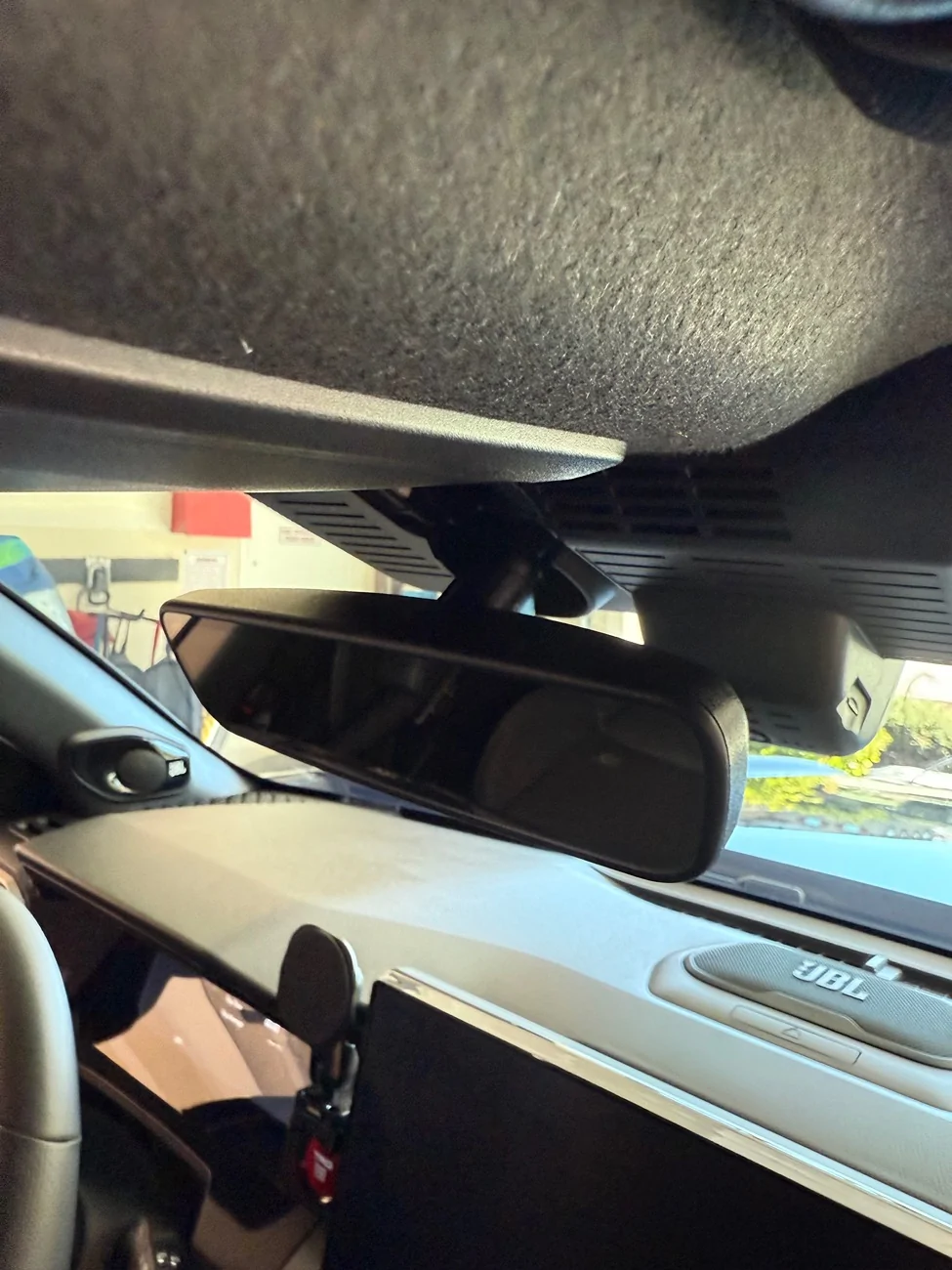
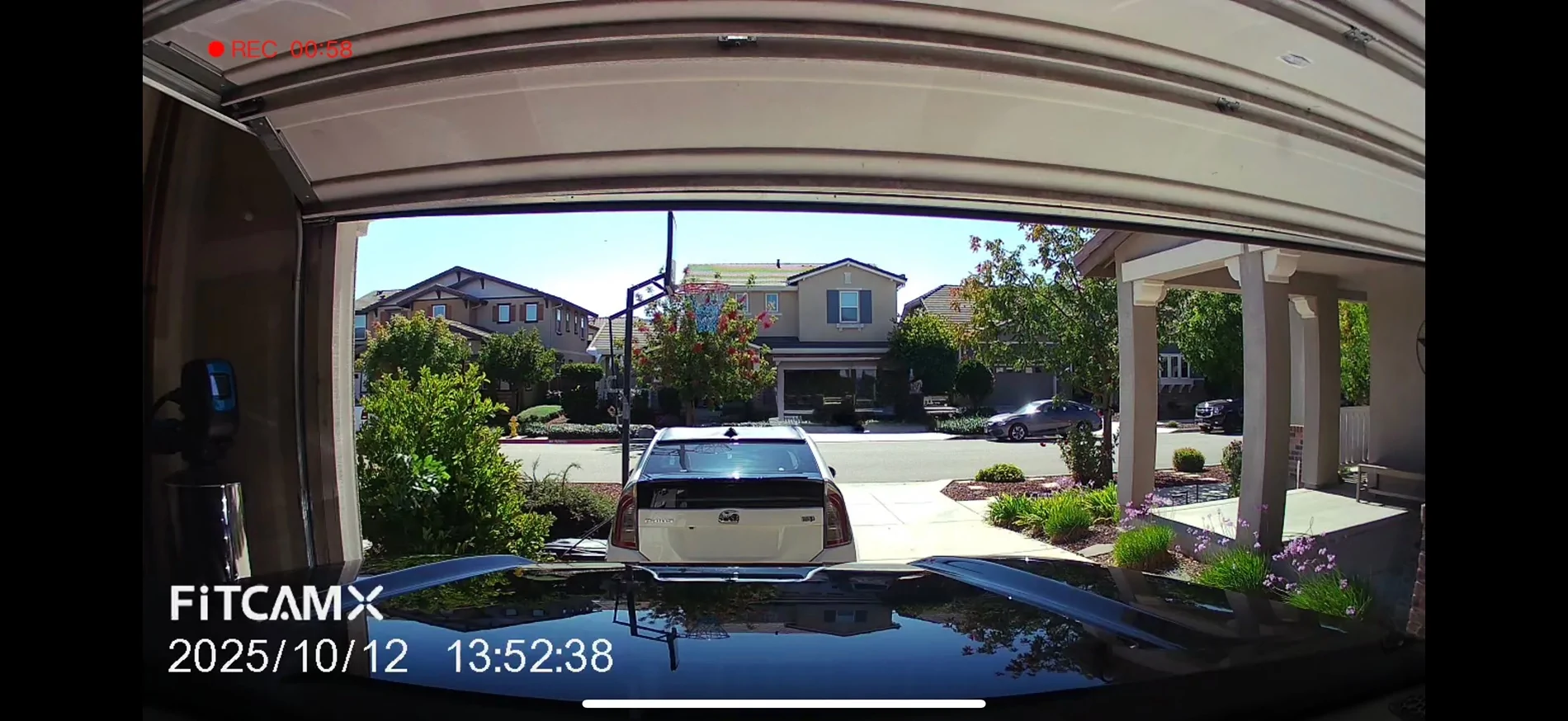
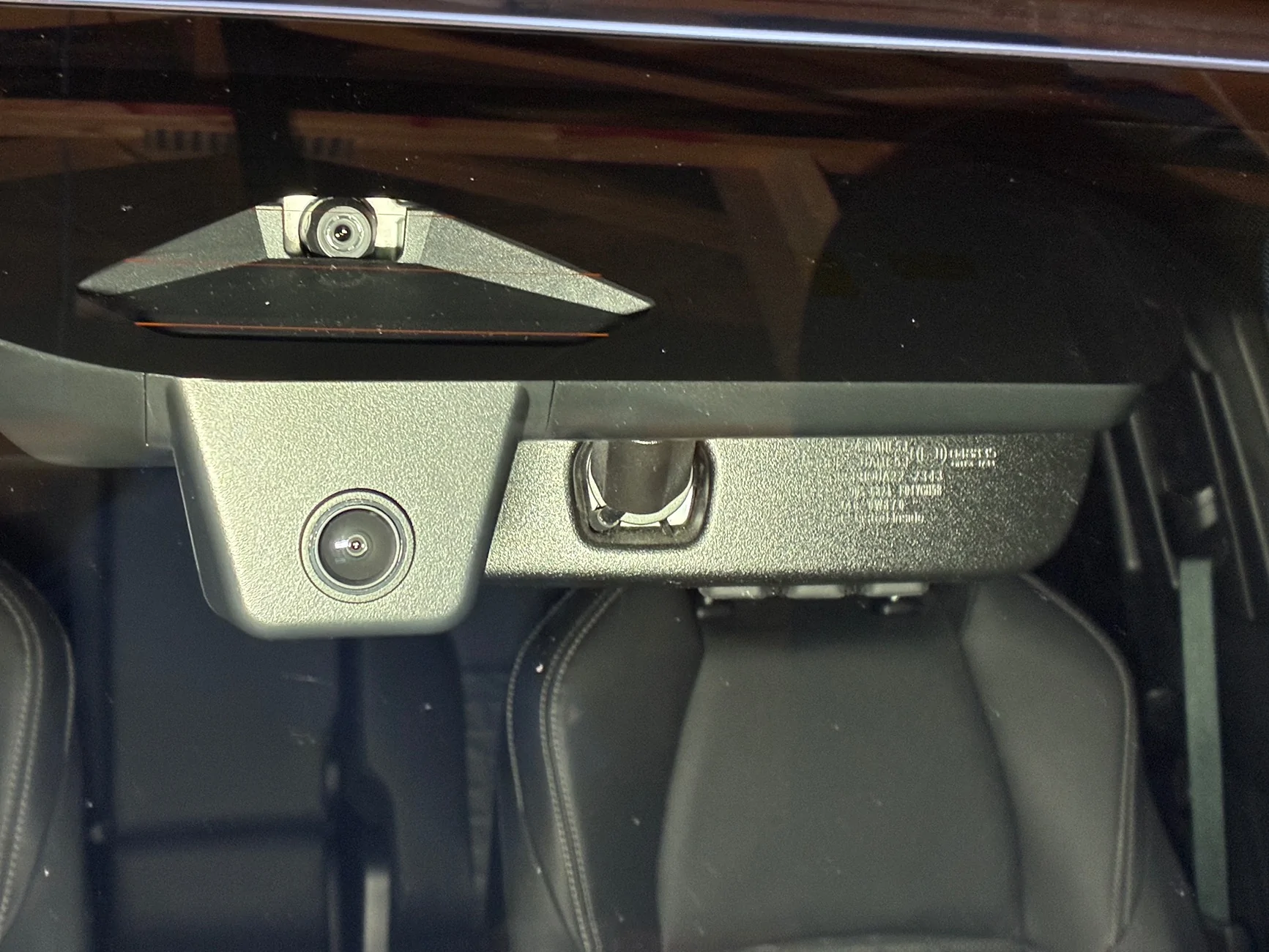
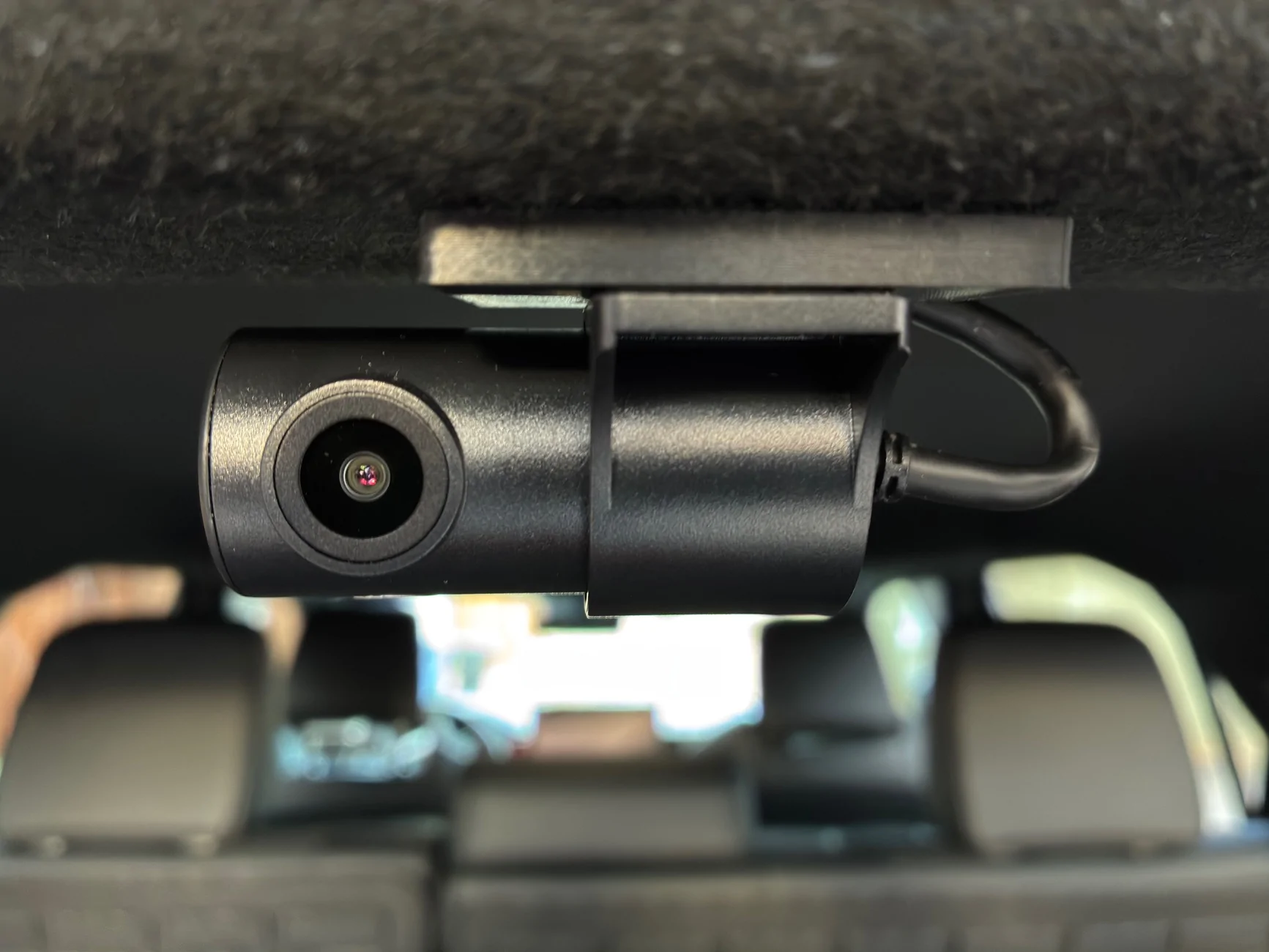
Thanks for the write-up and info! I installed this FitcamX on the weekend, including the rear camera. Other than breaking tabs getting the overhead console down, everything went smoothly and I am very happy with the clean installed look of both cameras.

2025 4runner 6th gen FITCAMX dash cam install - step by step how-to DIY (on 2025+ 4runner 6th gen) IMG_5050
2025 4runner 6th gen FITCAMX dash cam install - step by step how-to DIY (on 2025+ 4runner 6th gen) IMG_5052
2025 4runner 6th gen FITCAMX dash cam install - step by step how-to DIY (on 2025+ 4runner 6th gen) IMG_5051
 

Ahmad310

Platinum
Well-known member
First Name
Ahmad
Joined
Jan 22, 2025
Threads
5
Messages
121
Reaction score
82
Location
Cincinnati, OH
Vehicle(s)
2025 4Runner Platinum
Thanks for the write-up and info! I installed this FitcamX on the weekend, including the rear camera. Other than breaking tabs getting the overhead console down, everything went smoothly and I am very happy with the clean installed look of both cameras.

IMG_5050.webp
IMG_5052.webp
IMG_5051.webp
Did you break tabs on the bezel or the actual housing? I pulled the bezel off trying to get the housing out and broke several of the clips and cracked the bezel. Looked to see if you could buy just the bezel, and could not find it, just the whole overhead panel which was close to $400... But I did find a take off on eBay from a Tacoma for $90 for the whole assembly, so i picked that up, removed that bezel and installed in mine, all good now!
Sponsored


Top