
- First Name
- Vince
- Joined
- Jan 5, 2025
- Threads
- 25
- Messages
- 165
- Reaction score
- 327
- Location
- Hood River, OR
- Vehicle(s)
- 2017 4Runner TRD Off-Road Premium; 2025 4Runner iForce MAX TRD Off-Road Premium
- Thread starter
- #1
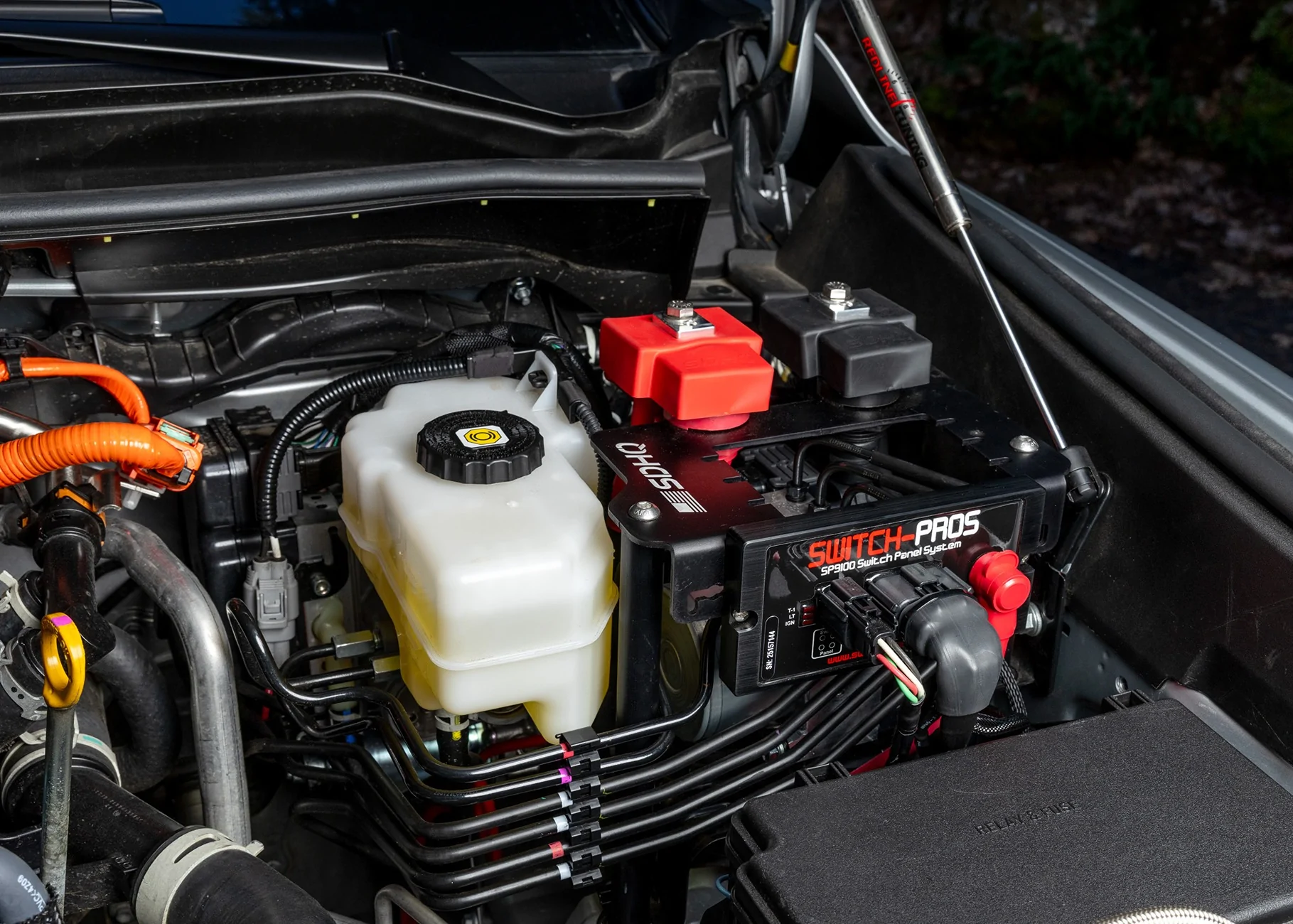
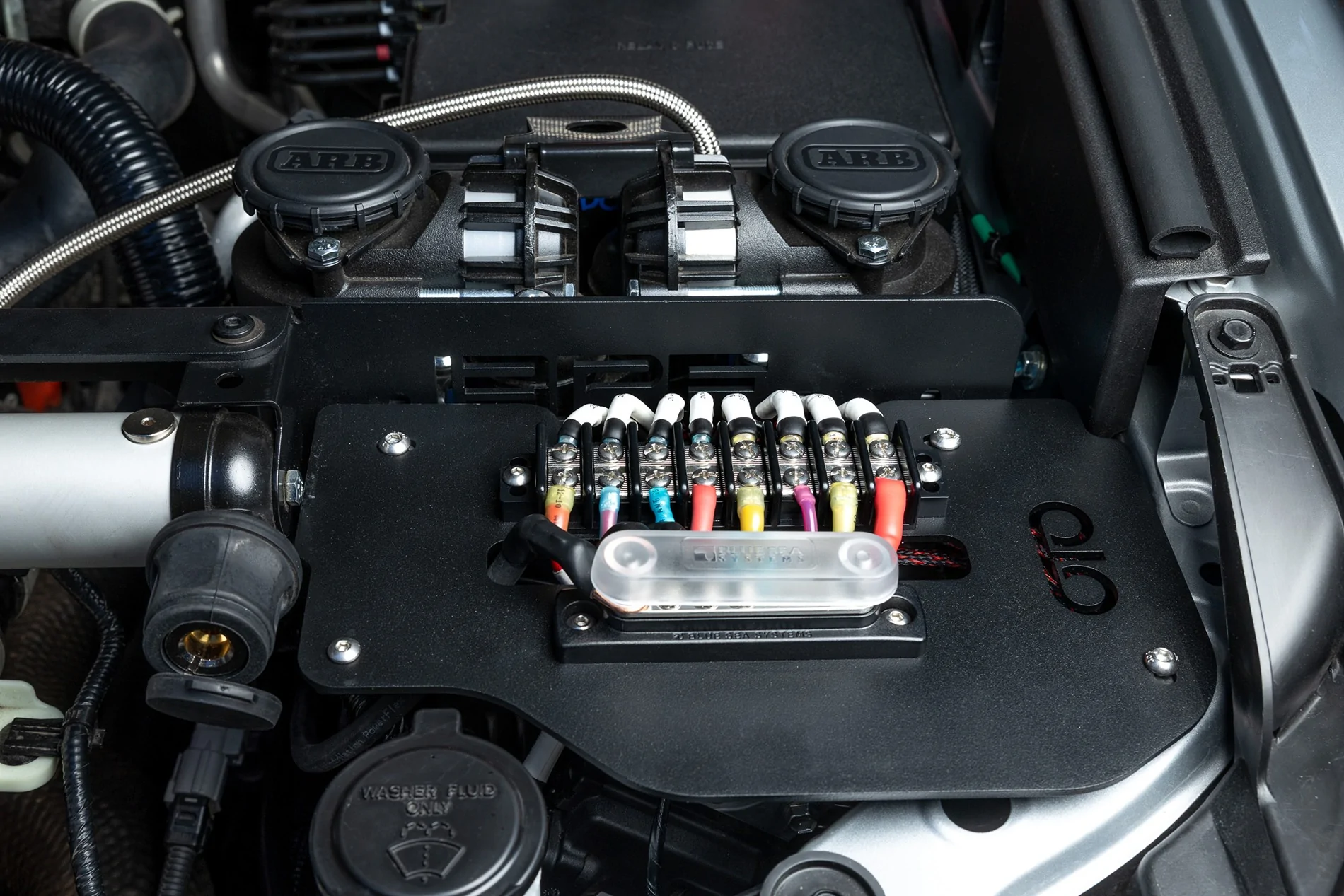
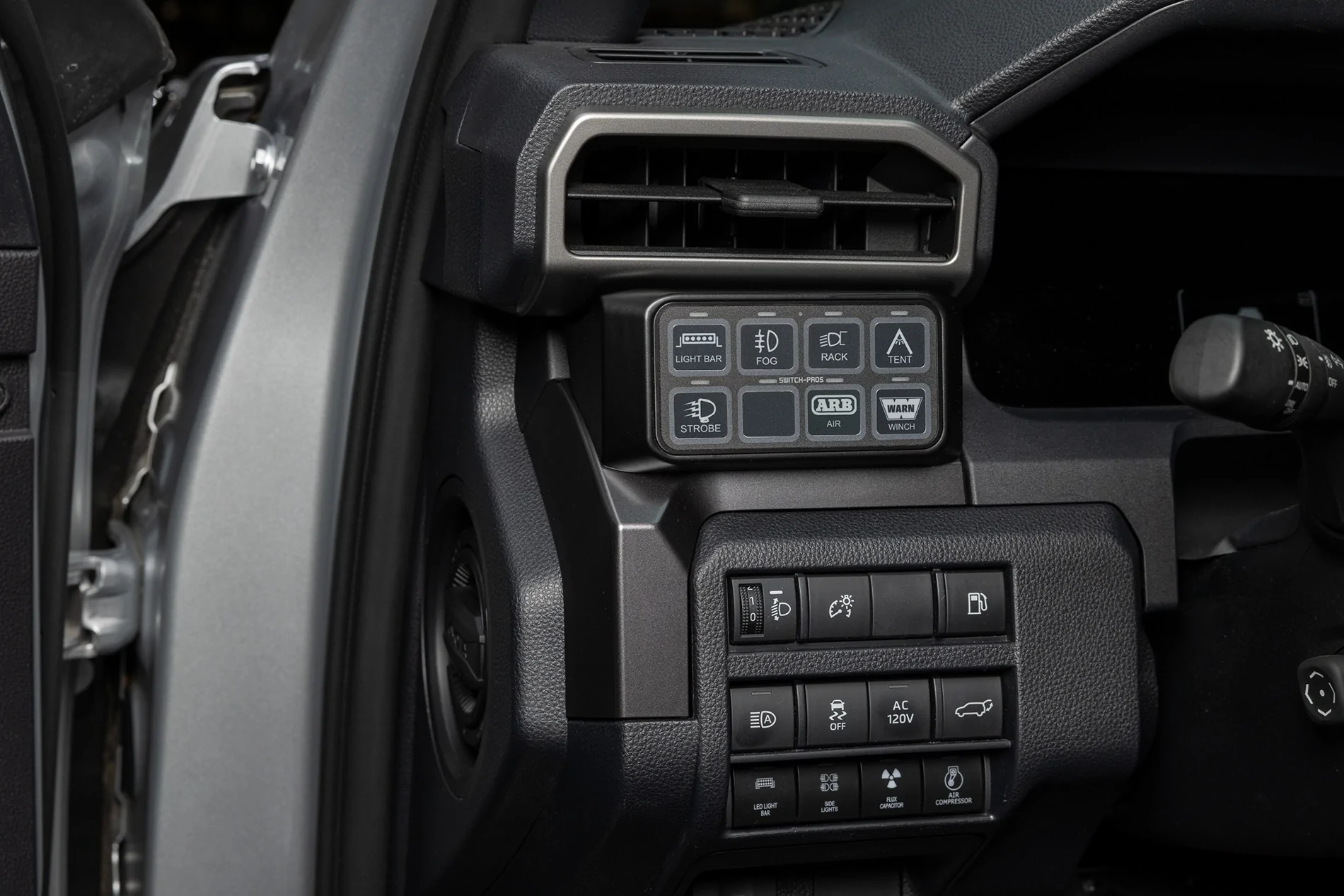
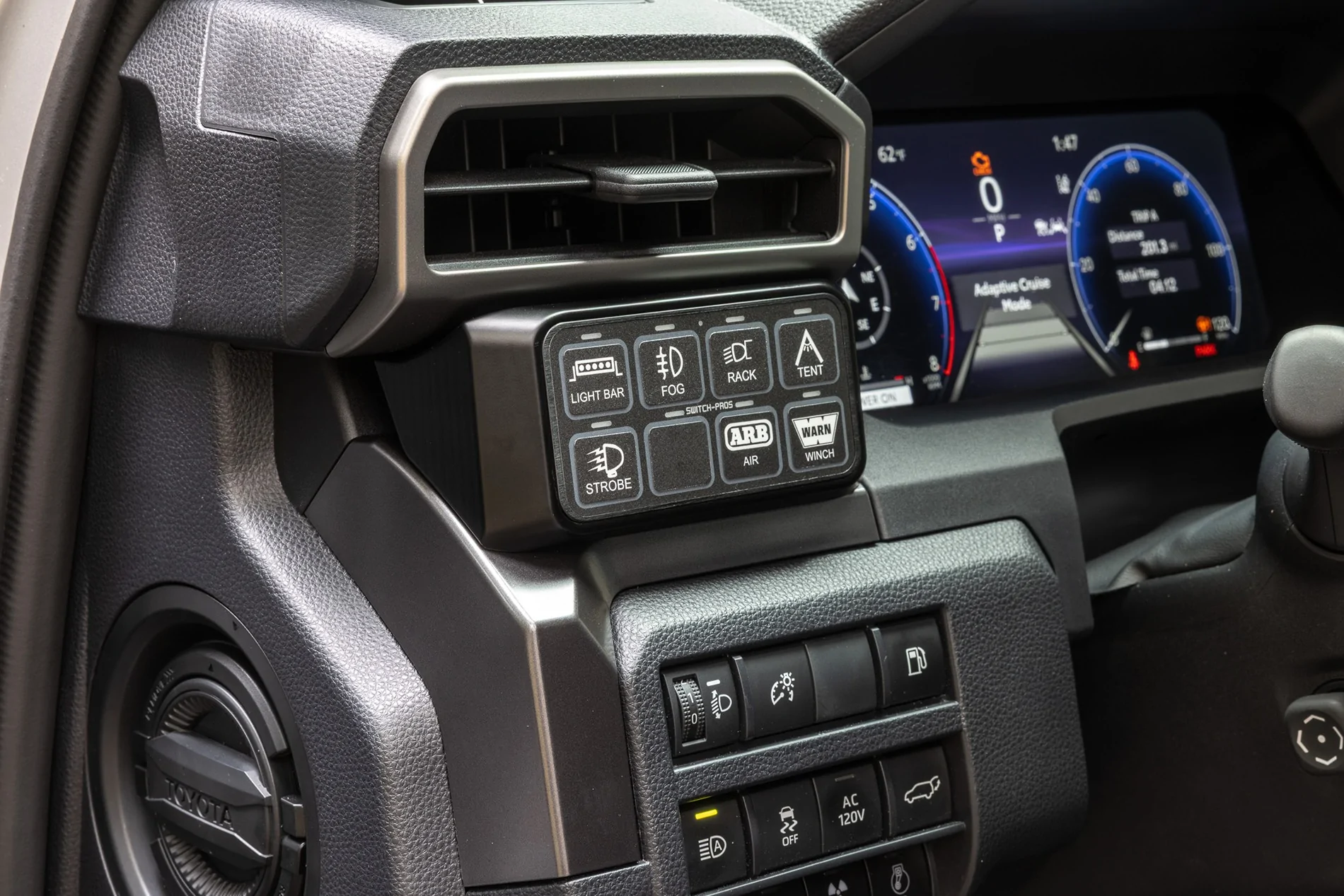
I recently installed a SwitchPros 9100 8-switch keypad in my 2025 TRD Off-Road Premium Hybrid. I'd been waiting for the custom mounting bracket from Westcott Designs to be released so I could integrate the keypad into the dash with a truly OEM+ appearance. The keypad sits above the other buttons to the left of the steering wheel, and the keypad is always visible from the driver's position, and easily reachable at all times. Actually far better than where the factory AUX 1-4 switches are located.

Westcott Designs describes their keypad bracket as being, "designed specifically for a clean and seamless installation, this bracket ensures quick access to the buttons and controls for all your accessories wired to the Switch Pros module. Milled from Billet Aluminum with precision craftsmanship and finished with Type 3 hard coat anodizing. This bracket is designed to fit perfectly within the Toyota 4Runner interior, offering a professional, factory-like appearance."
... and I've gotta say, it feels super solid and integrates beautifully into the dash layout.
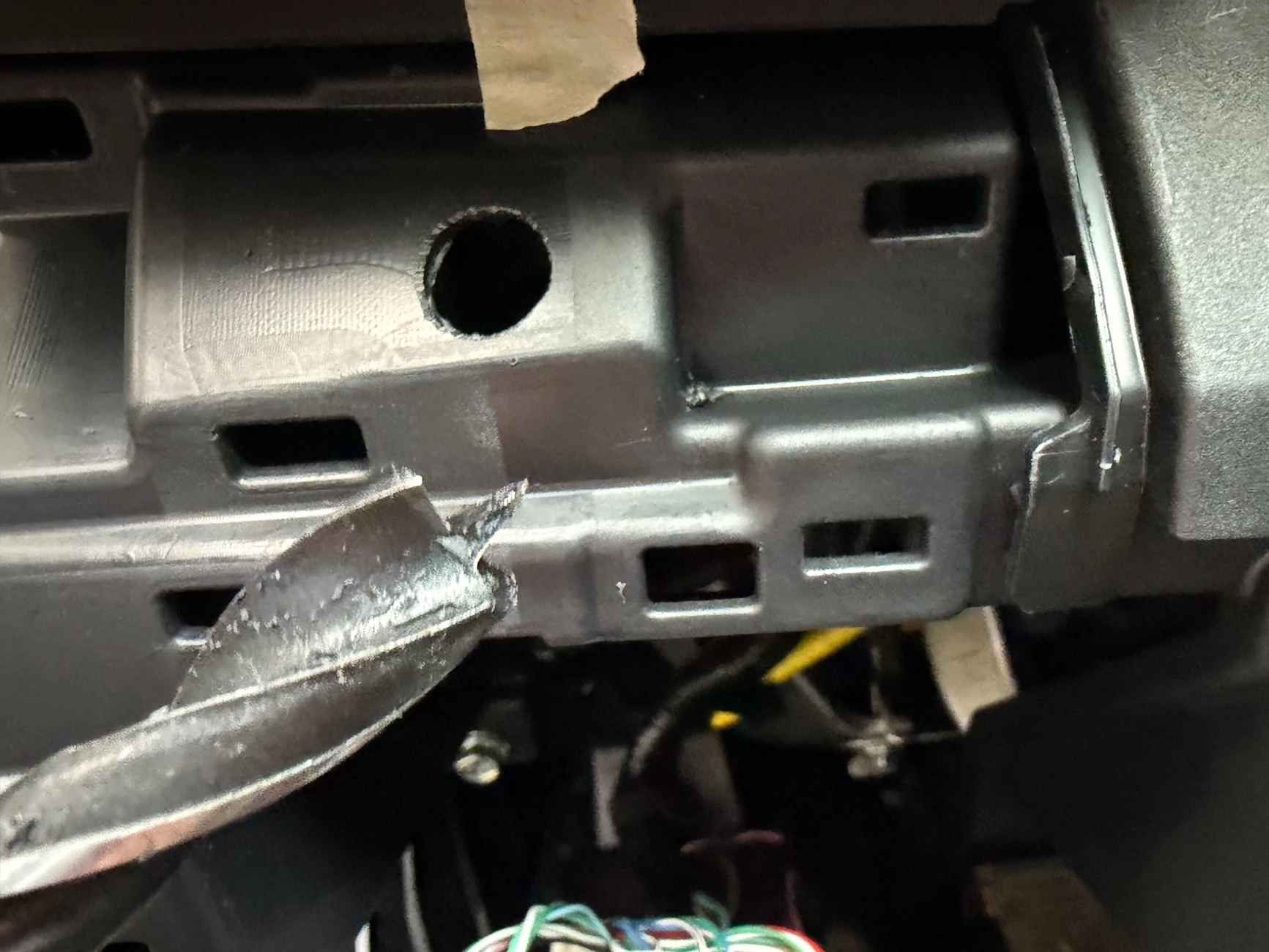
The installation process is very straight-forward. You remove the plastic cover onto which the keypad is mounted (retained by three self-tensioning clips). I was able to remove it by gently prying with just my fingers on the lower-left corner and gradually easing it out. Once removed, you need to drill a 1/2" ⌀ hole in the plastic panel as well as the plastic beneath it to route the keypad communication cable forward through the firewall.

Since the cable run is such a short distance, I recommend going with the 5' Communication Cable from SwitchPros. There's plenty of room to coil up any excess cable behind the switch panel. I just zip-tied my extra cable into a loop and then zip-tied that loop to an unused metal bracket on the left side of the panel to keep it secure and out-of-the-way.
Westcott doesn't have the 4Runner keypad bracket listed on their website quite yet, but you can call them at (480) 750-8747 to place an order. The part number is 6G-4RUNNER SWITCH PRO MOUNT (Part # 95233-4RUN6G).
Highly recommend!
Westcott Designs describes their keypad bracket as being, "designed specifically for a clean and seamless installation, this bracket ensures quick access to the buttons and controls for all your accessories wired to the Switch Pros module. Milled from Billet Aluminum with precision craftsmanship and finished with Type 3 hard coat anodizing. This bracket is designed to fit perfectly within the Toyota 4Runner interior, offering a professional, factory-like appearance."
... and I've gotta say, it feels super solid and integrates beautifully into the dash layout.
The installation process is very straight-forward. You remove the plastic cover onto which the keypad is mounted (retained by three self-tensioning clips). I was able to remove it by gently prying with just my fingers on the lower-left corner and gradually easing it out. Once removed, you need to drill a 1/2" ⌀ hole in the plastic panel as well as the plastic beneath it to route the keypad communication cable forward through the firewall.
Since the cable run is such a short distance, I recommend going with the 5' Communication Cable from SwitchPros. There's plenty of room to coil up any excess cable behind the switch panel. I just zip-tied my extra cable into a loop and then zip-tied that loop to an unused metal bracket on the left side of the panel to keep it secure and out-of-the-way.
Westcott doesn't have the 4Runner keypad bracket listed on their website quite yet, but you can call them at (480) 750-8747 to place an order. The part number is 6G-4RUNNER SWITCH PRO MOUNT (Part # 95233-4RUN6G).
Highly recommend!
Sponsored
Last edited: