
Sponsored

Maximus4R

Limited
Well-known member
First Name
Adam
Joined
Mar 31, 2025
Threads
20
Messages
306
Reaction score
211
Location
Nashville
Vehicle(s)
25 ORP > 25 ORP (Long Story) > 25 Limited
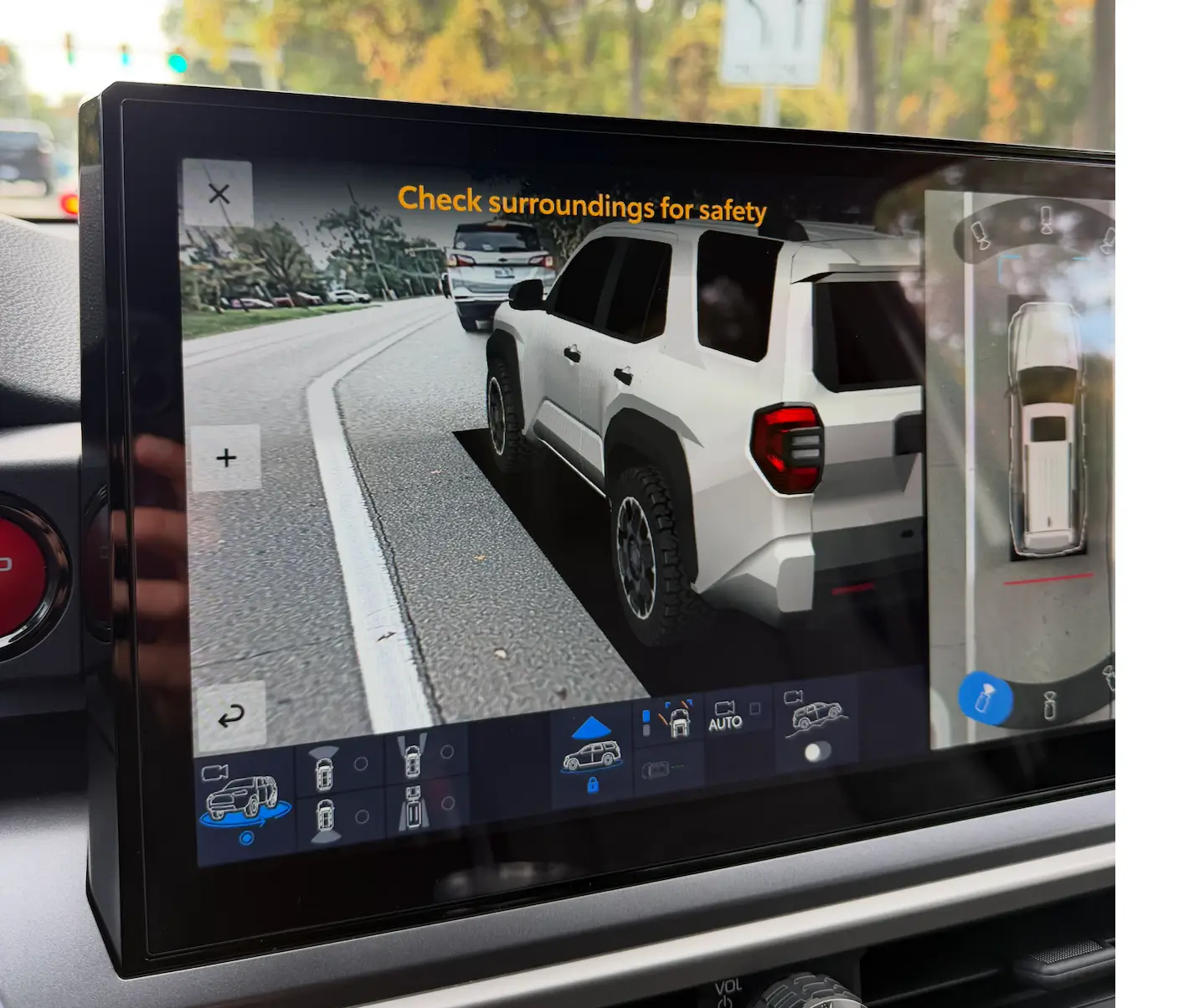
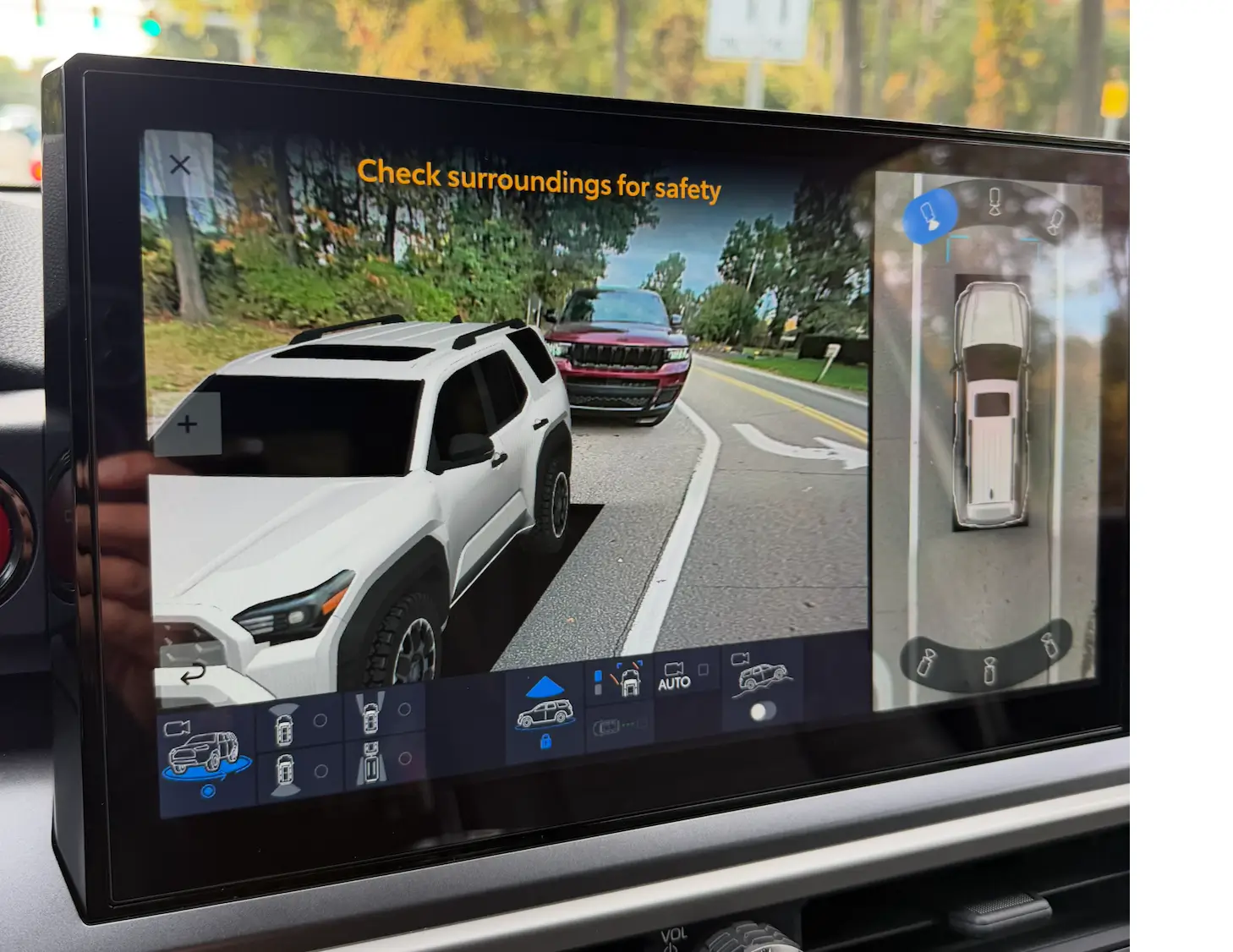
Update: It works! I tried it without my phone paired (was happening automatically so I turned off Bluetooth) and it gives me the options to adjust.

To calibrate your cameras, it's actually fairly simple. You can do it all on your radio infotainment screen.
Steps to access the Calibration Menu (service menu):
1. Get in your truck and close all the doors and windows. From my testing, you cannot access the Service Menu if a door or window is open. Once you access the Service Menu, you then can open a door or window.
2. With your foot off the brake pedal, double click your stop/start button to access Accessory Mode
2. Wait until the infotainment (radio) screen boots up
3. Turn the volume all the way off
3. Go to Settings > Display > Screen > Turn off Display
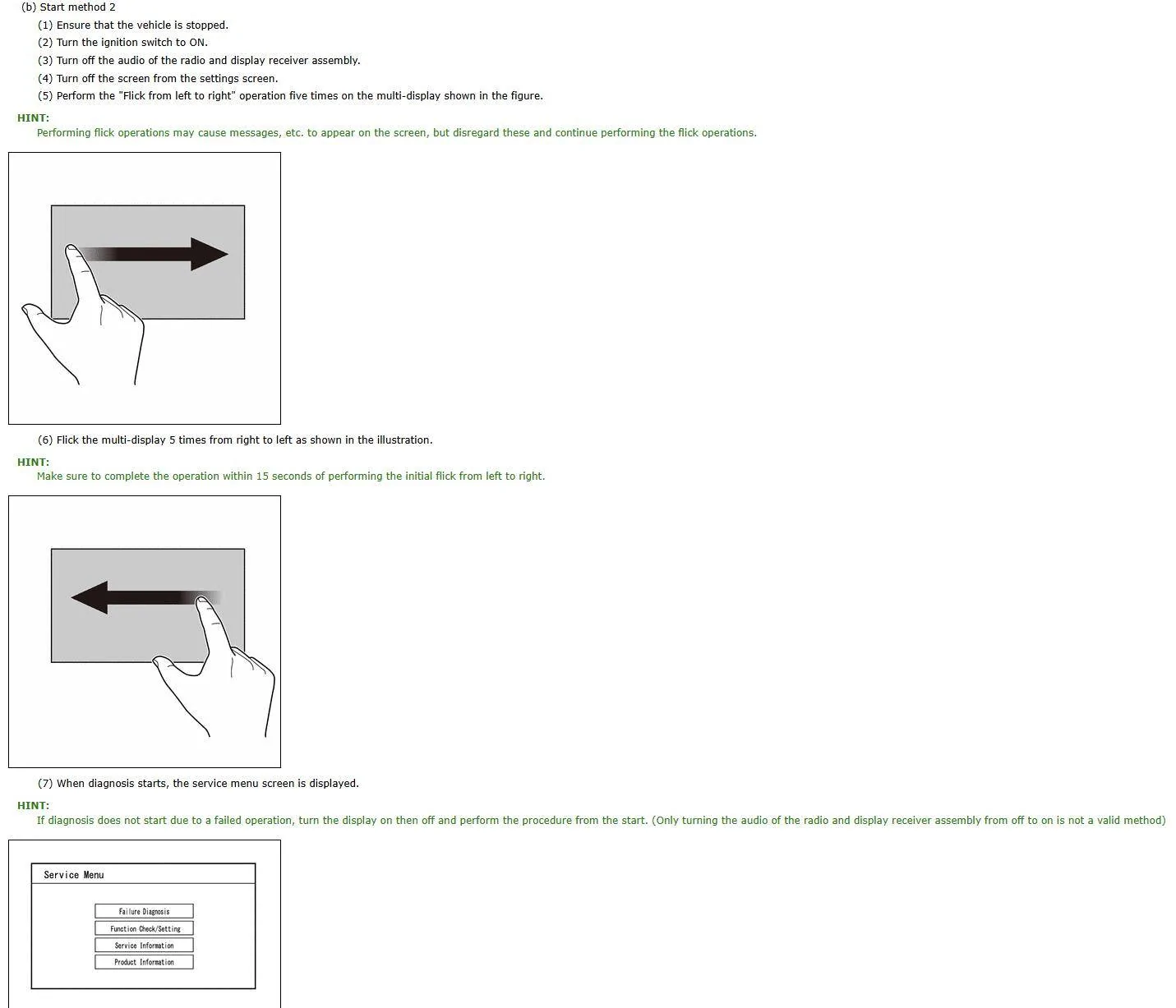
4. Okay so here is the hardest part. You have to swipe left to right 5 times, and then right to left 5 times. Your screen may display "Touch to turn screen on" while you are swiping, but ignore the message.
4a. It may take 1 or 2 tries to get this to work. If you mess up, you just have to tap the screen to turn it back on, then turn it back off in the settings. Then continue with step #4 again.
5. If swiped correctly, you should see a Service Menu pop up.
6. Navigate to Function Check > Camera Settings > View Adjustment
6a. If an option is greyed out, just hold the desired option for appx. 5 seconds and it will let you select it.
7. After selecting View Adjustment, select Next.
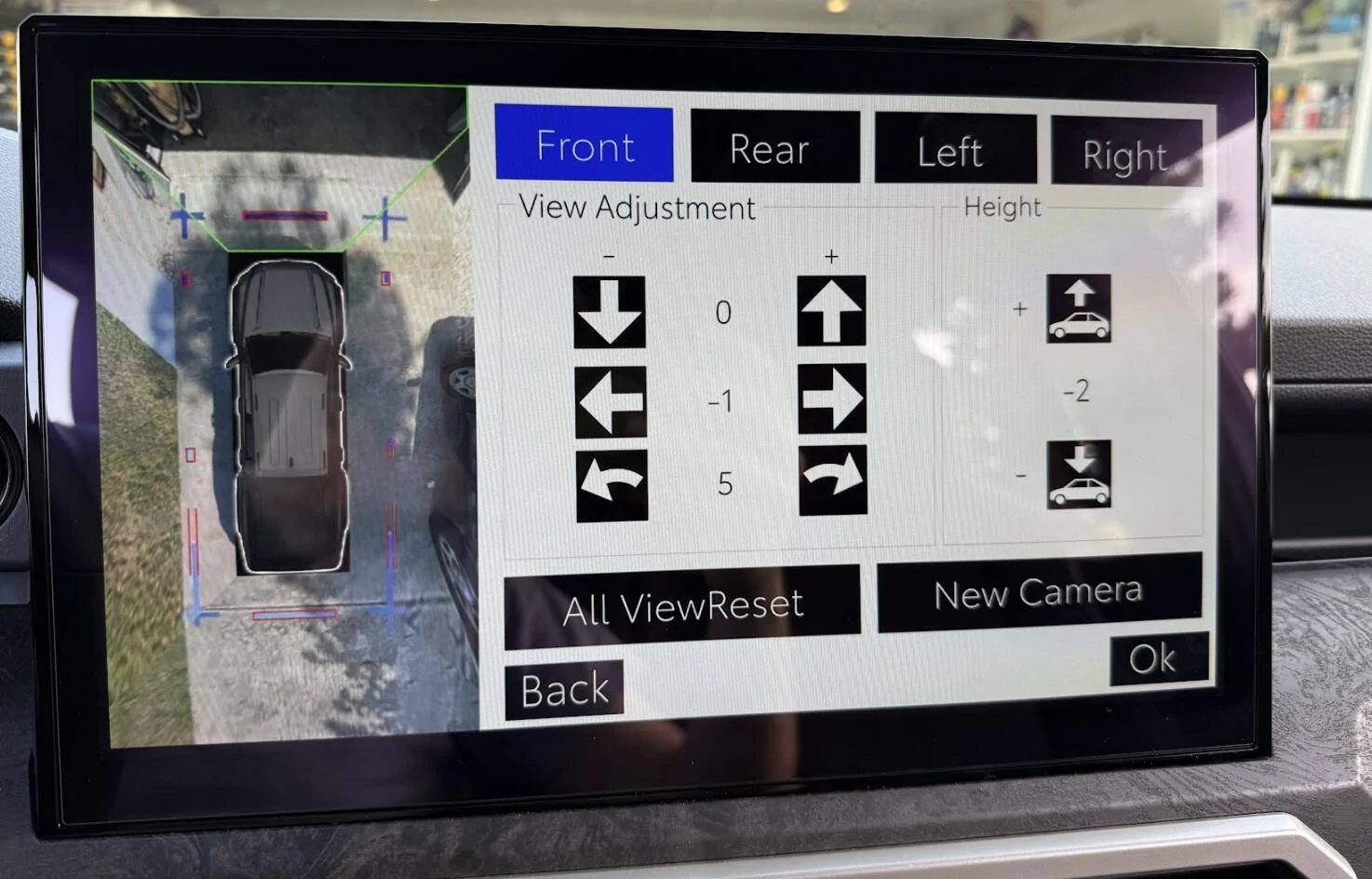
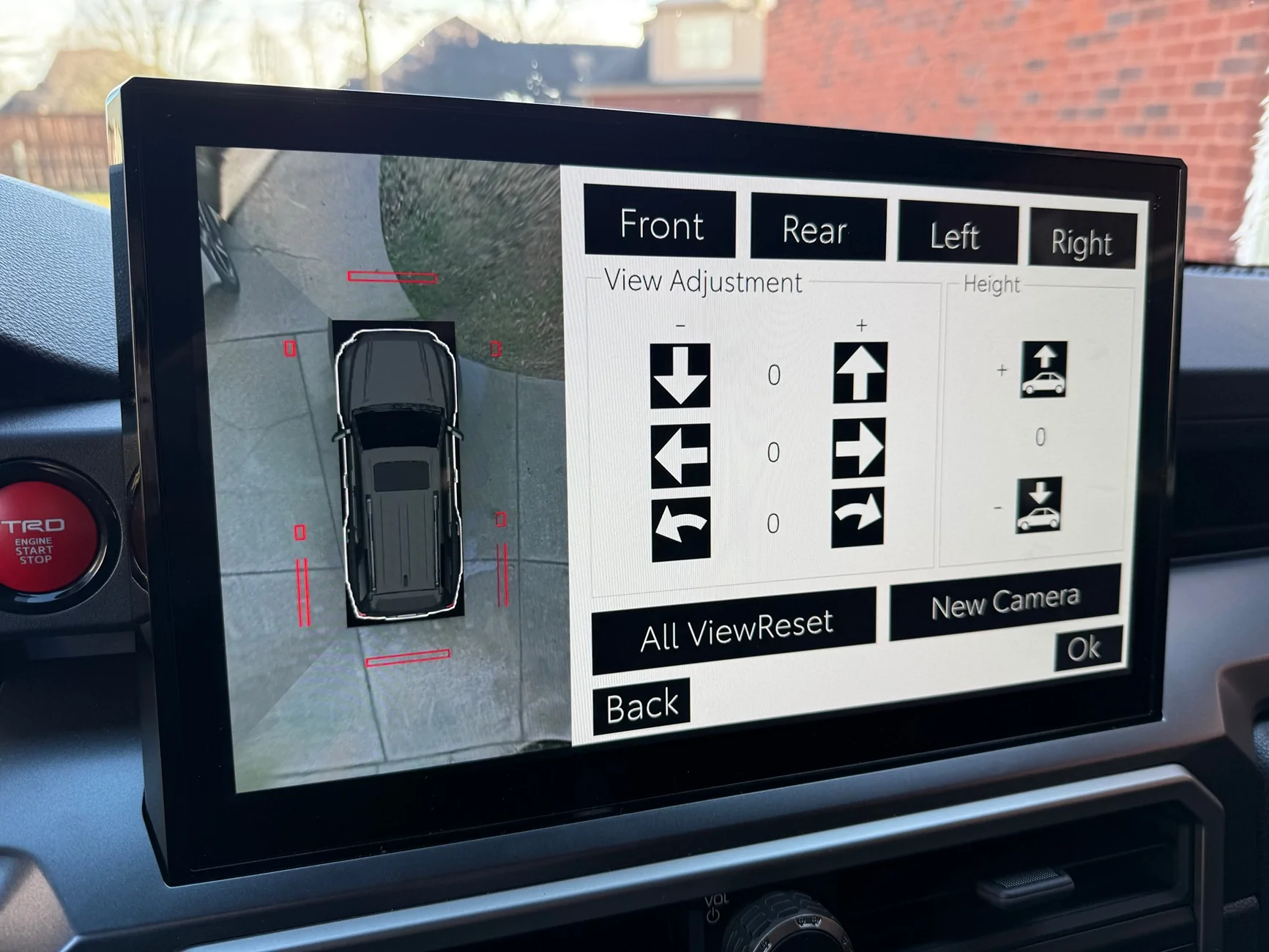
8. You will now see the birds eye view of your truck where you can make adjustments.
9. After making your adjustments, select Ok.
10. Once it completes saving, click OK and you can exit the Service Menu. The next time you start the truck, it will ask you to complete service mode and just choose ok to complete.
Notes:
- Accessory Mode only stays on for 15-20 minutes, so make sure you don't take too long to adjust all your cameras otherwise you will have to restart the process.
- I don't think it's possible to get the cameras aligned 100% perfectly. I got it like 95% good and I was happy with the result
- While adjusting the cameras, where both cameras line up and meet in the image, there is no blending effect of how they mesh together. Once you exit the Service Menu, and start driving, the normal 360 camera view adds a blending effect to where the cameras mesh together to hide some of the imperfections of misalignment, so don't worry if the service menu doesn't look 100% perfect.
- If you are only looking to realign your front camera after swapping grills, you can follow the above steps (change the front camera angle to +165 should get you close to spot on, adjust + or - 1 until you get it perfect).
Be cautious when making changes in the Service Menu. It appears you can change other settings in this menu as well, and I recommend not doing so unless you know what you are doing. I am not an export and I am just sharing some of the information I have found.
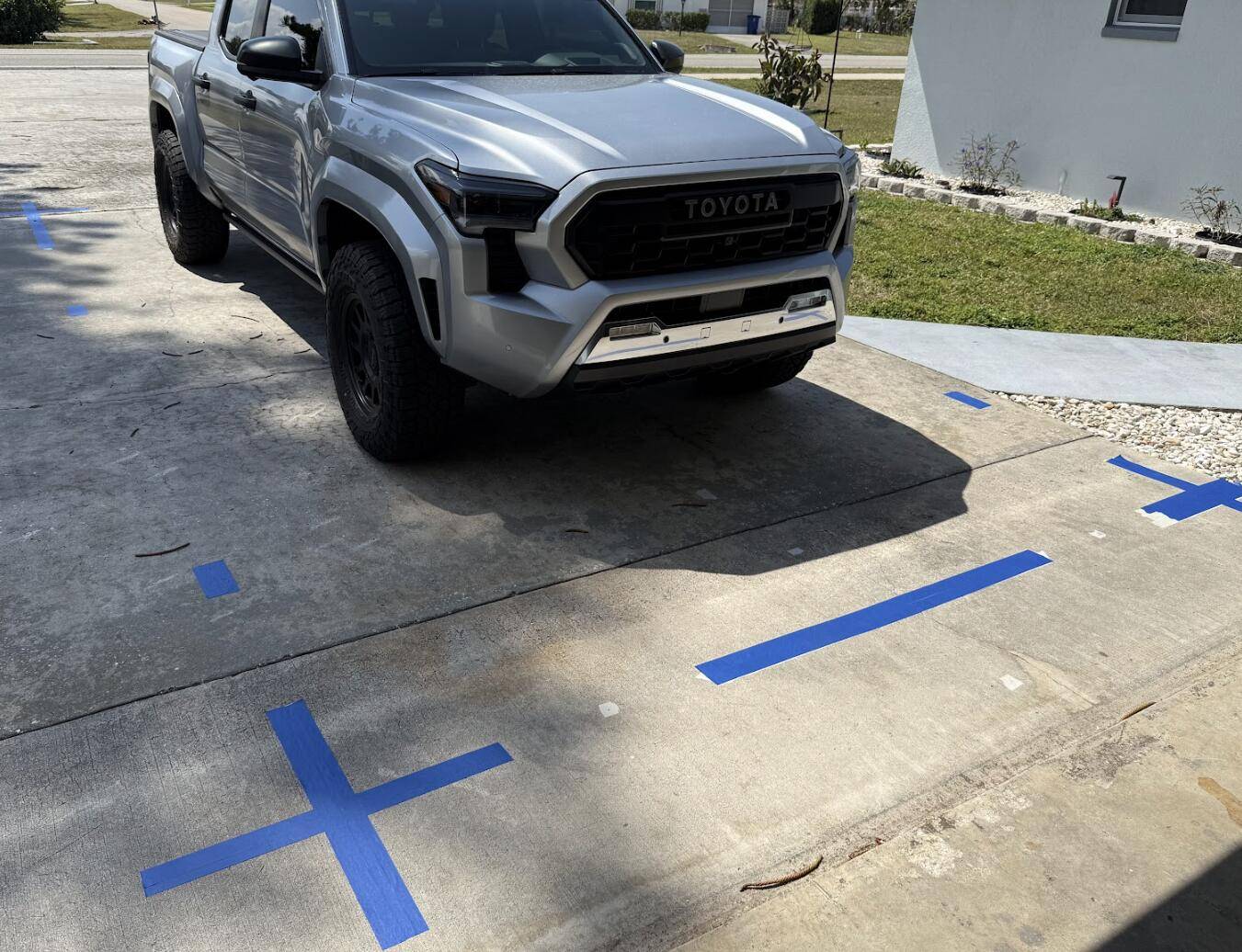
If you are looking to do a full recalibration of all the cameras, I have attached the official Camera Calibration Procedure from the Service Manual that I found shared online. This procedure is very in depth, and honestly probably not recommend if you are only swapping your front grill camera (I believe other forum members were able to change their front camera calibration to +162 or +165 to get it adjusted correctly) With my tailgate camera also being misaligned from the factory, I performed this calibration to get everything dialed in. It did take some time, especially settings up all the tape.
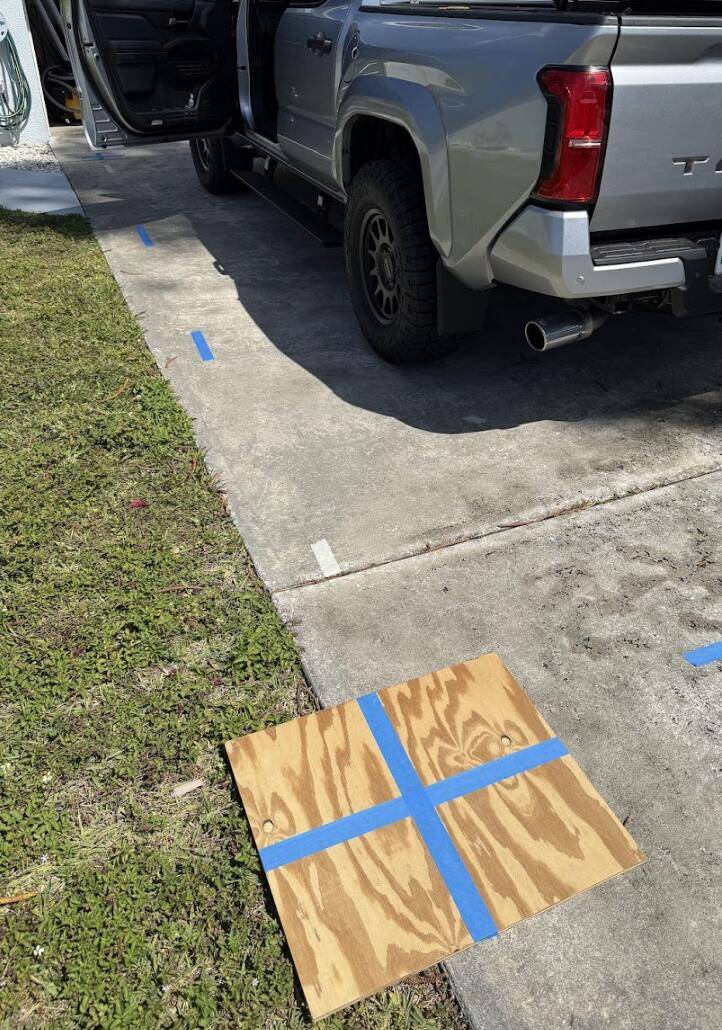
The official calibration procedure of laying tape down in precise locations was time consuming and very tedious to get all the tape lined up perfectly. Honestly, I think if you just take a 2ft x 2ft piece of wood or cardboard, put some painters tape on it, and move it around to each corner of your truck where your cameras 'mesh' together in the view, it will work almost as good. I've saw someone else mentioned they just went to a parking lot and used the painted lines.
2025 2026 4runner 6th gen 360 Camera calibration / recalibration how-to instructions DIY 29419-00799f081414c09a202fa8573f2e9462
Tape laid out per the Service Manual Procedure
2025 2026 4runner 6th gen 360 Camera calibration / recalibration how-to instructions DIY 29419-00799f081414c09a202fa8573f2e9462
This was as close as perfect as I could get it. It's not perfect, but I was happy with the results. Much better than how it came from factory. The adjustment values in this picture are not accurate, as each time you save, the value returns to zero.
2025 2026 4runner 6th gen 360 Camera calibration / recalibration how-to instructions DIY 29417-26fd487f28a2d89dfc8301162e0d49c9
Using wood instead to save time.
2025 2026 4runner 6th gen 360 Camera calibration / recalibration how-to instructions DIY 29417-26fd487f28a2d89dfc8301162e0d49c9

Sponsored


Attachments

Archer

TRD Pro
Well-known member
First Name
Mike
Joined
Apr 23, 2025
Threads
47
Messages
689
Reaction score
674
Location
Orwigsburg, Pa.
Vehicle(s)
2025 4 Runner TRD Pro
Awesome, I want to move my bumper camera under the bumper/above the skid plate and may need to remove some molded pieces to be able to get it to where I want it mounted. Give's me more confidence to do so...
 
OP
OP
Maximus4R

Maximus4R

Limited
Well-known member
First Name
Adam
Joined
Mar 31, 2025
Threads
20
Messages
306
Reaction score
211
Location
Nashville
Vehicle(s)
25 ORP > 25 ORP (Long Story) > 25 Limited
It works! I tried it without my phone paired (was happening automatically so I turned off Bluetooth) and it gives me the options to adjust.

2025 2026 4runner 6th gen 360 Camera calibration / recalibration how-to instructions DIY IMG_0911
 

Mad Ghost

TRD Off-Road Premium
Well-known member
First Name
Justin
Joined
Jan 31, 2025
Threads
33
Messages
481
Reaction score
488
Location
Wylie Texas
Vehicle(s)
4Runner ORP and Avalon
curious to see what other options there are to play with and how far off a mild lift like my Westcott changed things, I didn't really notice anything
 

Dead Horse

TRD Off-Road Premium
Well-known member
Joined
Sep 6, 2024
Threads
4
Messages
601
Reaction score
675
Location
Oklahoma
Vehicle(s)
4Runner
Is the adjustment enough to compensate for moving the camera from the bottom grill to the top grill (installing Heritage grill in place of ORP grill)?
 
OP
OP
Maximus4R

Maximus4R

Limited
Well-known member
First Name
Adam
Joined
Mar 31, 2025
Threads
20
Messages
306
Reaction score
211
Location
Nashville
Vehicle(s)
25 ORP > 25 ORP (Long Story) > 25 Limited
Is the adjustment enough to compensate for moving the camera from the bottom grill to the top grill (installing Heritage grill in place of ORP grill)?
That’s what I’m hoping. The Tacoma folks are using it for their grill replacement camera relocations, but it doesn’t look anywhere close to the same relo distance.
 

PdlMnk

TRD Off-Road Premium
Well-known member
Joined
Jul 19, 2026
Threads
12
Messages
86
Reaction score
43
Location
California
Vehicle(s)
6G4R - TRD ORP Premium Hybrid
Does this work with the 2026 4Runners? I just tried it like 10 times, no luck. I tried small swipes, big swipes, full screen swipes, corner swipes, but none worked.

I did 4 left to right first, then 5 right to left. No luck.


I rolled up all teh windows, sun roof, back window, etcx..closed the doors, pressed the start/stop twice to get into accessory mode without my foot on the brake (so the car does not start). Waited for the infotainment system to boot up, went to Settings>Disapaly>Turn off screen.

Can anybody confirm that this works on a 2026 TRD ORP Hybrid?
 

josiahg52

Trailhunter
Well-known member
First Name
Josiah
Joined
Jun 6, 2026
Threads
1
Messages
225
Reaction score
107
Location
Maine, United States
Vehicle(s)
2026 Trailhunter, 2018 Ram 2500, 2001 BMW M5, 2001 BMW X5 35d
Does this work with the 2026 4Runners? I just tried it like 10 times, no luck. I tried small swipes, big swipes, full screen swipes, corner swipes, but none worked.

I did 4 left to right first, then 5 right to left. No luck.


I rolled up all teh windows, sun roof, back window, etcx..closed the doors, pressed the start/stop twice to get into accessory mode without my foot on the brake (so the car does not start). Waited for the infotainment system to boot up, went to Settings>Disapaly>Turn off screen.

Can anybody confirm that this works on a 2026 TRD ORP Hybrid?
OP says five left to right, then five right to left.
 

PdlMnk

TRD Off-Road Premium
Well-known member
Joined
Jul 19, 2026
Threads
12
Messages
86
Reaction score
43
Location
California
Vehicle(s)
6G4R - TRD ORP Premium Hybrid
OK, I got it to work. Two things that I changed, not sure which helped, but turned off the ventilated seats (made sure nothing was on) and started with the display on, first. I then did the 5 left to right, 5 right to left (only needed half screen swipe to work) and a fully functioning diagnostics screen comes on. Lots of options and even the ability to add a new camera.

There were sensor settings, and a bunch of other stuff I don't remember.I will work on camera calibration in a few days.
Sponsored


Top