

- Thread starter
- #1
Decided to install a Redtiger dash cam with an external rear camera and a hard wire kit. I've used an older model with the same setup on my 4th gen without any issues, so decided to do the same with my new 4Runner. Here's what I started with:

That's the rear camera, main unit, and hardwire kit in the front. Behind the hard wire kit is a Subaru harness that I used to power the dash cam off the plug that's already behind the headliner by the roof console.
You can all these items from Amazon:
Redtiger F7N Elite https://a.co/d/1z1Q3zo
Hardwire kit https://a.co/d/2ZwgWQq
Subaru harness H501SSG010 https://a.co/d/bFwdYbL
You can probably get the Subaru harness for less from your local Subaru dealer, that's what I did - https://parts.subaru.com
Before doing anything else I used the 12v cigarette lighter connector that came with the camera (not shown above) to power up the dash cam and rear camera to test. It all worked as expected.
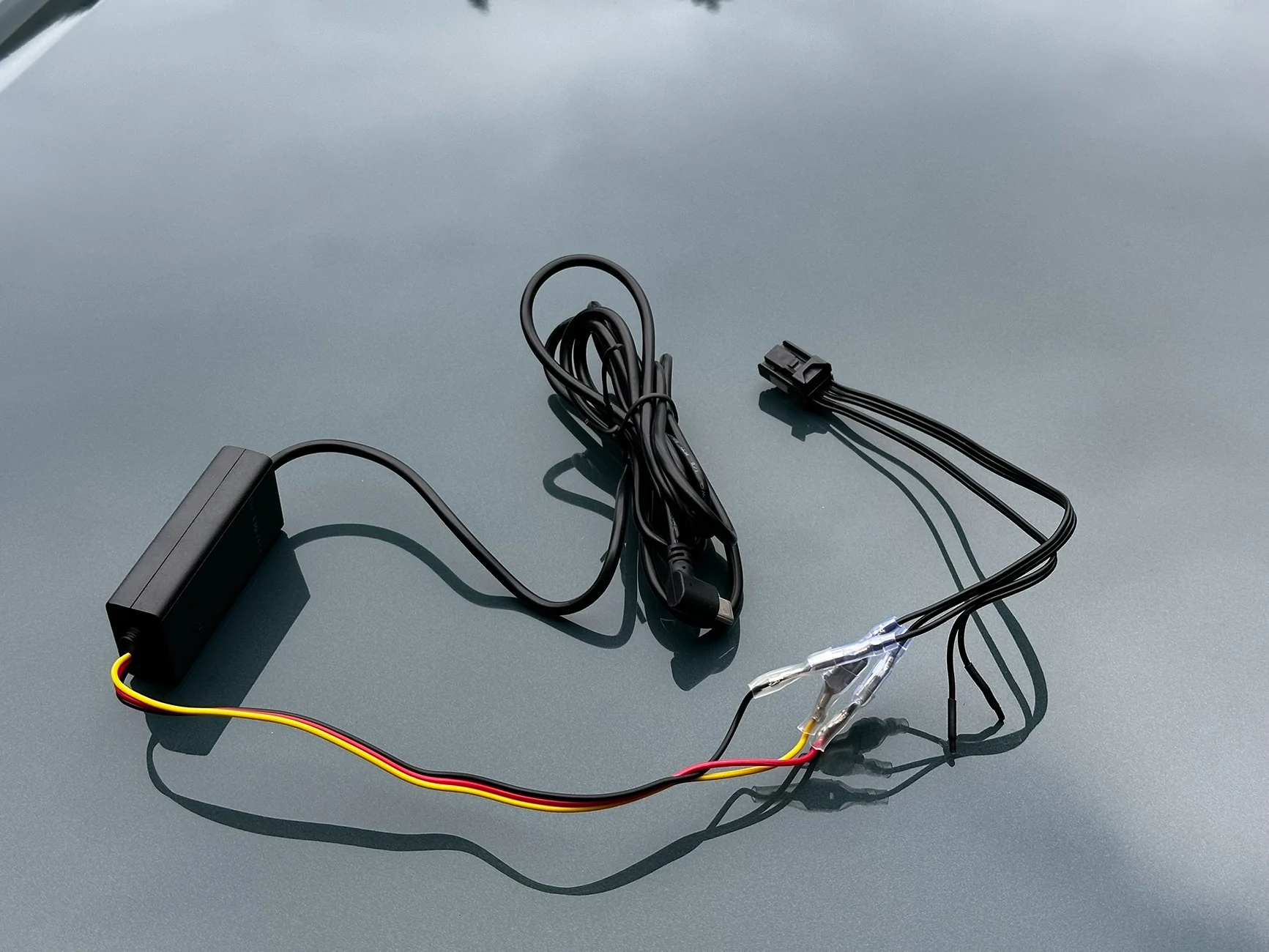
Started by creating the wiring harness for the dash cam. Checked the connector inside the headliner with a multimeter to make sure I had the right connector before started. Cut the Subaru harness and the hardwire kit and connected them with spade connectors. Added some shrink wrap on top of the connectors for good measure.
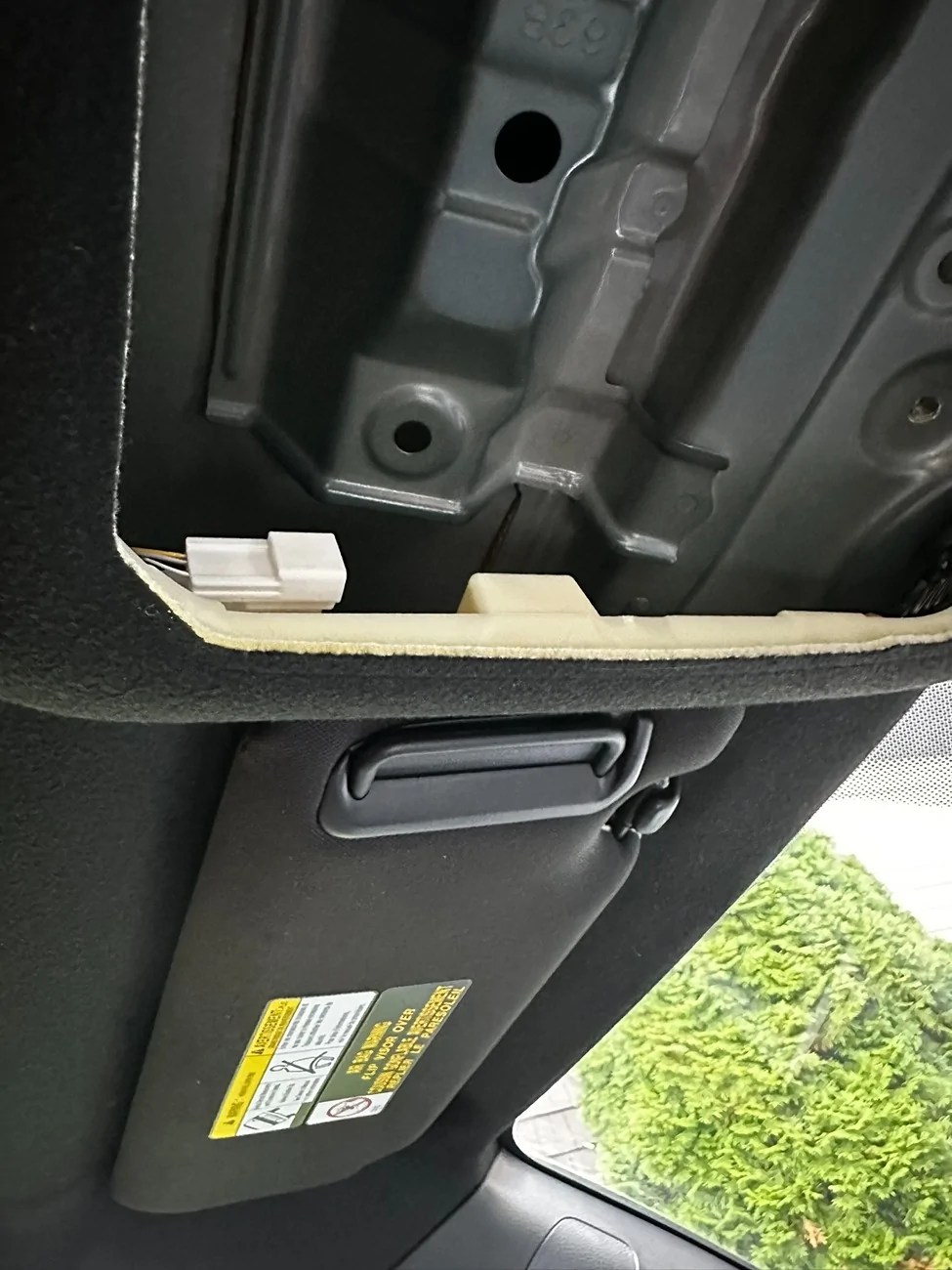
To get access to the connector above the headliner, remove the roof console by pulling down on the front. That is the side towards the windshield. I used a trim tool to help me get a grip around the front edge and pulled it down with my fingers and left it hanging by the wiring already in place.
Here you can see the existing dash cam connector

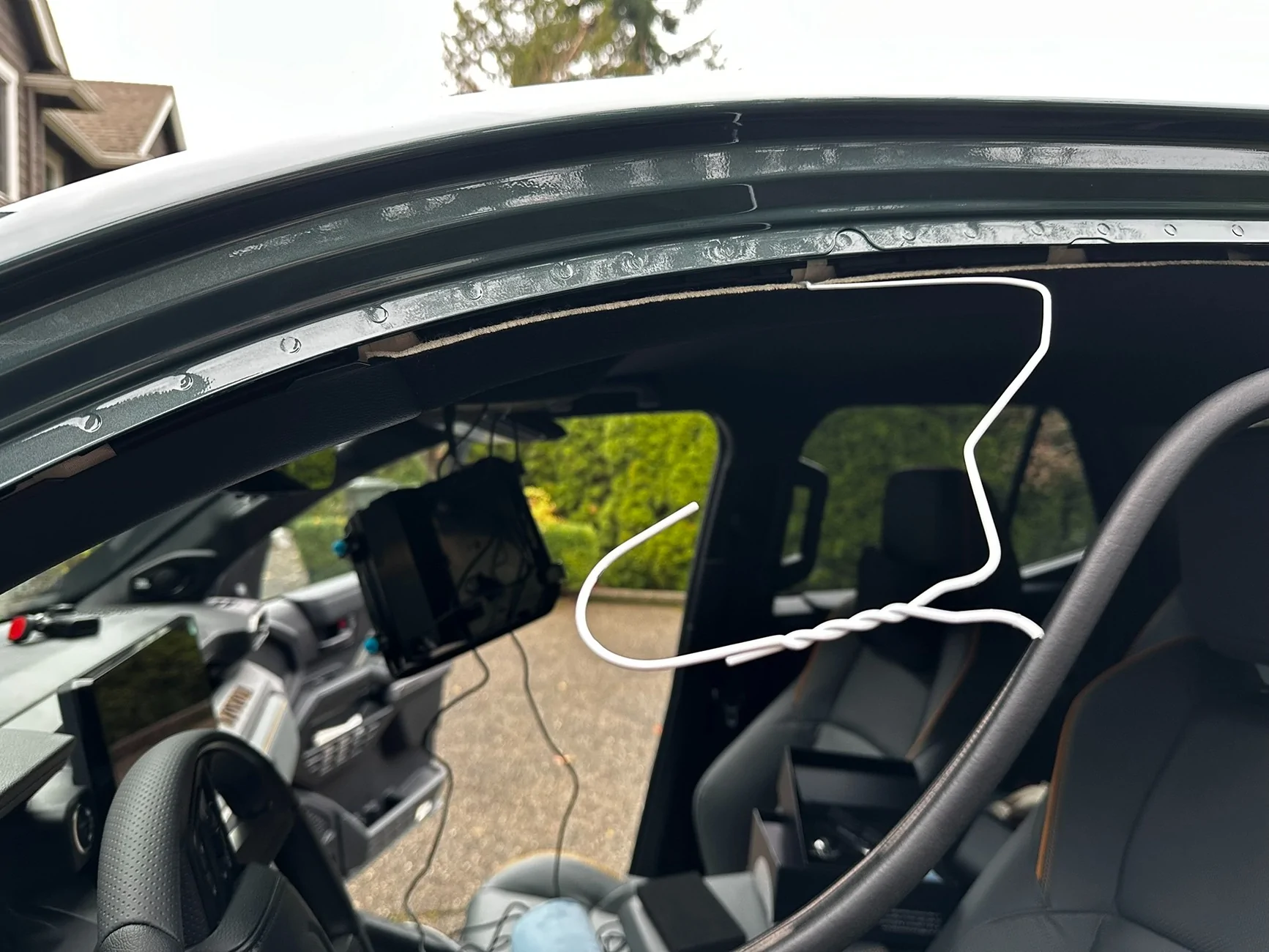
Next, I started pulling the cable to the rear camera. Using an wire hanger cut and straightened out I pulled the cable from the roof console towards the driver's door.
Doing this I was able to avoid the A pillar completely. However, when you peek under the headliner by the driver's door you'll notice the airbag up there. Be careful not to trigger it and be careful not to obstruct its function with the cable. You want to route the cable behind the airbag.
For the final stretch towards the rear I loosened the D pillar trim and pushed the coat hanger tool towards the rear door. Had to try a couple of times before I could get the coat hanger to where I could grab it, but got it eventually. Never had any problems with the coat hanger snagging, but I made sure to close the loop around the cable every time before pulling the coat hanger with the cable attached.
At this point I removed the rear spoiler from the rear door. Found a good description of how to do that on Westcott's 2025 4Runner Ladder Install Video 6th Gen.
Now to the hardest part, getting the cable through the rubber hose between the back of the roof and the door. I pushed my coat hanger tool from the left to the right, very carefully to not damage any of the other wires in the rubber hose, and after disconnecting it from both the door and the roof of the car. This is also the only place where I damaged any part of the car, one of the tabs on the white plastic part securing the rubber hose to the roof broke off. Not too worried, was able to seat the part sufficiently after I finished the install. Reconnect the hose back after you've put the wire through.
Now to the fun part, drilling holes into my new 4Runner...
Now double-check that all the clips are where they need to be and put the rear spoiler back on again. The camera is connected to the cable that you just pulled from the front of the cab with a four pin connector. I left this connector inside the spoiler to make it easy to disconnect again. You could always put some tape or heat shrink around this connector if you're concerned about moisture ingress. I decided not to do that, at least not for now.
Also, this is a good time to remove slack from the cable you and pull excess into the opening where the roof console belongs. Pull the rear camera cable and usb-c power cable under the headliner to where you want to mount the dash cam and zip time up any excess cable. There's plenty of space above the headliner for the excess cable.
Clean the inside of the windshield and stick the dash cam where you want it! Connect the rear dash cam and power cables to the dash cam and pull excess back in to the cavity inside the headliner before putting the roof console back on.
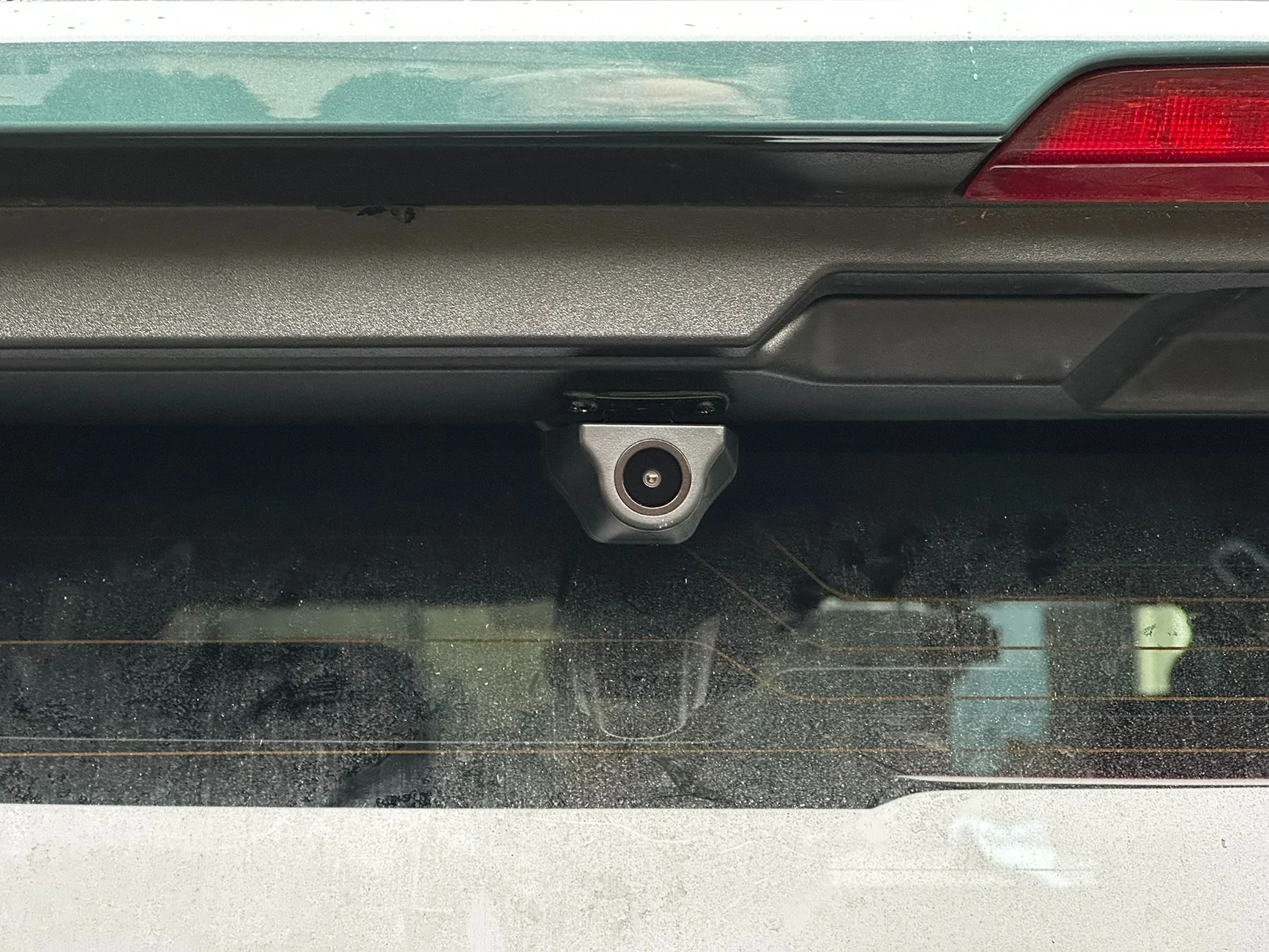
That's it! Here's what my dash cam and rear cam look like:
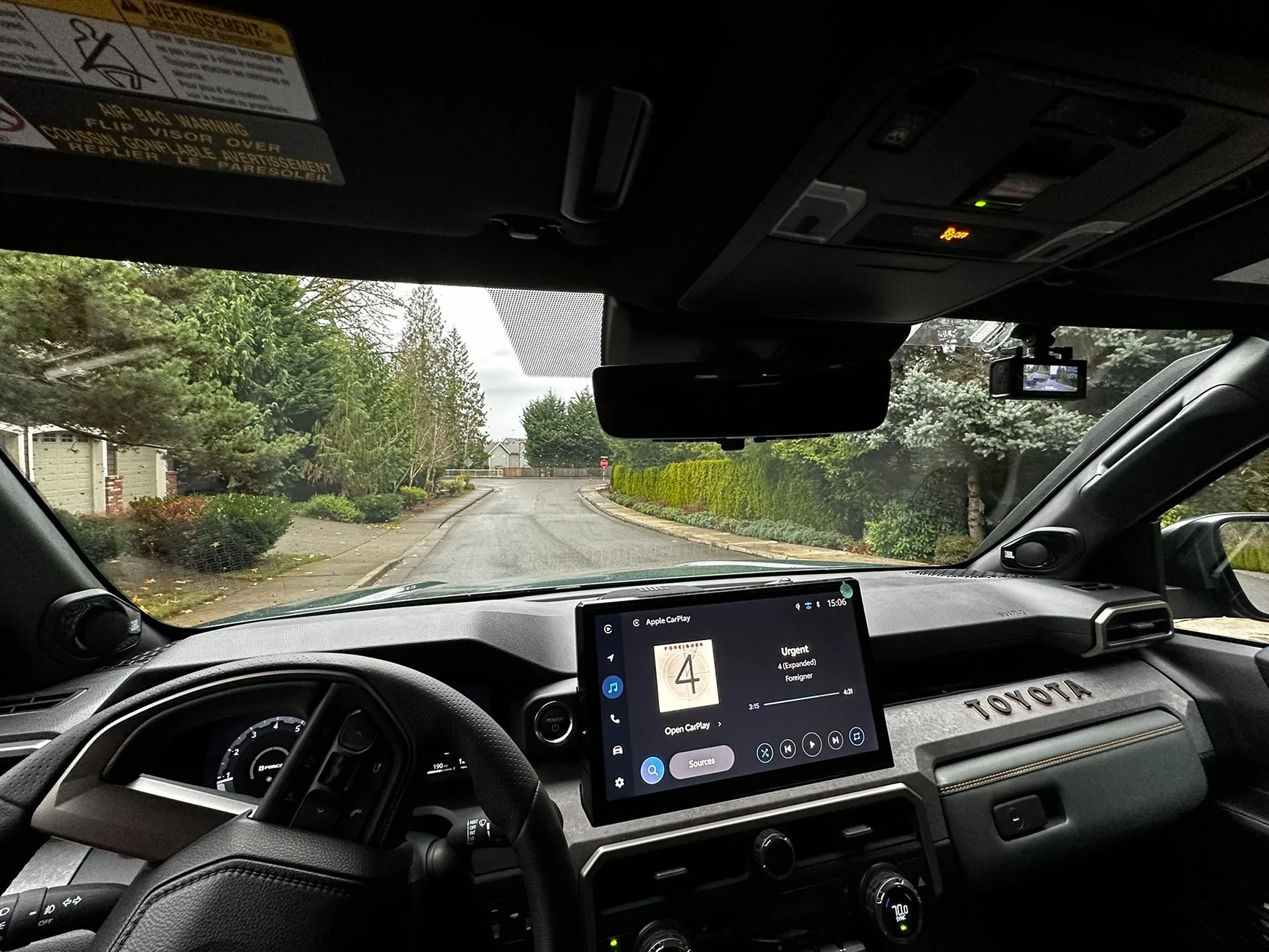
And here's what it looks like from the driver's seat:
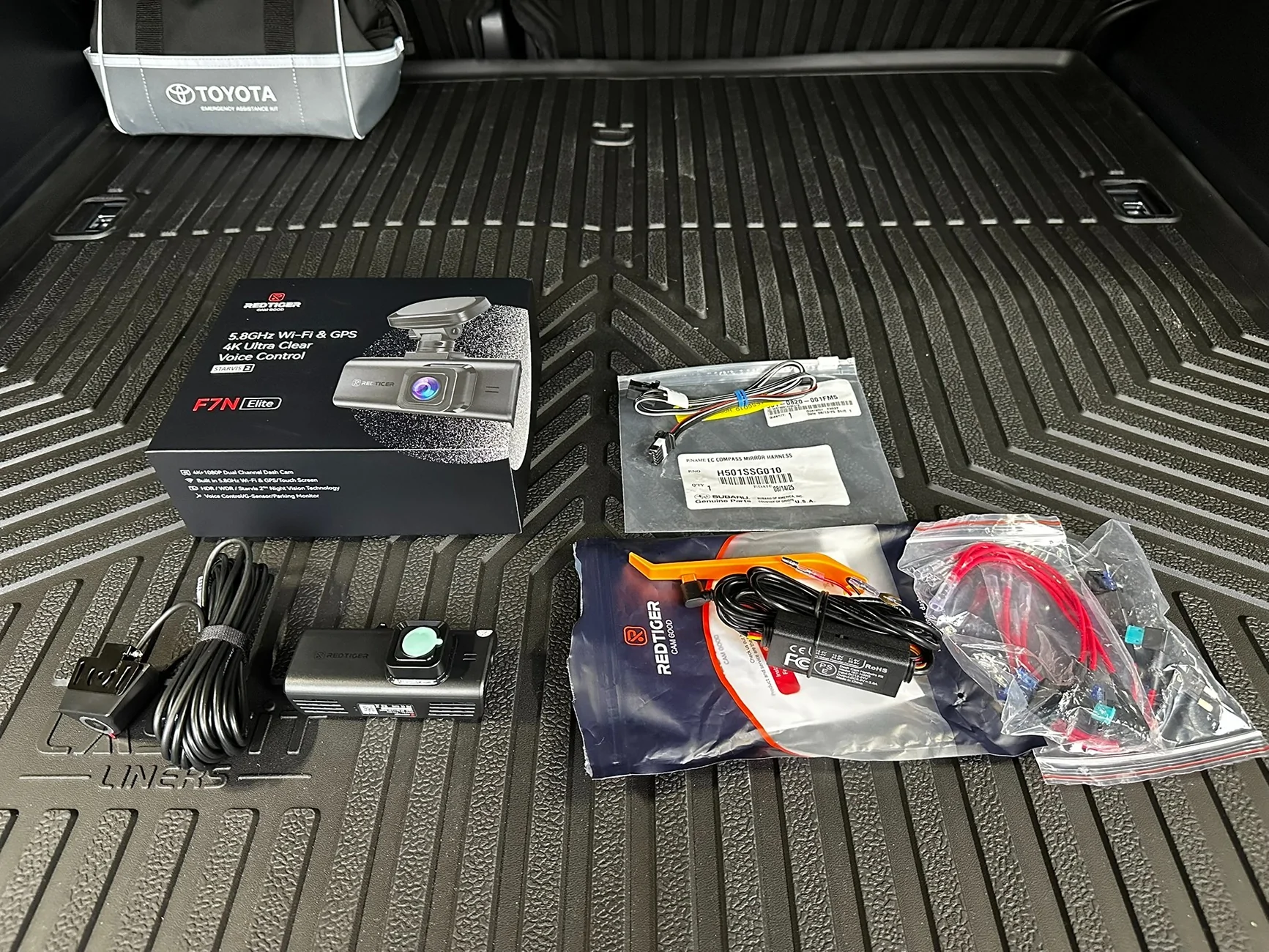
That's the rear camera, main unit, and hardwire kit in the front. Behind the hard wire kit is a Subaru harness that I used to power the dash cam off the plug that's already behind the headliner by the roof console.
You can all these items from Amazon:
Redtiger F7N Elite https://a.co/d/1z1Q3zo
Hardwire kit https://a.co/d/2ZwgWQq
Subaru harness H501SSG010 https://a.co/d/bFwdYbL
You can probably get the Subaru harness for less from your local Subaru dealer, that's what I did - https://parts.subaru.com
Before doing anything else I used the 12v cigarette lighter connector that came with the camera (not shown above) to power up the dash cam and rear camera to test. It all worked as expected.
Started by creating the wiring harness for the dash cam. Checked the connector inside the headliner with a multimeter to make sure I had the right connector before started. Cut the Subaru harness and the hardwire kit and connected them with spade connectors. Added some shrink wrap on top of the connectors for good measure.
To get access to the connector above the headliner, remove the roof console by pulling down on the front. That is the side towards the windshield. I used a trim tool to help me get a grip around the front edge and pulled it down with my fingers and left it hanging by the wiring already in place.
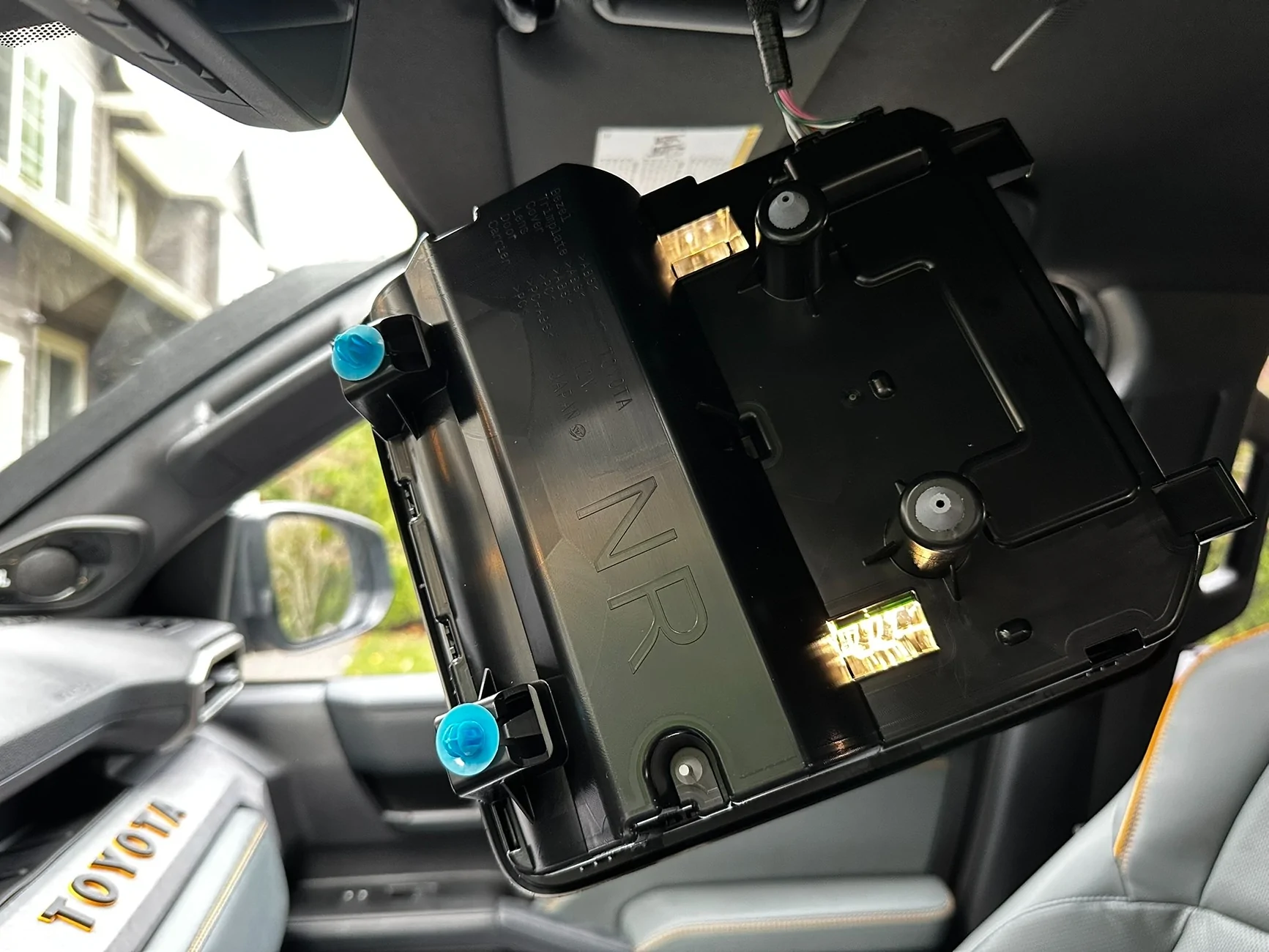
Here you can see the existing dash cam connector
Next, I started pulling the cable to the rear camera. Using an wire hanger cut and straightened out I pulled the cable from the roof console towards the driver's door.
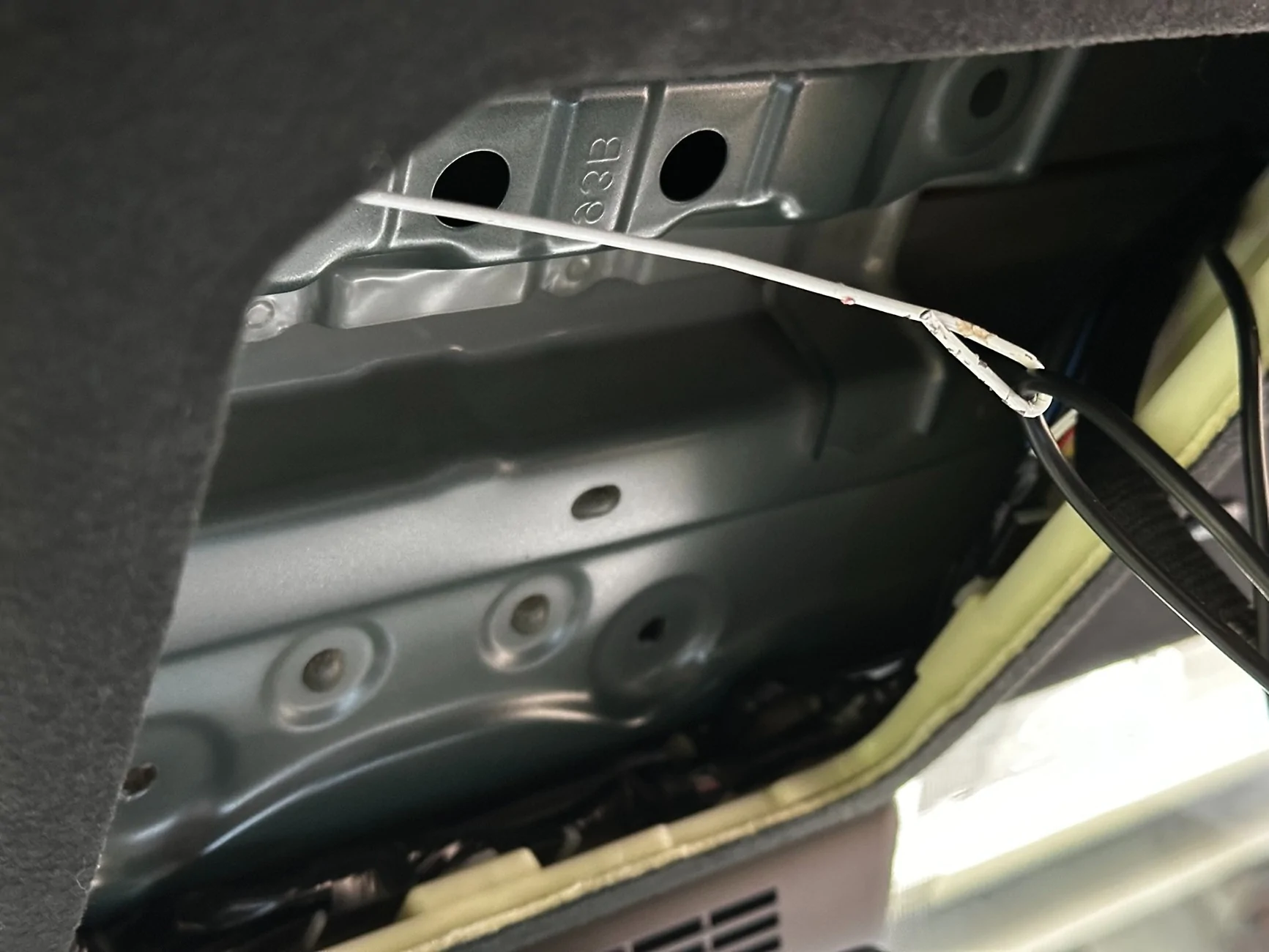
Doing this I was able to avoid the A pillar completely. However, when you peek under the headliner by the driver's door you'll notice the airbag up there. Be careful not to trigger it and be careful not to obstruct its function with the cable. You want to route the cable behind the airbag.
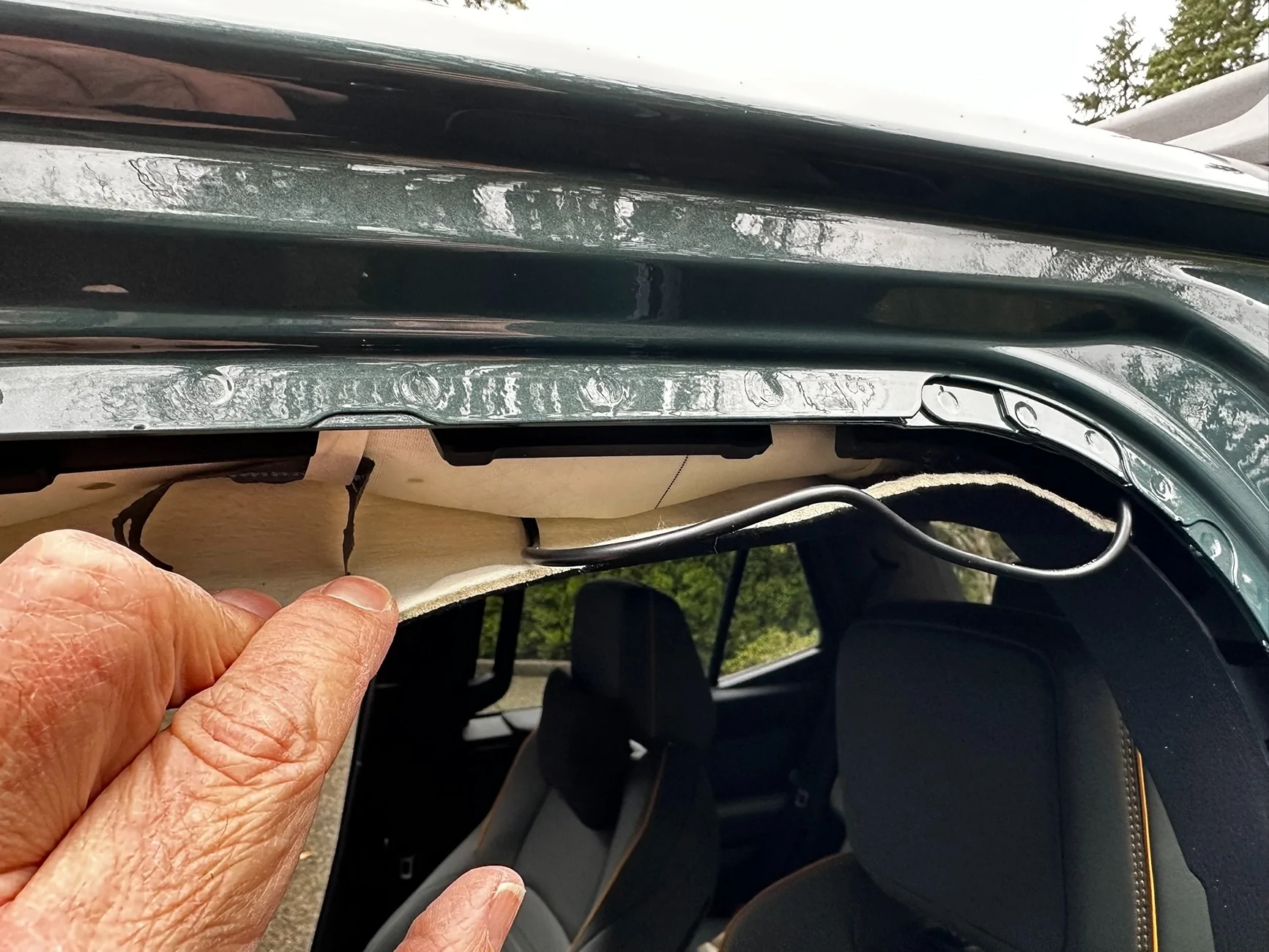
For the final stretch towards the rear I loosened the D pillar trim and pushed the coat hanger tool towards the rear door. Had to try a couple of times before I could get the coat hanger to where I could grab it, but got it eventually. Never had any problems with the coat hanger snagging, but I made sure to close the loop around the cable every time before pulling the coat hanger with the cable attached.
At this point I removed the rear spoiler from the rear door. Found a good description of how to do that on Westcott's 2025 4Runner Ladder Install Video 6th Gen.
Now to the hardest part, getting the cable through the rubber hose between the back of the roof and the door. I pushed my coat hanger tool from the left to the right, very carefully to not damage any of the other wires in the rubber hose, and after disconnecting it from both the door and the roof of the car. This is also the only place where I damaged any part of the car, one of the tabs on the white plastic part securing the rubber hose to the roof broke off. Not too worried, was able to seat the part sufficiently after I finished the install. Reconnect the hose back after you've put the wire through.
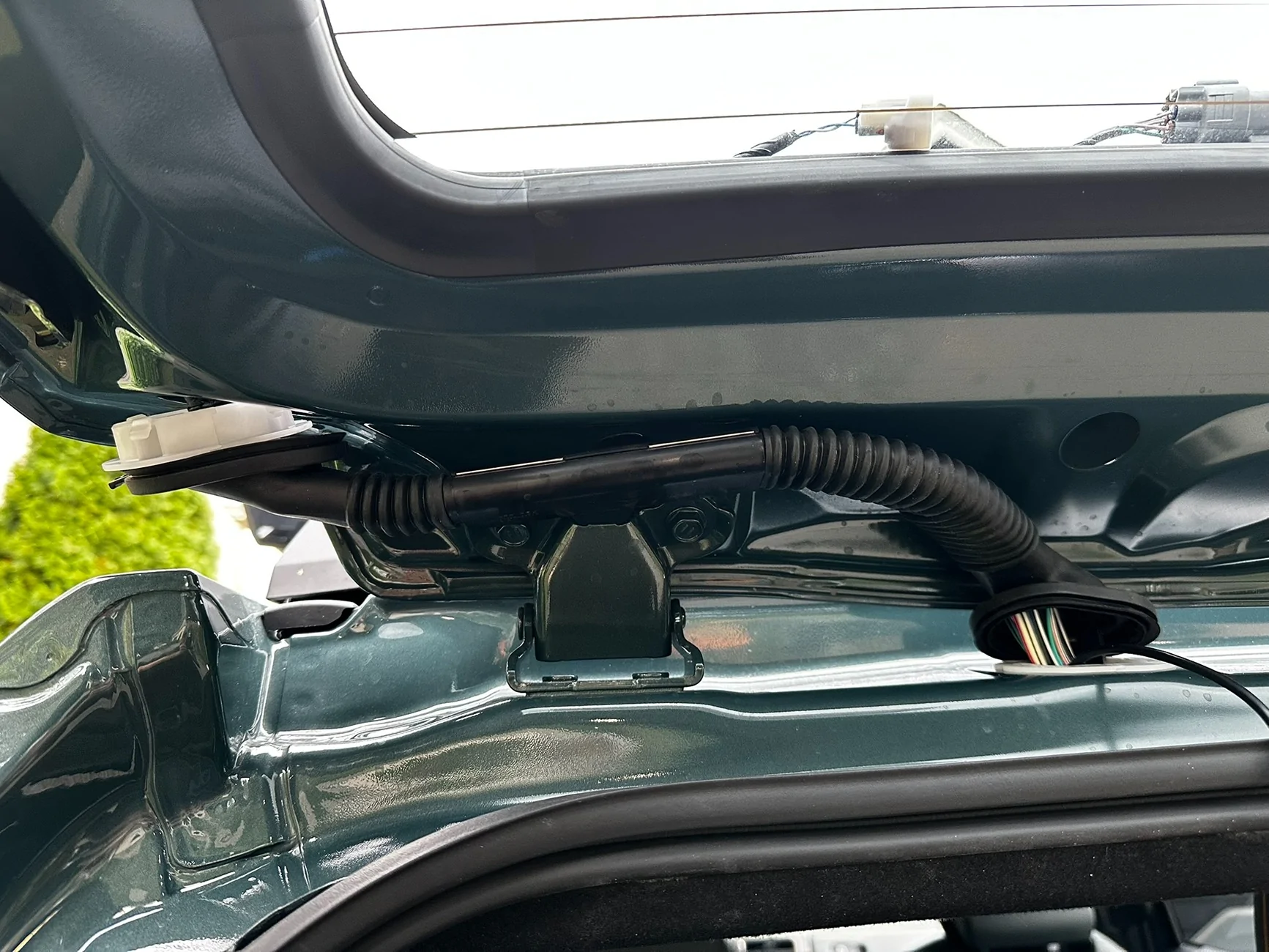
Now to the fun part, drilling holes into my new 4Runner...
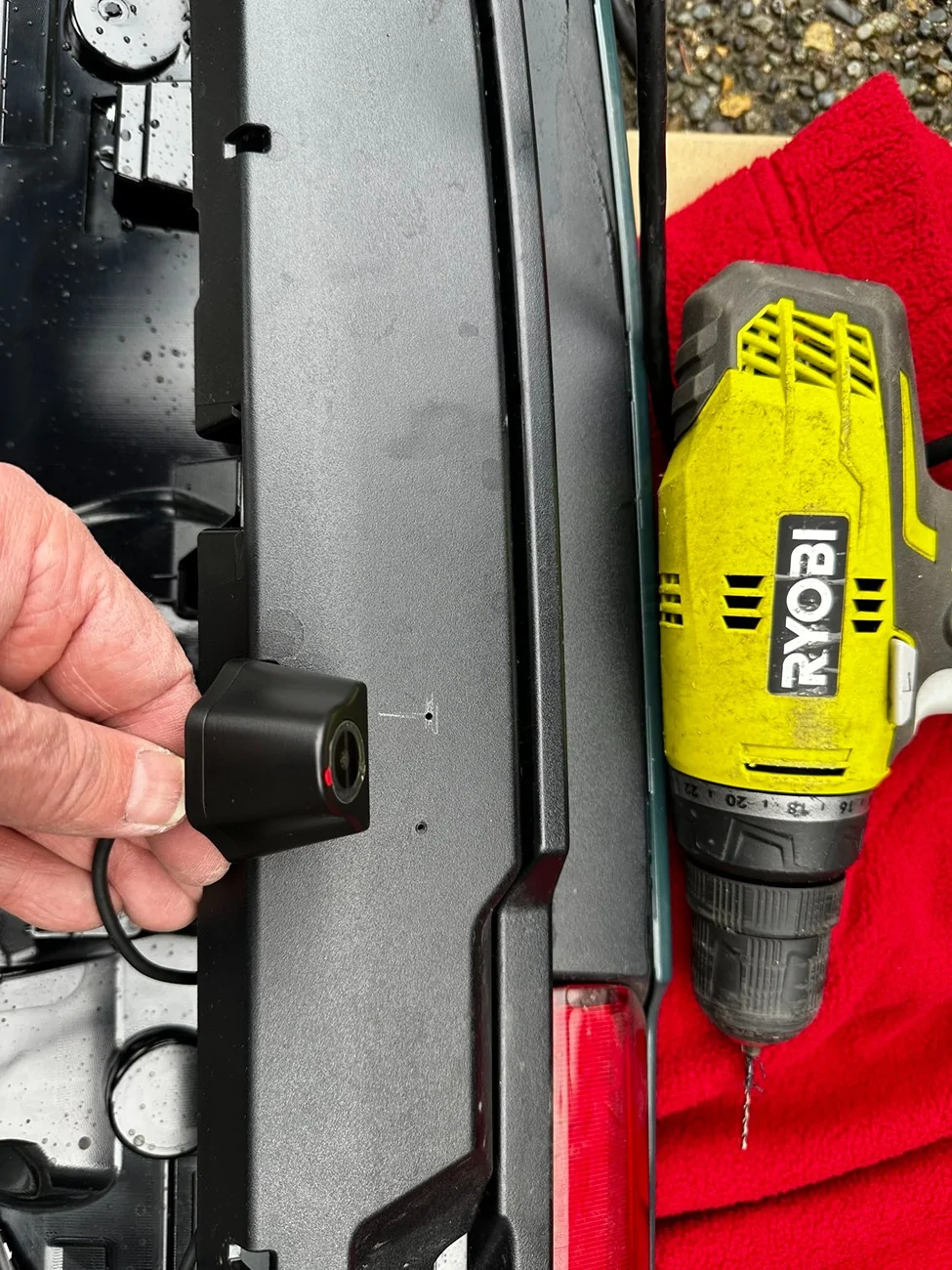
Now double-check that all the clips are where they need to be and put the rear spoiler back on again. The camera is connected to the cable that you just pulled from the front of the cab with a four pin connector. I left this connector inside the spoiler to make it easy to disconnect again. You could always put some tape or heat shrink around this connector if you're concerned about moisture ingress. I decided not to do that, at least not for now.
Also, this is a good time to remove slack from the cable you and pull excess into the opening where the roof console belongs. Pull the rear camera cable and usb-c power cable under the headliner to where you want to mount the dash cam and zip time up any excess cable. There's plenty of space above the headliner for the excess cable.
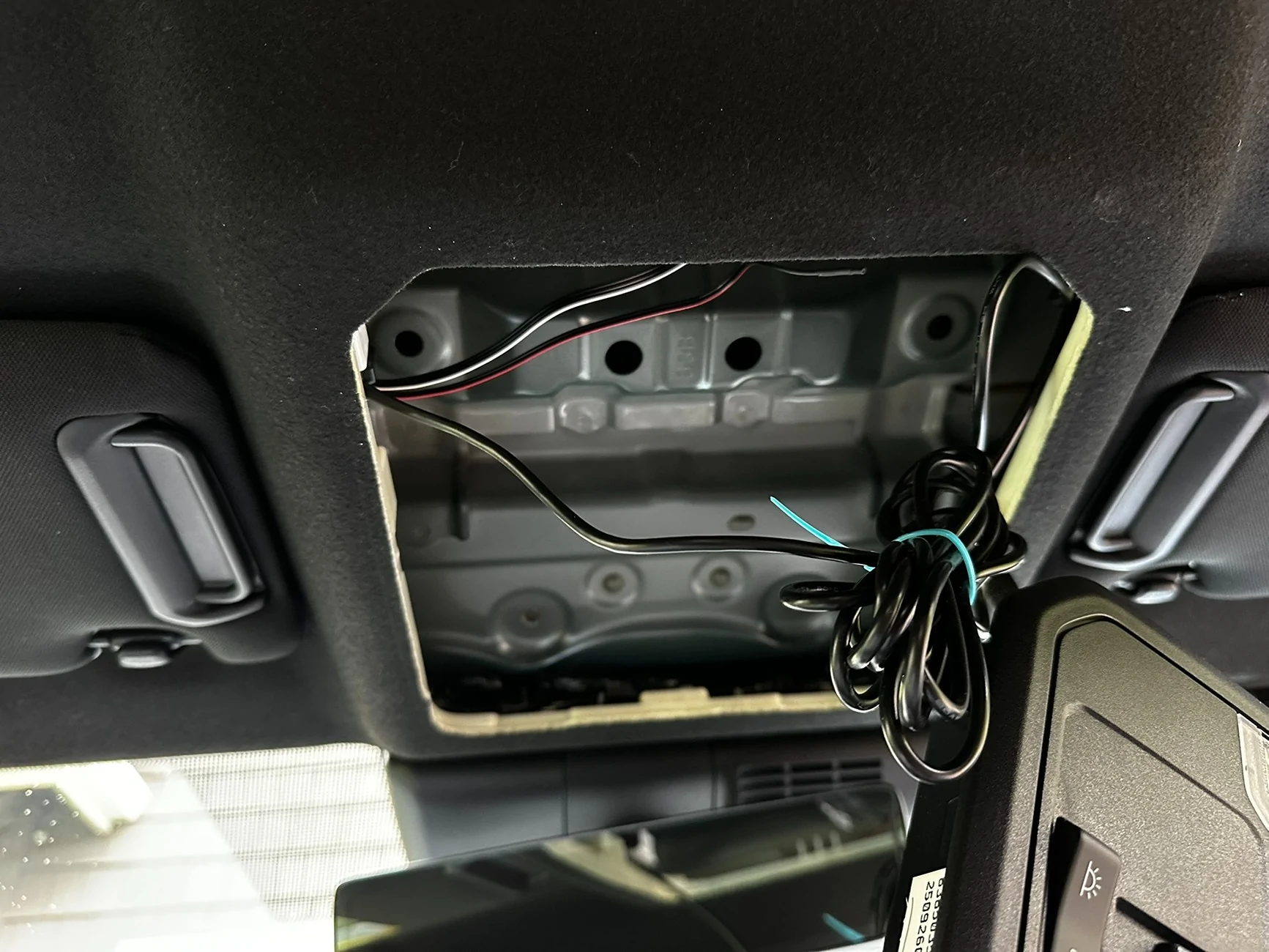
Clean the inside of the windshield and stick the dash cam where you want it! Connect the rear dash cam and power cables to the dash cam and pull excess back in to the cavity inside the headliner before putting the roof console back on.
That's it! Here's what my dash cam and rear cam look like:
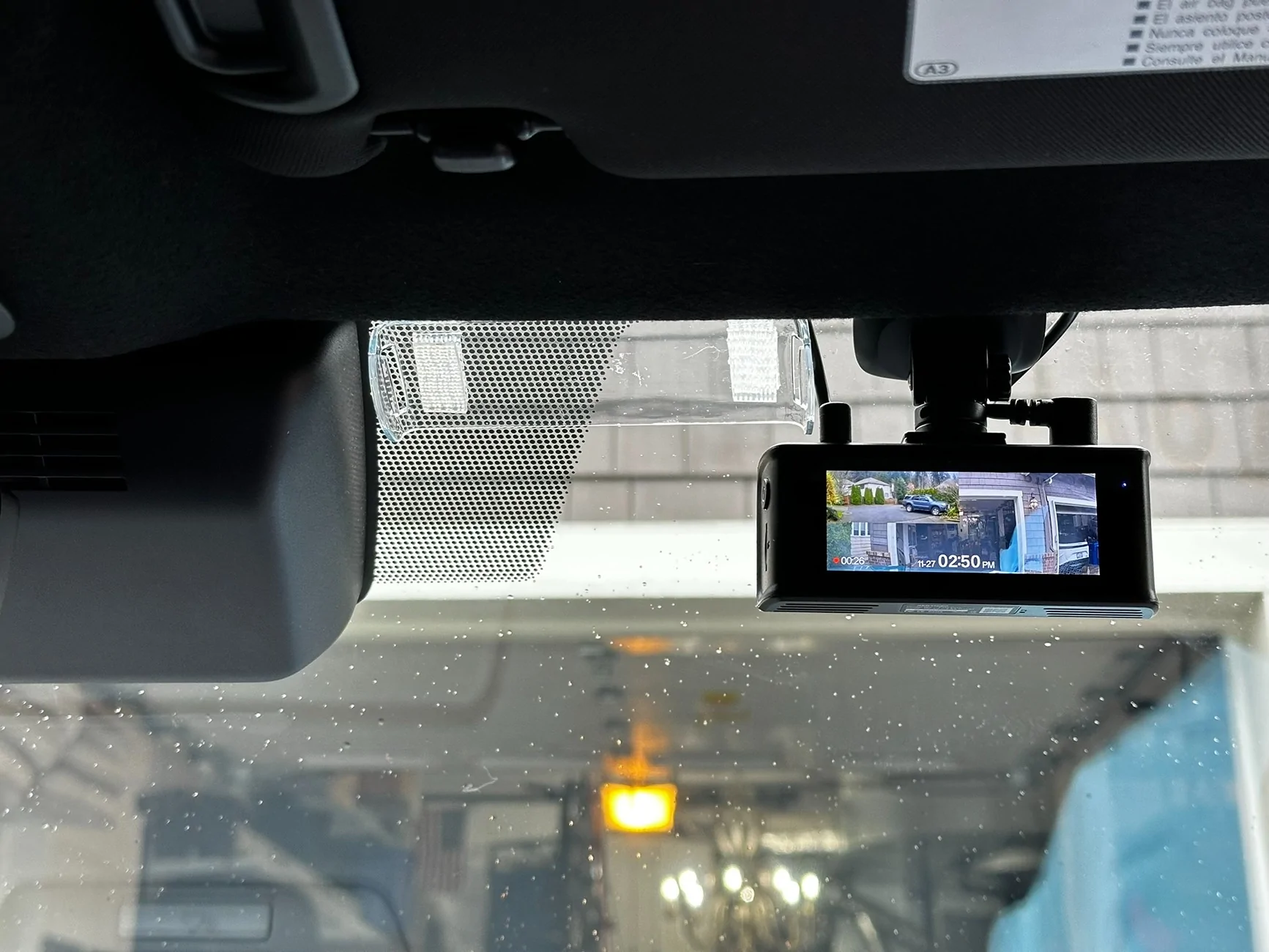
And here's what it looks like from the driver's seat:
Sponsored
Last edited:


