
- Thread starter
- #1
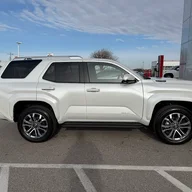
My '26 Limited (JBL) is my first vehicle with wireless Airplay. I do understand how the wireless connection is made (via wifi connection) with the iPhone. I use Apple music and have downloaded lossless music files that I listen to. While wireless airplay is good, the wired connection gives a better, more detailed sound (using the usb-c data port on the screen).
My question is how do you know that your connection is "wired" when using airplay, or more specifically what steps do you go through to do this? When starting the vehicle it will make the automatic wireless connection, but when I then connect the usb cable it doesn't have any indication that it is using a wired connection. I usually have to go into the settings and tell the vehicle to use my device for media (which cancels airplay), then go and change it back to "airplay". It seems like at that point it is using a wired connection based on the audio quality improvement and that it will disconnect when unplugging. Is there a easier way to do this? Yes, I've read the manual.. no, I can't find it specifically addressed. Thanks!
My question is how do you know that your connection is "wired" when using airplay, or more specifically what steps do you go through to do this? When starting the vehicle it will make the automatic wireless connection, but when I then connect the usb cable it doesn't have any indication that it is using a wired connection. I usually have to go into the settings and tell the vehicle to use my device for media (which cancels airplay), then go and change it back to "airplay". It seems like at that point it is using a wired connection based on the audio quality improvement and that it will disconnect when unplugging. Is there a easier way to do this? Yes, I've read the manual.. no, I can't find it specifically addressed. Thanks!
Sponsored