
Sponsored

Parking Assist Guides Lines misaligned ?

4cyl_runner

TRD Off-Road
Active member
First Name
Rick
Joined
Nov 20, 2025
Threads
6
Messages
29
Reaction score
11
Location
Arizona USA
Vehicle(s)
Tacoma TRD OR, 2026 4Runner
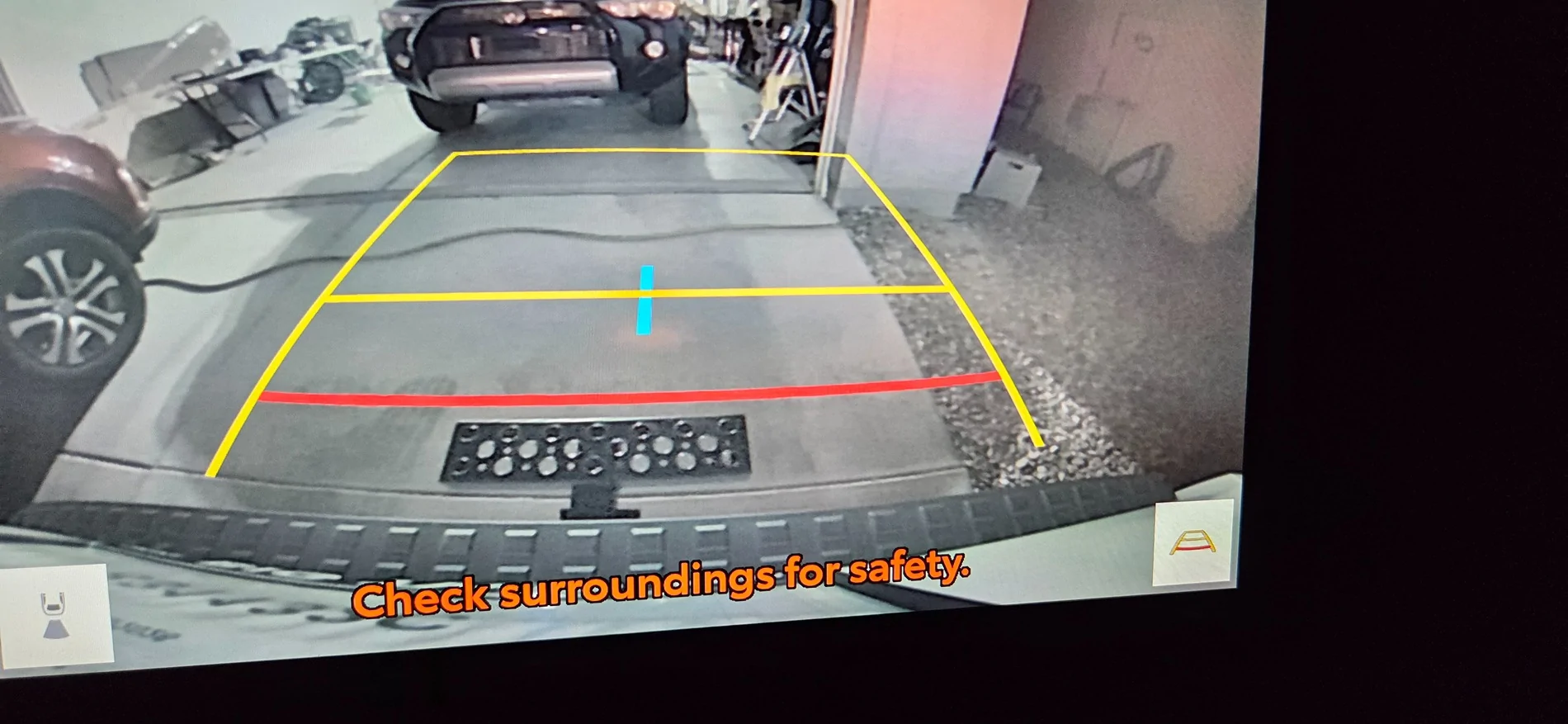
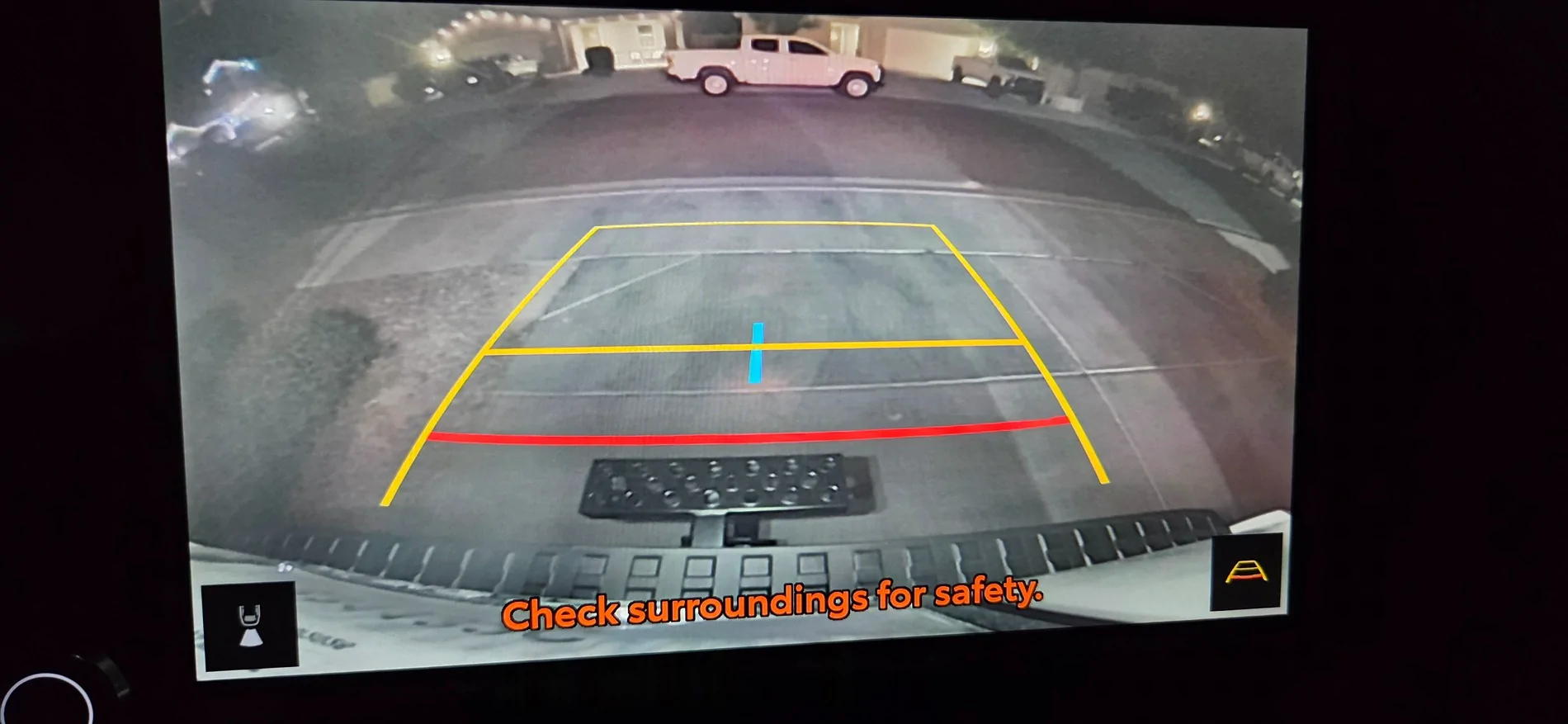
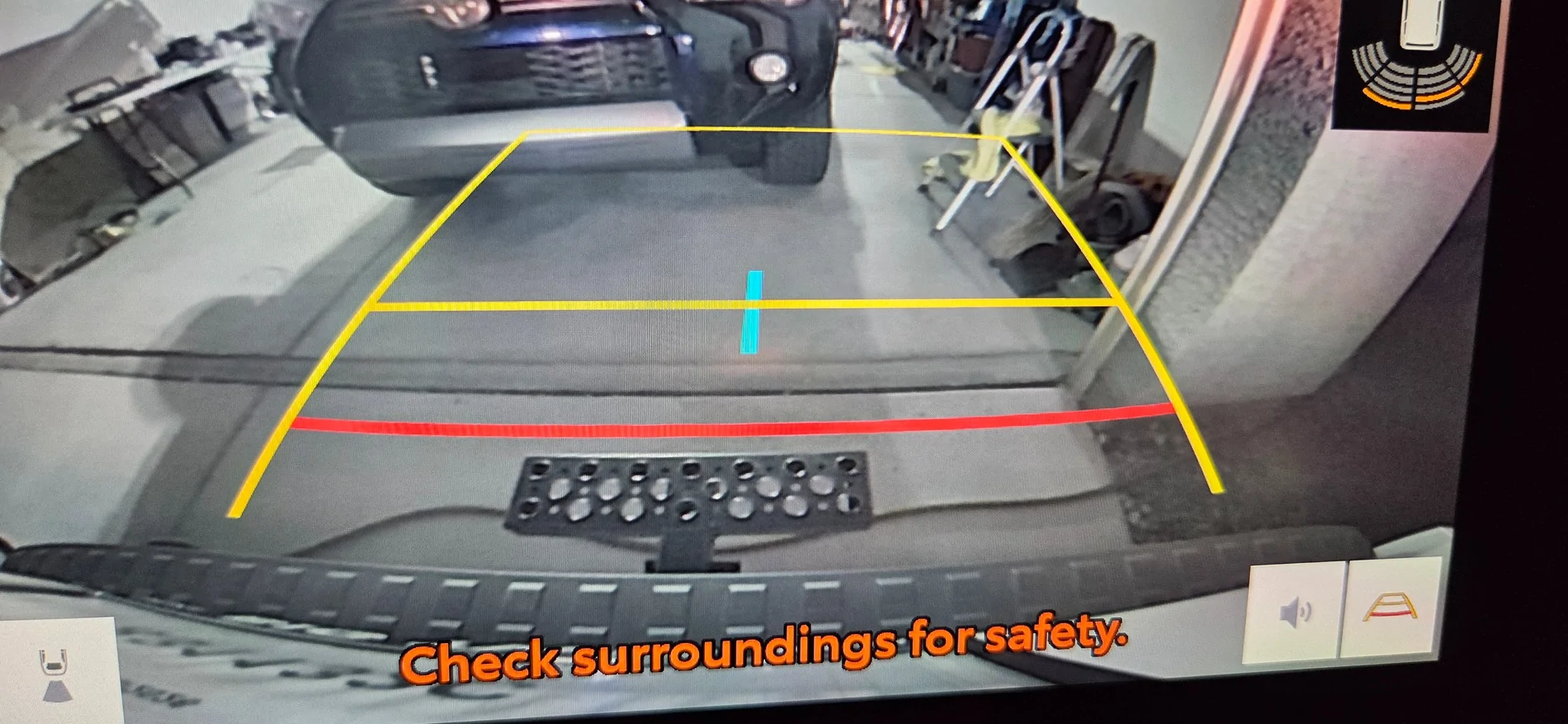
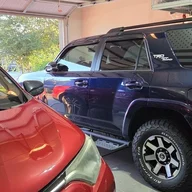
Eversince I got this 4Runner, I was never able to park it straight. I always reverse park.

Anyway, I tested reverse parking assist in my driveway paying attention to the guides... and sure enough if I based my parking on the guides, I always ended up a little diagonally parked.
I never had this problem with my 5th gen.
2025 2026 4runner 6th gen Parking Assist Guides Lines misaligned ? 20260419_203928
2025 2026 4runner 6th gen Parking Assist Guides Lines misaligned ? 20260419_202414


Does anyine have this issue?

2025 2026 4runner 6th gen Parking Assist Guides Lines misaligned ? 20260419_204205
Sponsored

 
Last edited:

Mad Ghost

TRD Off-Road Premium
Well-known member
First Name
Justin
Joined
Jan 31, 2025
Threads
27
Messages
440
Reaction score
433
Location
Wylie Texas
Vehicle(s)
4Runner ORP and Avalon
I can see in the pictures you're not straight.... also that step might be throwing you off
 
OP
OP
4cyl_runner

4cyl_runner

TRD Off-Road
Active member
First Name
Rick
Joined
Nov 20, 2025
Threads
6
Messages
29
Reaction score
11
Location
Arizona USA
Vehicle(s)
Tacoma TRD OR, 2026 4Runner
I can see in the pictures you're not straight.... also that step might be throwing you off
Disregard the step. I am basing on the lines. Not just on the driveway but in every parking lot I go to.
 

Nodak

Platinum
Well-known member
First Name
JR
Joined
Jan 22, 2025
Threads
39
Messages
2,184
Reaction score
1,237
Location
ND
Vehicle(s)
2025 4R Platinum Heritage Blue , 2023 Tundra Platinum Blueprint no-HV
mine is more spot on than my mirrors. i have mine tilt down in reverse and its always off when i use them to line up the mirror and tires to the line.

dont have this issue in our 23 tundra with the reverse tilt mirror

i have gotten to the point to use the overhead view to line up the space now instead of the guides or mirrors
 

127.0.0.1

SR5
Well-known member
Joined
Oct 9, 2025
Threads
2
Messages
521
Reaction score
421
Location
earf
Vehicle(s)
a bunch of Toyotas
ignition on but engine off (2 presses on start switch)
access headunit, settings, display OFF
swipe screen left to right 5 times - ignore any message touch screen to turn on
swipe screen right to left 5 times - ignore any message touch screen to turn on

now you can access the hidden menus

the camera access may be greyed out, just press and HOLD, it will unlock
and now you can control and set several things rear cam related

BONUS: I just discovered: on SR5, by default, there is no ICON in the rearview
screen for rear cam washer...you need to activate cam washer via the rear wiper stalk
and push forward while in reverse, which does both rear window and rear cam if in
reverse.

so....digging into camera settings, I found how to enable the ICON. so now I can
be in reverse and hit the ICON at the bottom of screen and not need to use the stalk.
it's a minor thing yes, but annoying that other trims have this by default and
it is hidden on SR5's by default.
 

127.0.0.1

SR5
Well-known member
Joined
Oct 9, 2025
Threads
2
Messages
521
Reaction score
421
Location
earf
Vehicle(s)
a bunch of Toyotas
from https://www.4runner6g.com/forum/thr...n-recalibration-how-to-instructions-diy.7751/


Get in your truck and close all the doors and windows. From my testing, you cannot access the Service Menu if a door or window is open. Once you access the Service Menu, you then can open a door or window.
2. With your foot off the brake pedal, double click your stop/start button to access Accessory Mode
2. Wait until the infotainment (radio) screen boots up
3. Turn the volume all the way off
3. Go to Settings > Display > Screen > Turn off Display
4. Okay so here is the hardest part. You have to swipe left to right 5 times, and then right to left 5 times. Your screen may display "Touch to turn screen on" while you are swiping, but ignore the message.
4a. It may take 1 or 2 tries to get this to work. If you mess up, you just have to tap the screen to turn it back on, then turn it back off in the settings. Then continue with step #4 again.
5. If swiped correctly, you should see a Service Menu pop up.
6. Navigate to Function Check > Camera Settings > View Adjustment
 
OP
OP
4cyl_runner

4cyl_runner

TRD Off-Road
Active member
First Name
Rick
Joined
Nov 20, 2025
Threads
6
Messages
29
Reaction score
11
Location
Arizona USA
Vehicle(s)
Tacoma TRD OR, 2026 4Runner
When you say double the start stop, in the second tap, the dashboard turns dark right?

Is your 4R a 2025? Mine is 2026
 

127.0.0.1

SR5
Well-known member
Joined
Oct 9, 2025
Threads
2
Messages
521
Reaction score
421
Location
earf
Vehicle(s)
a bunch of Toyotas
dashboard behind steering wheel is all lit up but engine is not started

turn headunit display off so it is blank
swipe it 5x5
Sponsored


Top