
Sponsored

Anyone tried this Anytime front bumper camera on SR5?

jcaluya27

SR5
Active member
First Name
Julius
Joined
Oct 2, 2025
Threads
1
Messages
27
Reaction score
24
Location
MO
Vehicle(s)
4Runner SR5
The Beatsonic kit works. A plain old NTSC camera displays right on the factory screen.

There are a few annoyances though. They didn't hook up the backlight wires even though they could have, the pins are available in one of the connectors they tap into, and the camera turns itself back off after only 15 seconds.

But the important thing works.
If you are able could you please show a video of how it works. I’m curious about how it works and interested in buying the kit. Thanks.
Sponsored


828findadventure

SR5
Well-known member
Joined
Apr 30, 2025
Threads
26
Messages
257
Reaction score
213
Location
North Carolina
Vehicle(s)
Tacoma & Tundra
OP
OP

bkw777

SR5
Well-known member
First Name
Brian
Joined
Jul 31, 2025
Threads
15
Messages
224
Reaction score
117
Location
NJ
Vehicle(s)
25 SR5, 96 SR5
If you are able could you please show a video of how it works. I’m curious about how it works and interested in buying the kit. Thanks.
well you see...

2025 4runner 6th gen Anyone tried this Anytime front bumper camera on SR5? 20260120_130318610
 
OP
OP

bkw777

SR5
Well-known member
First Name
Brian
Joined
Jul 31, 2025
Threads
15
Messages
224
Reaction score
117
Location
NJ
Vehicle(s)
25 SR5, 96 SR5
to splice in the backlight

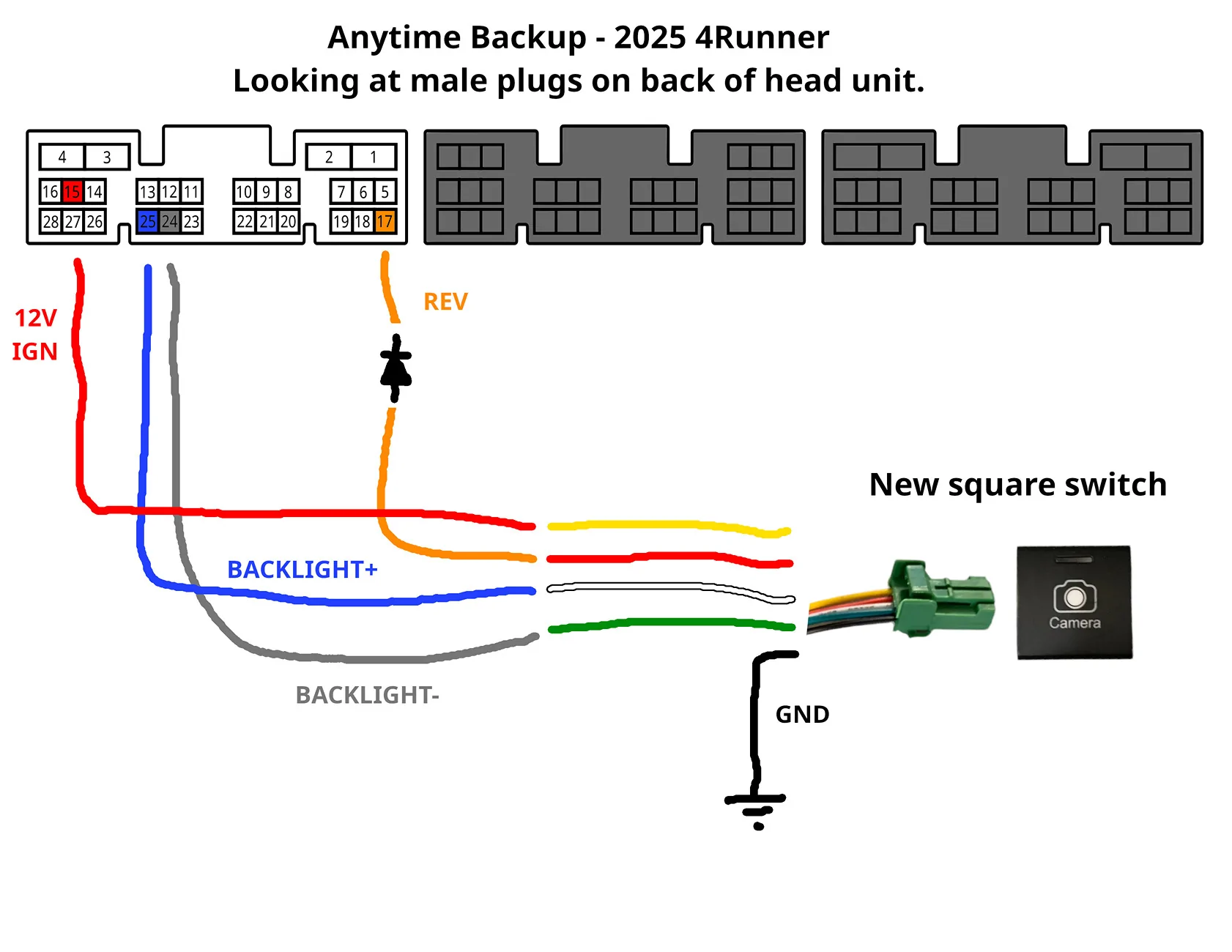
the diagram with blue & gray is for the other anytime backup kit, it's just to show exactly where pins 24 and 25 are

The button supplied with the beatsonic kit is a different model of button, a momentary instead of push on push off, and has different wire colors and pinout. So pin 25 goes to yellow on the beatsonic button, and pin 24 goes to black.

Note, backlight negative is not the common frame gnd.

2025 4runner 6th gen Anyone tried this Anytime front bumper camera on SR5? 20260120_194415188~3


2025 4runner 6th gen Anyone tried this Anytime front bumper camera on SR5? 20815-3007fff01ded96814138ced81ab02f0
 
OP
OP

bkw777

SR5
Well-known member
First Name
Brian
Joined
Jul 31, 2025
Threads
15
Messages
224
Reaction score
117
Location
NJ
Vehicle(s)
25 SR5, 96 SR5
A few more details how I spliced in the button illumination wires, and the rest of the overall install.

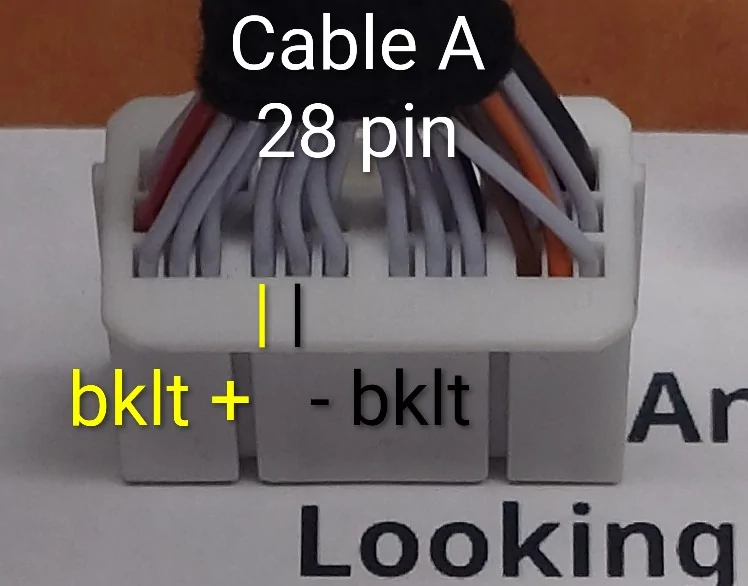
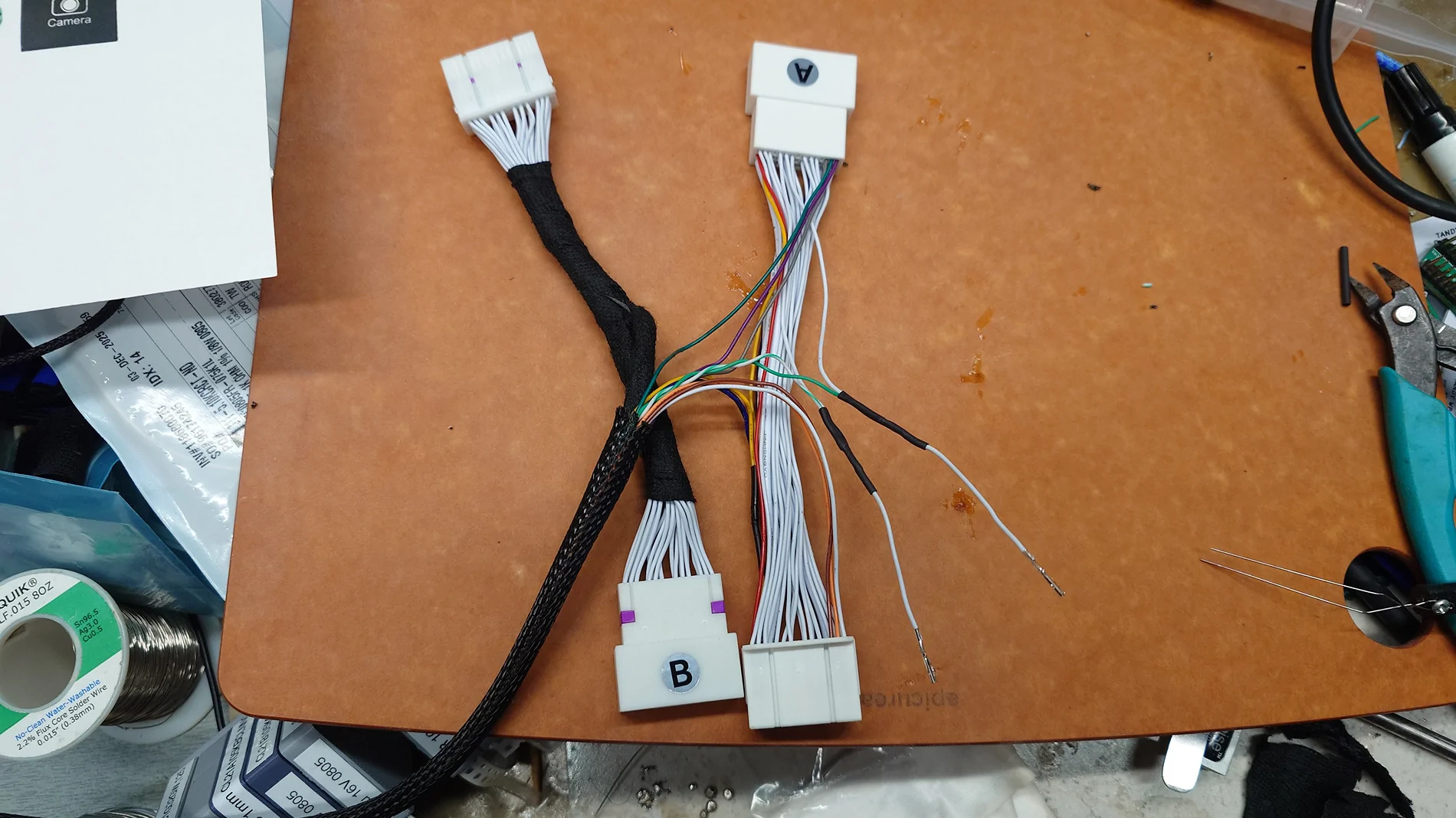
I took the main harness from the kit and cut away the cloth wire wrap from the "A" bundle. ("A" is the 28-pin connectors that have 4 heavy pins across the top row. "B" is the 30-pin connectors with all the same size fine pins)

I fed 2 new wires inside the 2 foot main bundle wire loom that goes from the control box to the A & B connectors. I used a single twisted pair extracted from a stranded ethernet cable that had a broken plug, but obviously use whatever thin stranded wire you have.

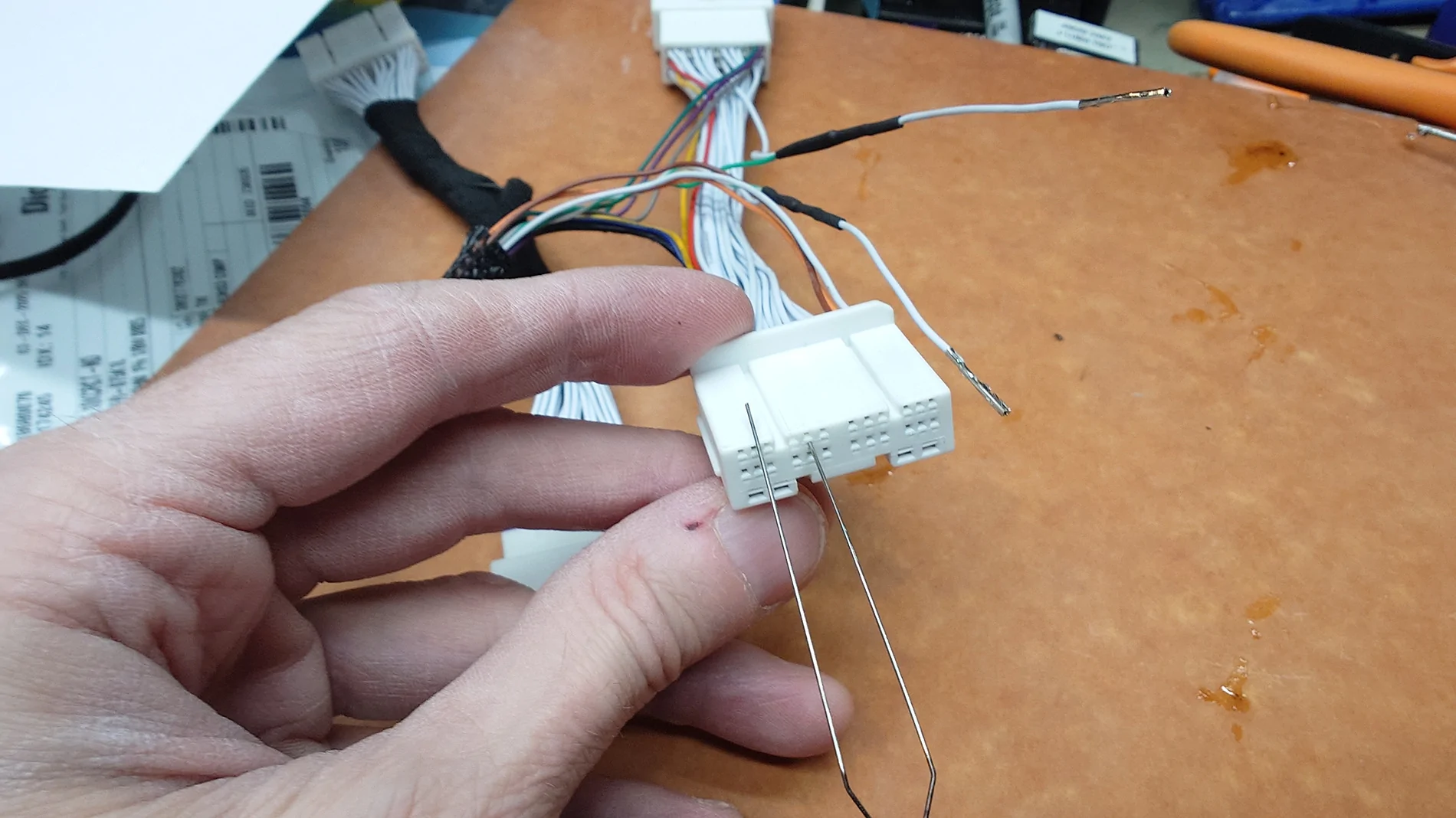
Find pins 24 and 25 on the female A connector by the pictures below. Looking at the back of the female connector, with the wires facing you and the 4 heavy wires on top, the bottom row left to right are [28|27|26] [25|24|23] ...

I used a soldering iron to melt away a spot of the insulation from the pin 24 and pin 25 wires, about an inch away from the female connector. I didn't cut the wires. Then soldered the new wires to the existing wires. Pin 25 goes to yellow at the button, and pin 24 goes to black at the button. In my case white on pin 25, green on pin 24.

Then one at a time, extracted the female pin from the connector to put heat-shrink over the splice, and re-install the pin. Extract a pin by inserting a thin steel wire into the tiny rectangular hole in the face of the connector just above the pin. When re-installing, the barb points at the 4 heavy wires.

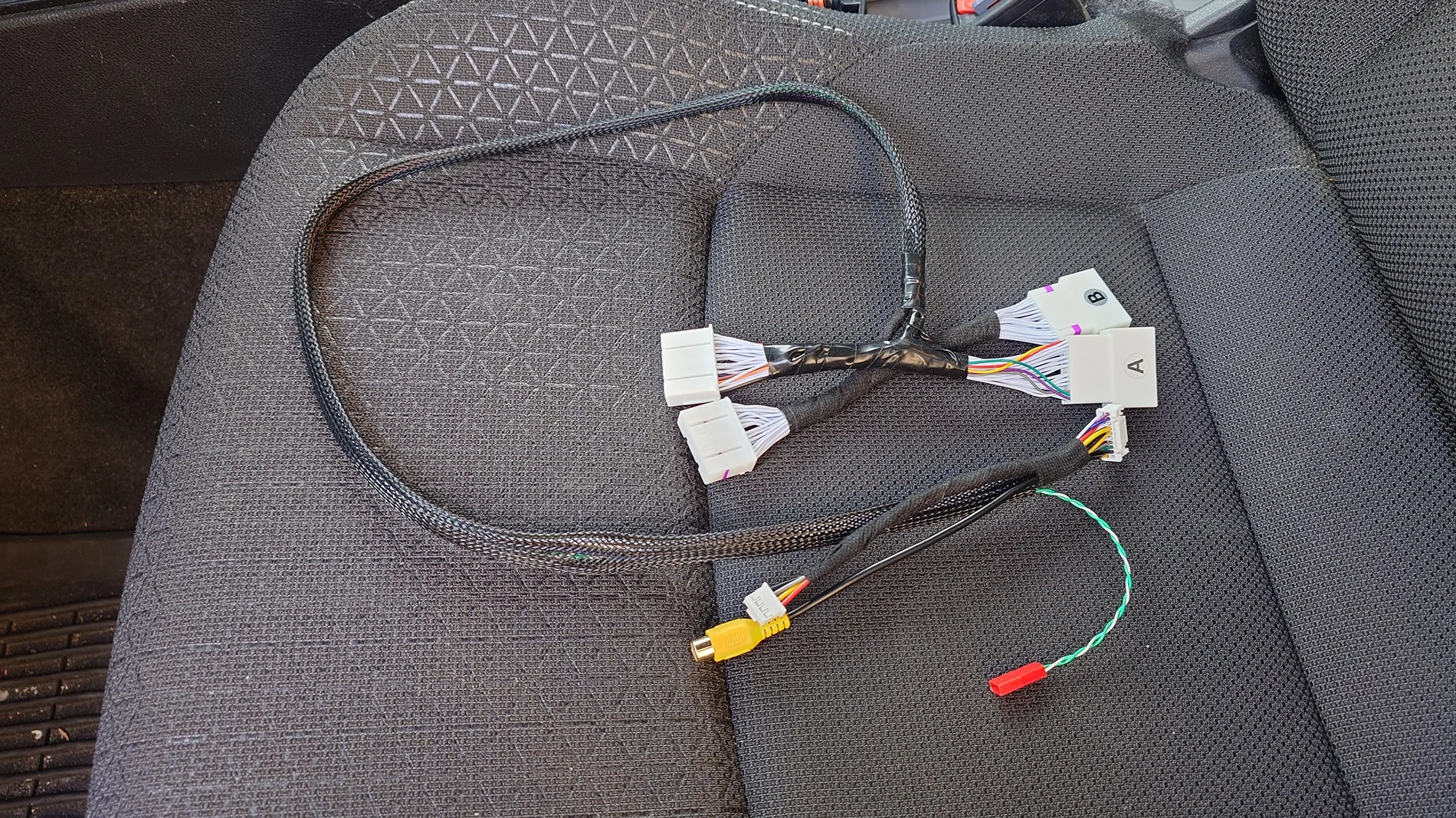
This end of the harness is now done and can be wrapped back up in ordinary electrical tape to strain-relieve the splices.

At the other end of the harness, cut the new wires few inches longer than the wire loom and terminate with whatever kind of connector you have like spade or bullet terminals. Ideally make sure the pin 25 wire (white in my case) is female and insulated since it carries power coming from the vehicle. In my case I used a female 2-pin red JST power connector only because I happen to have them.

That completes the main harness.

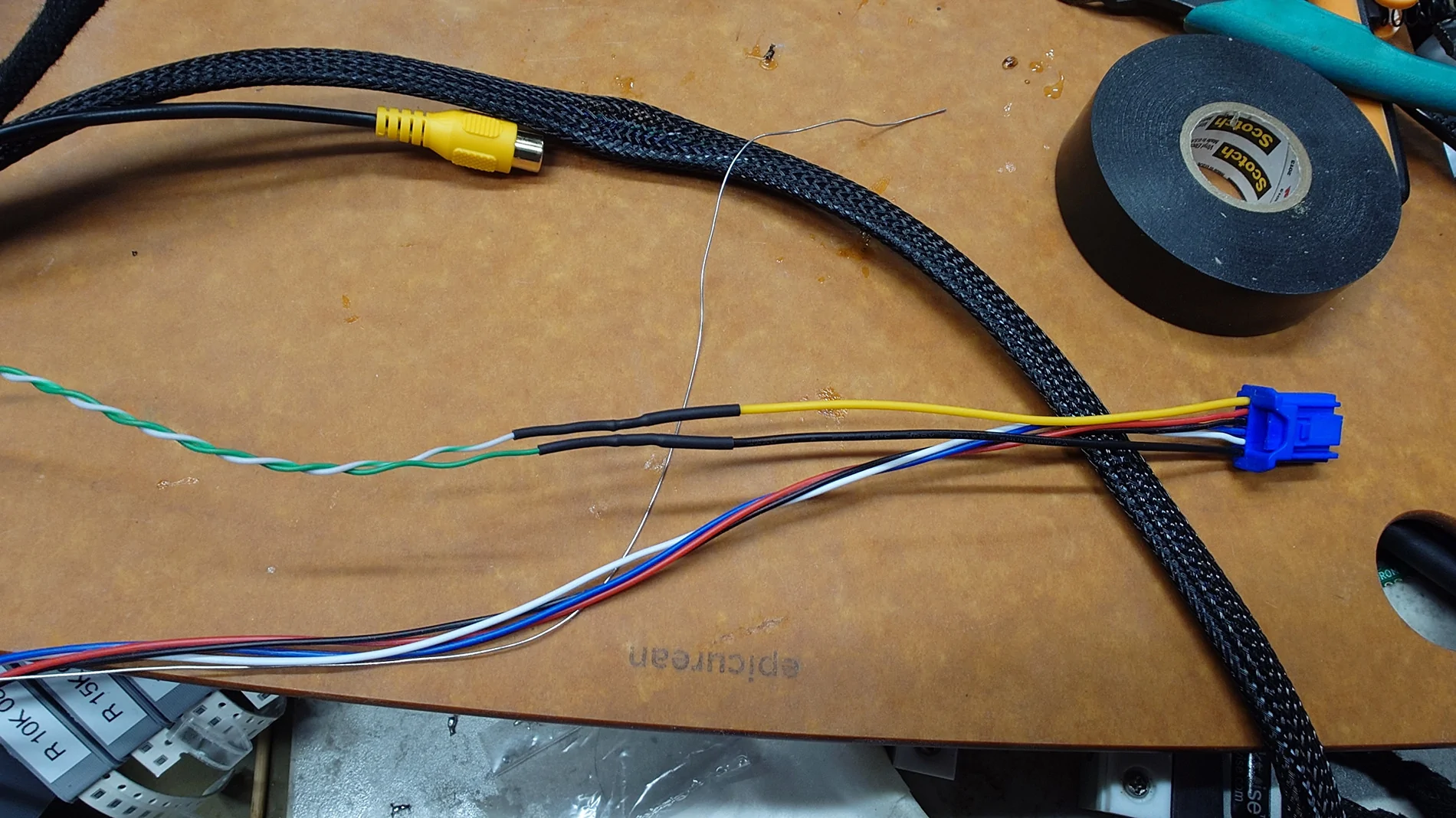
Then I added more of the same new wire to the button harness. In my case with the white & green ethernet wires, white to yellow and green to black. At the button end just solder and heat-shrink, no point in terminals or connectors on that end. At the control box end add the mate to whever you used on the main harness above.

Optionally collect the old and new wires into a single new wire loom. This is obviously not necessary but I actually peeled the jacket off the existing wires and fed all 6 wires into a braided loom. Even 1/4" braided loom expands enough to pass the white 4-pin connector. So you can make a new bundle without cutting the original wires or even extracting the pins from the connectors on either end.

That completes the button harness.

For the camera, I ran dedicated power wires from the camera power pigtail from the control box along side the video cable. But the cameras all come with a funky video cable that has one extra wire in it. It's not meant to power the camera, but since that wire's intended purpose doesn't apply in our case the wire is unused, and you can just use the frame for gnd, and the camera draws so little current that the guage of the wire doesn't matter, so you could use that wire to power the camera. Then you would have a single cable to pass through the firewall and no need for any extra loom or harness.

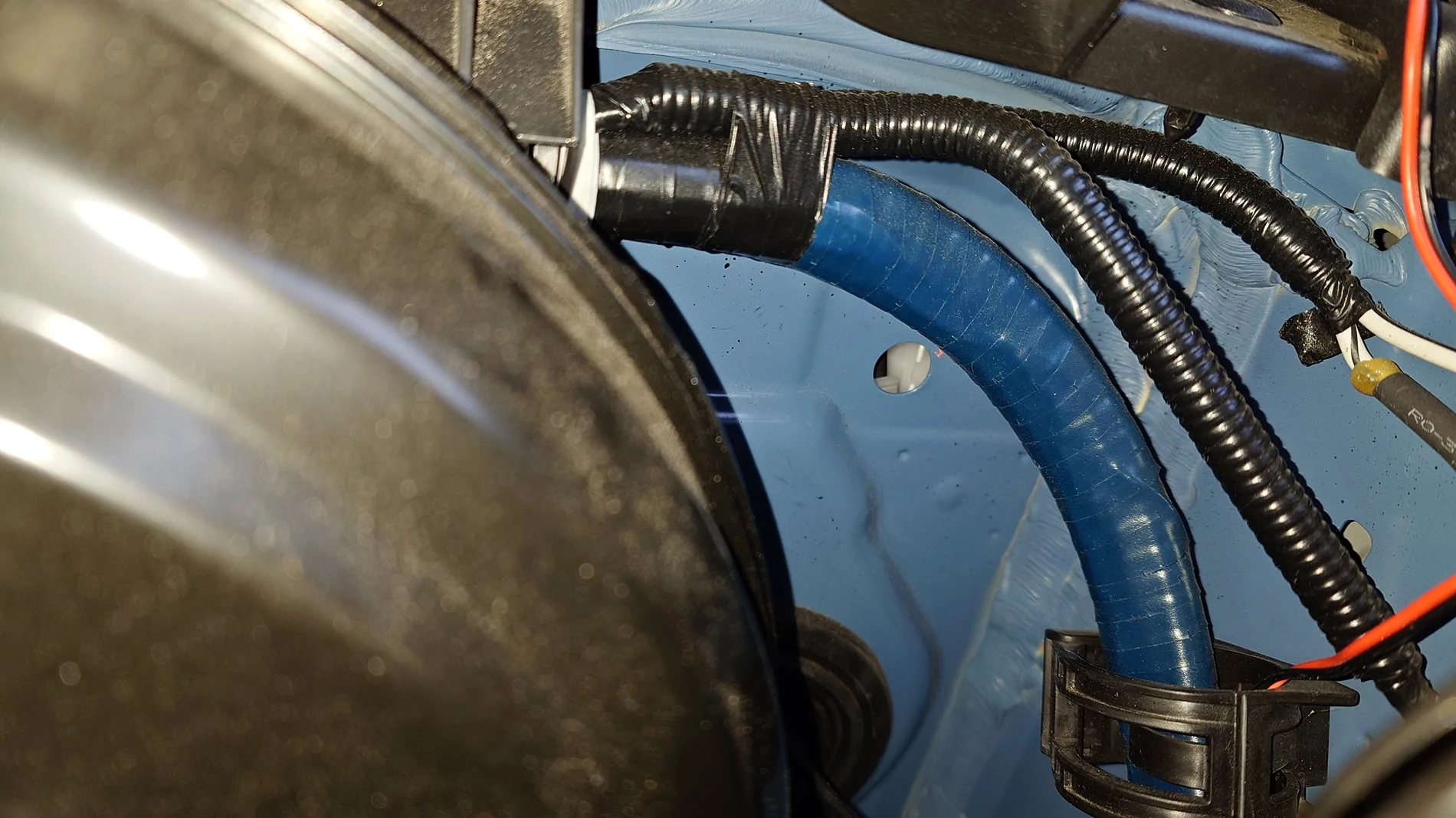
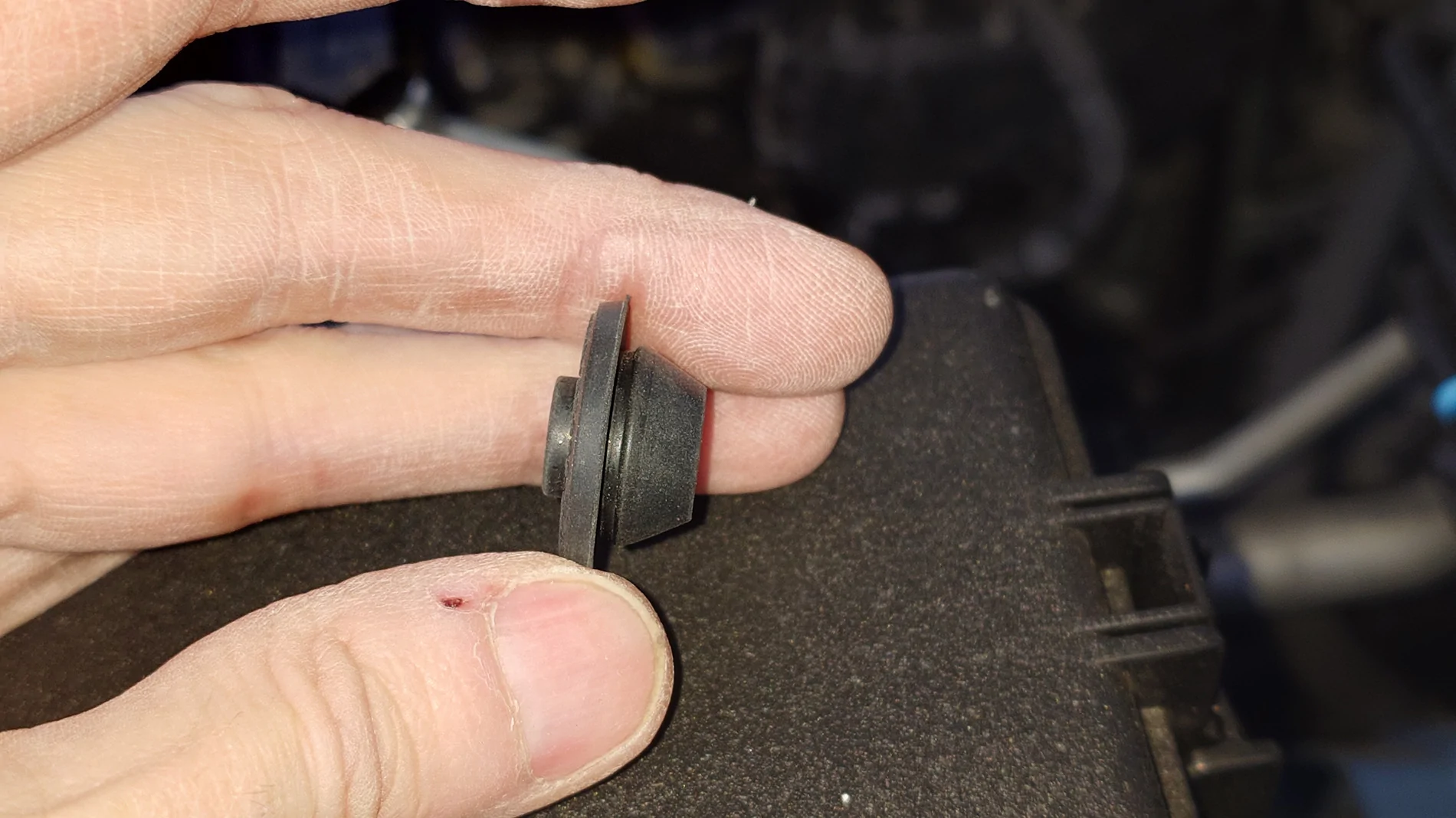
To get the camera cable through the firewall, there is a convenient hole with a rubber plug already in the firewall right near the brake assist. I removed the plug, ran the video & power wires through the hole then drilled a small (1/8" to 1/4") hole in the center of the plug and cut a slit down one side, so now the plug is a split grommet. Slipped the grommet around the wires and reinstalled in the hole.

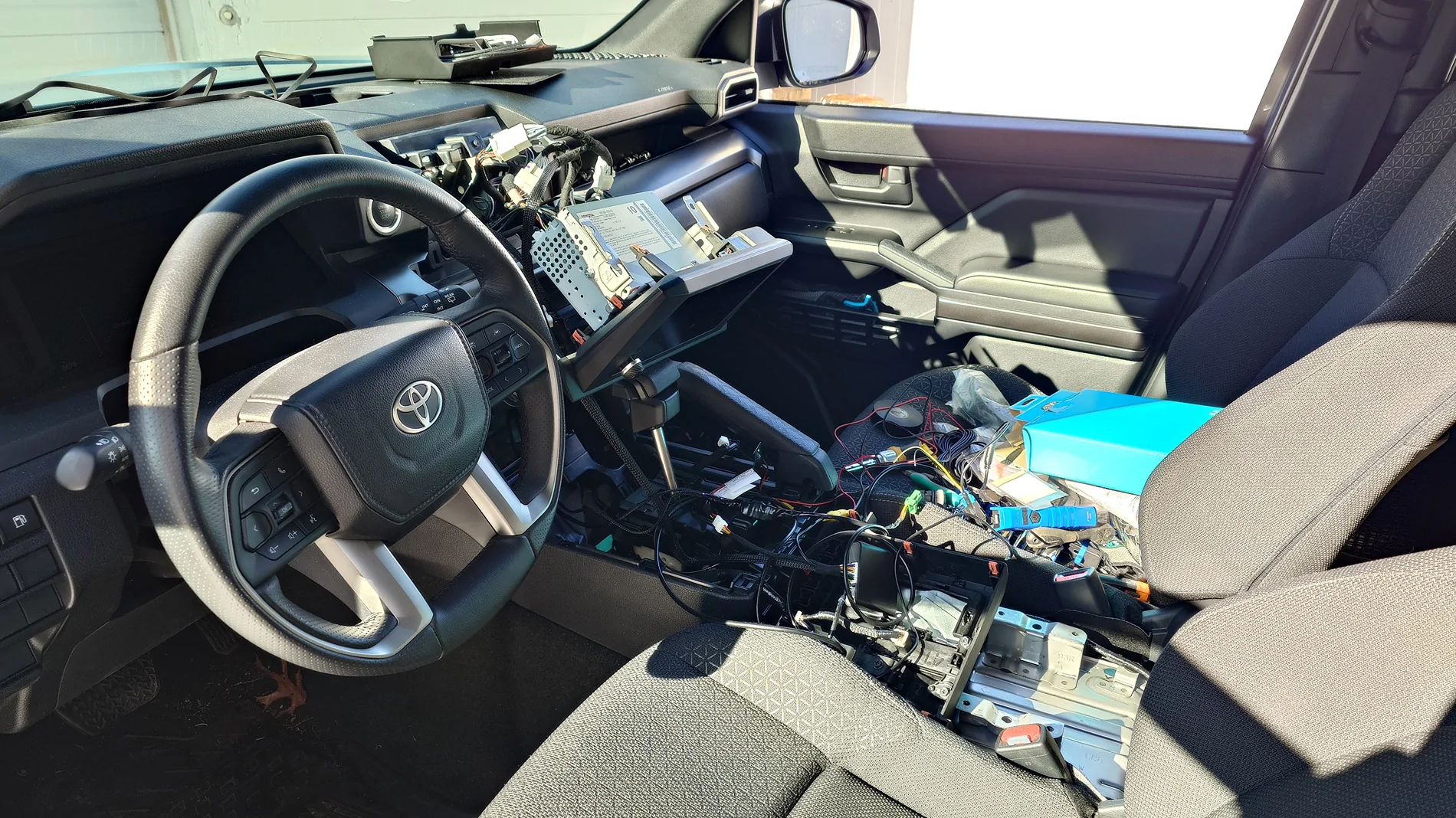
I fished the video bundle along the bottom edge of the dash from outboard to inboard. You can't really see the hole in the firewall from inside, but you can poke the wires in from the outside, and then from the inside you can get your arm up into the general area and find it by feel easy enough. There is a big wire bundle with a rectangular plastic housing or connector on the firewall north-west of the pedals. The hole is just behind that plastic block. From there you can pull the wires the rest of the way in and route them so they stay away from the moving pedal levers and springs & stuff. There is already a small wire bundle clipped to the inside bottom edge of the dash that you can zip tie the new wires to. You can run the new wires over to the console side and under the front lower edge of the consode and wind up inside the console in the phone rest area in front of the shift lever. The wires stay well away from all the moving parts of the pedals, and that area of the console is fine because the control box can also live down there.

I have the BeatSonic amp installed in the space where the bluetooth speaker goes in the higher trim levels. That means there is already an added harness on the 28-pin connector besides the new one we need to add, so there is no space behind the head unit to cram all this new stuff. Luckily the main control box harness is long enough that the control box can live way down behind the phone rest panel in front of the shift lever. There is a big empty space on the passenger side under the 2 usbc ports. It's possible with a little wiggling and twisting and jiggling up & down to poke the control box harness right down the center from the head unit area down between the vents and down to the space behind the phone rest panel.

I installed the new button on the left-most spot on the row of blanks below the shifter.

Then just connect all the plugs to the control box, connect the button backlight wires to each other, and fold up all the excess length of all the wires into a big bundle with the control box and stuff into the space on the passenger side of the console below the usb ports. Leave a space at the top for the usb box and the 12v socket that stick out of the back of the phone rest panel.

You don't have to touch the control box again. There are no controls on it. You control all the settings just using the camera button. So you just button it all up now. Put the console fully back together.

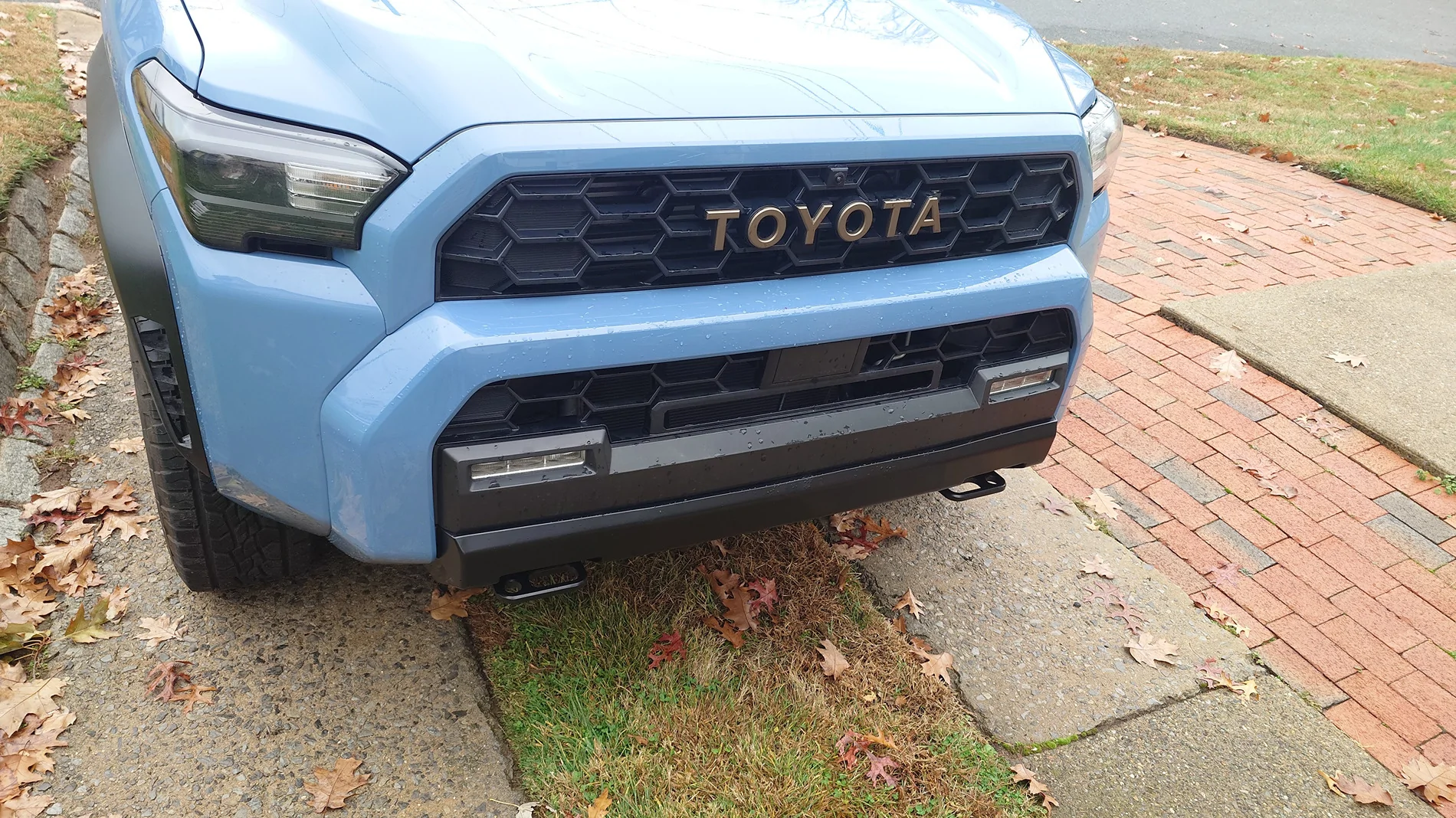
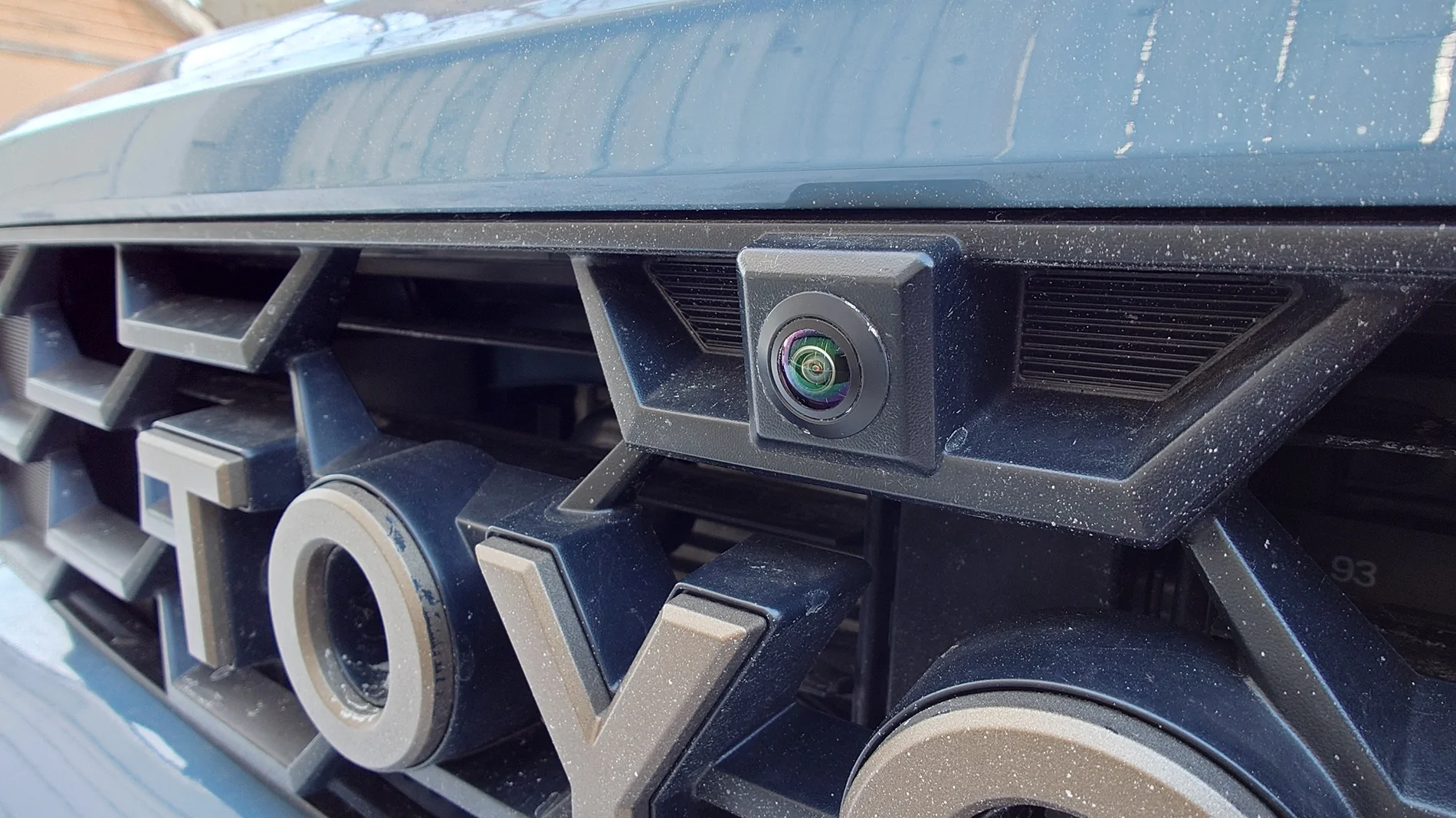
I still have one more thing to do which is just replace my camera with a different one that I can aim down more. I didn't get the camera BeatSonic suggested because I already had a particular camera in the grill that I chose because it was just the round camera & lens part without any extra housing. It fills the hole in the grill perfectly slick without any extra boxy housing sticking out. But now that I can see out of it, I see that it doesn't point down enough. I found another camera that similarly only has the round part without any larger housing, only instead of a big fisheye lens, it has a dome shape with the camera poking out of a slot and can be aimed up & down almost 90 degrees. Like a tiny telescope observatory dome. Not sure how well that one will hold up to weather long term, but they are cheap, and the wires disconnect right near the grill, so it's easy to change out.


2025 4runner 6th gen Anyone tried this Anytime front bumper camera on SR5? 20260121_150622045


2025 4runner 6th gen Anyone tried this Anytime front bumper camera on SR5? 20260121_150650918


2025 4runner 6th gen Anyone tried this Anytime front bumper camera on SR5? 20260121_153933536


2025 4runner 6th gen Anyone tried this Anytime front bumper camera on SR5? 20260121_160053234


2025 4runner 6th gen Anyone tried this Anytime front bumper camera on SR5? 20260121_163545487


2025 4runner 6th gen Anyone tried this Anytime front bumper camera on SR5? 20260121_163839100
 
Last edited:
OP
OP

bkw777

SR5
Well-known member
First Name
Brian
Joined
Jul 31, 2025
Threads
15
Messages
224
Reaction score
117
Location
NJ
Vehicle(s)
25 SR5, 96 SR5

Attachments

OP
OP

bkw777

SR5
Well-known member
First Name
Brian
Joined
Jul 31, 2025
Threads
15
Messages
224
Reaction score
117
Location
NJ
Vehicle(s)
25 SR5, 96 SR5
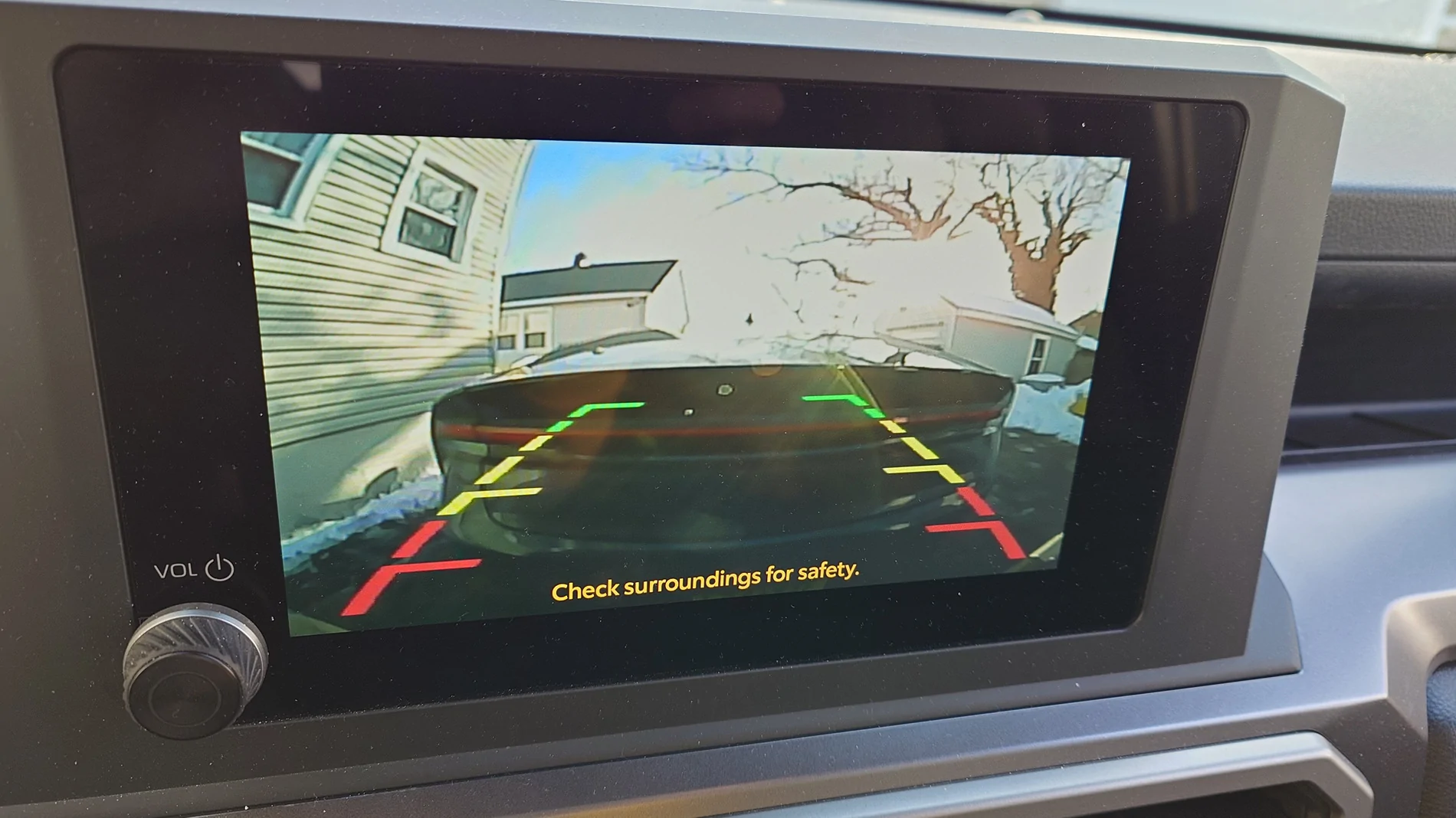
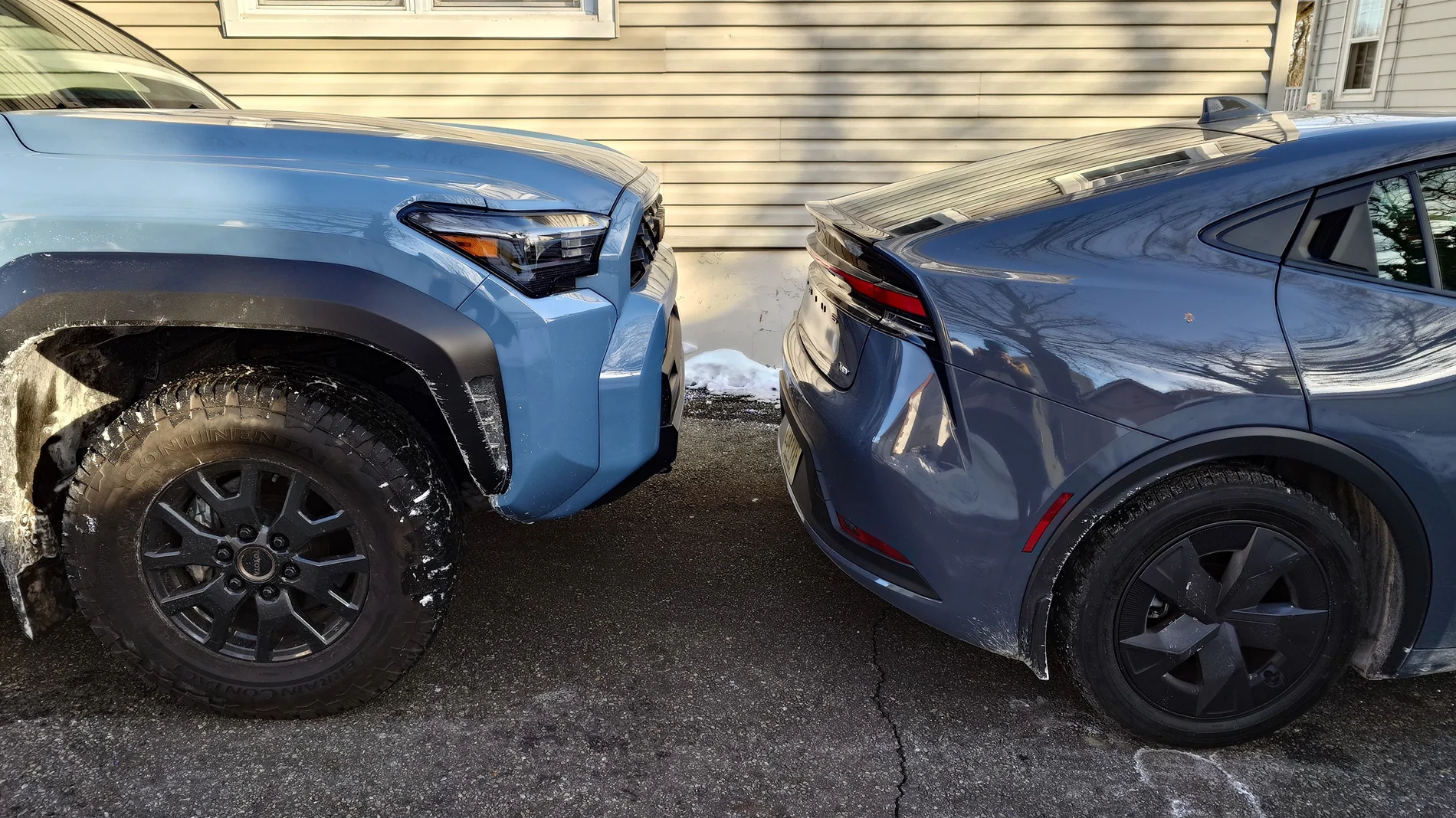
Look closely at the screen pic, the bottom of the car is not on the red line, it's just off the bottom of the screen. If you look through the text you can barely see the license plate. When the object in front of you just goes off the edge of the screen, you're still almost a foot away. With this flush-mount camera anyway.

2025 4runner 6th gen Anyone tried this Anytime front bumper camera on SR5? 20251126_124627499
2025 4runner 6th gen Anyone tried this Anytime front bumper camera on SR5? 20260201_151147396
2025 4runner 6th gen Anyone tried this Anytime front bumper camera on SR5? 20260201_151434145
2025 4runner 6th gen Anyone tried this Anytime front bumper camera on SR5? 20260201_151451838
 

jcaluya27

SR5
Active member
First Name
Julius
Joined
Oct 2, 2025
Threads
1
Messages
27
Reaction score
24
Location
MO
Vehicle(s)
4Runner SR5

828findadventure

SR5
Well-known member
Joined
Apr 30, 2025
Threads
26
Messages
257
Reaction score
213
Location
North Carolina
Vehicle(s)
Tacoma & Tundra
Patiently waiting for your video so I can tackle the mod too. New subscriber here. I ran across one for your other videos.
Thank you, as soon as the weather clears, I'll start it. Should be very straight forward except running the camera wire through the firewall. I'm also installing an SXTH Element cold air intake this week.
 
OP
OP

bkw777

SR5
Well-known member
First Name
Brian
Joined
Jul 31, 2025
Threads
15
Messages
224
Reaction score
117
Location
NJ
Vehicle(s)
25 SR5, 96 SR5
Thank you, as soon as the weather clears, I'll start it. Should be very straight forward except running the camera wire through the firewall. I'm also installing an SXTH Element cold air intake this week.
Firewall's no problem at all. Nice empty hole with a plug all ready to go. Only problem is you can't see the spot from the inside so you have to work by feel to grab the wire and pull it in.

The cold is why I haven't tried any other cameras yet. I have recieved a couple, including 2 that can be aimed down and one that can do 720 and 1080 (but don't know if the head unit supports it or not yet).

Now that I notice how the bottom area blacks out in shadow even in daylight, it might be worth adding trying a camera with night vision leds too.
Sponsored


Top