
Sponsored

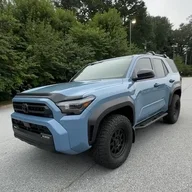
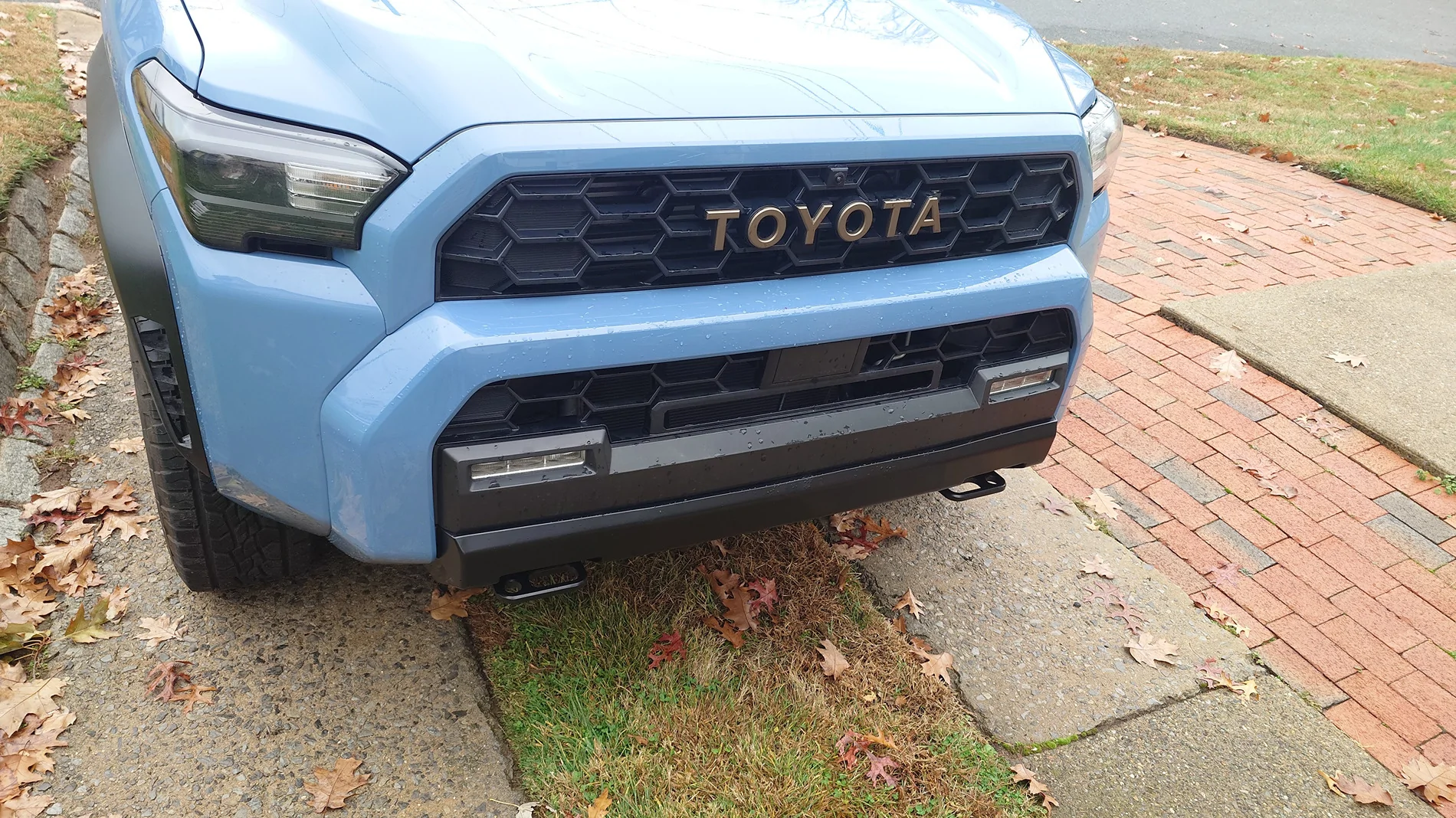
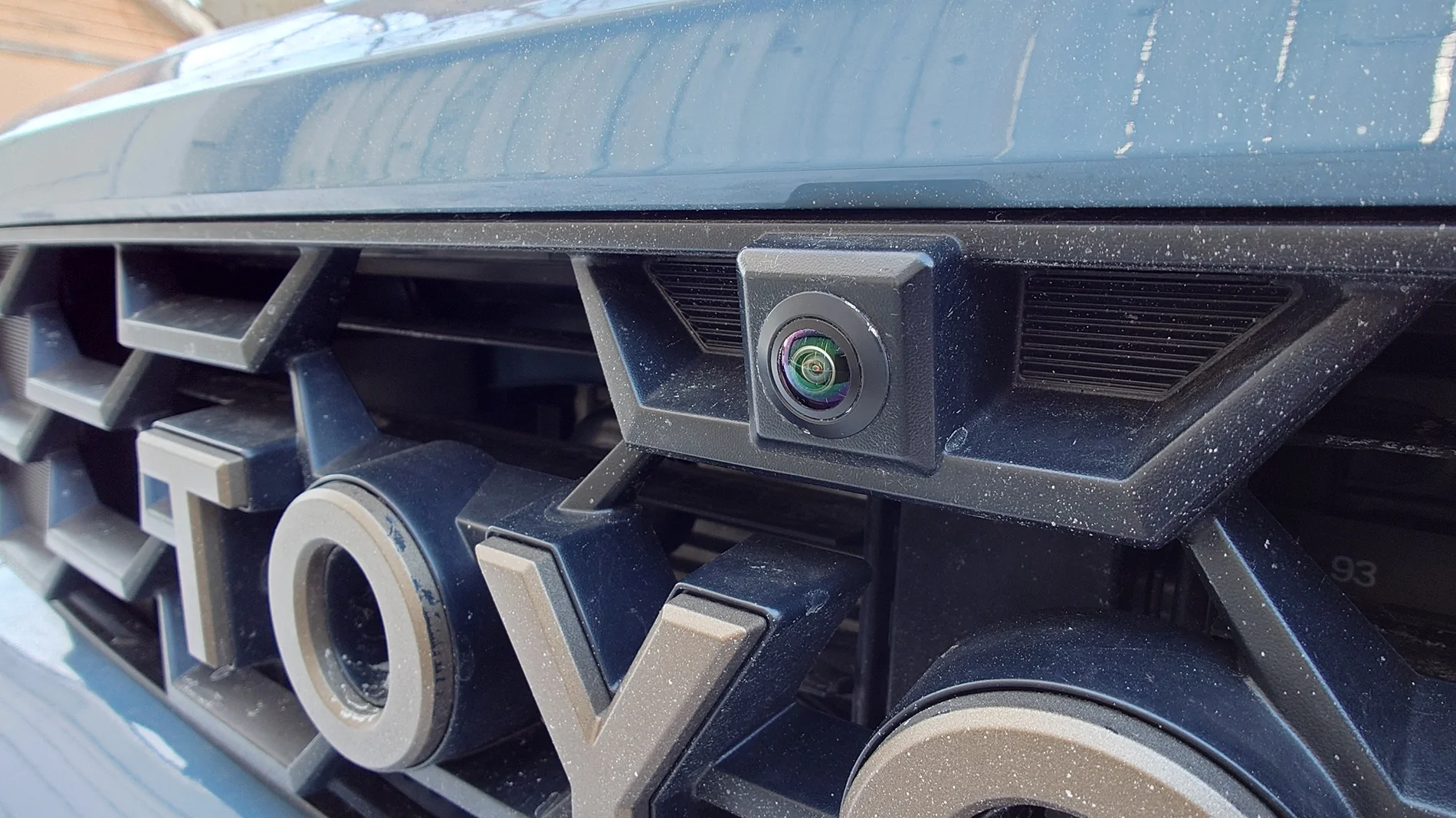
Anyone tried this Anytime front bumper camera on SR5?

OP
OP

bkw777

SR5
Well-known member
First Name
Brian
Joined
Jul 31, 2025
Threads
12
Messages
184
Reaction score
91
Location
NJ
Vehicle(s)
25 SR5, 96 SR5
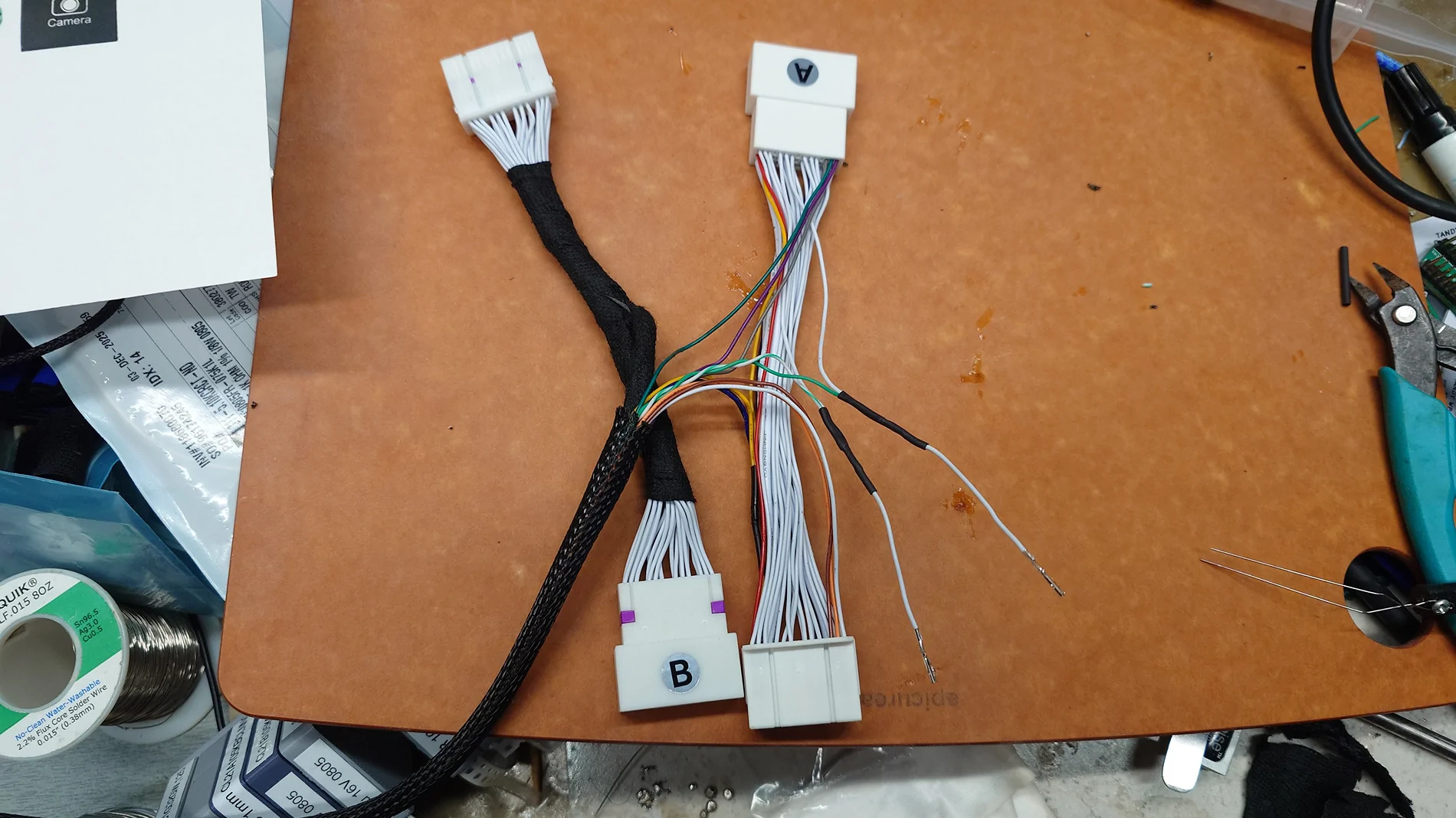
...and jiggling the wires around to get clear pics of all the connections I just blew the fuse for the dash backlights so I can't video it all working. (it still works just my dash backlights are all out now) I'm done for the night!

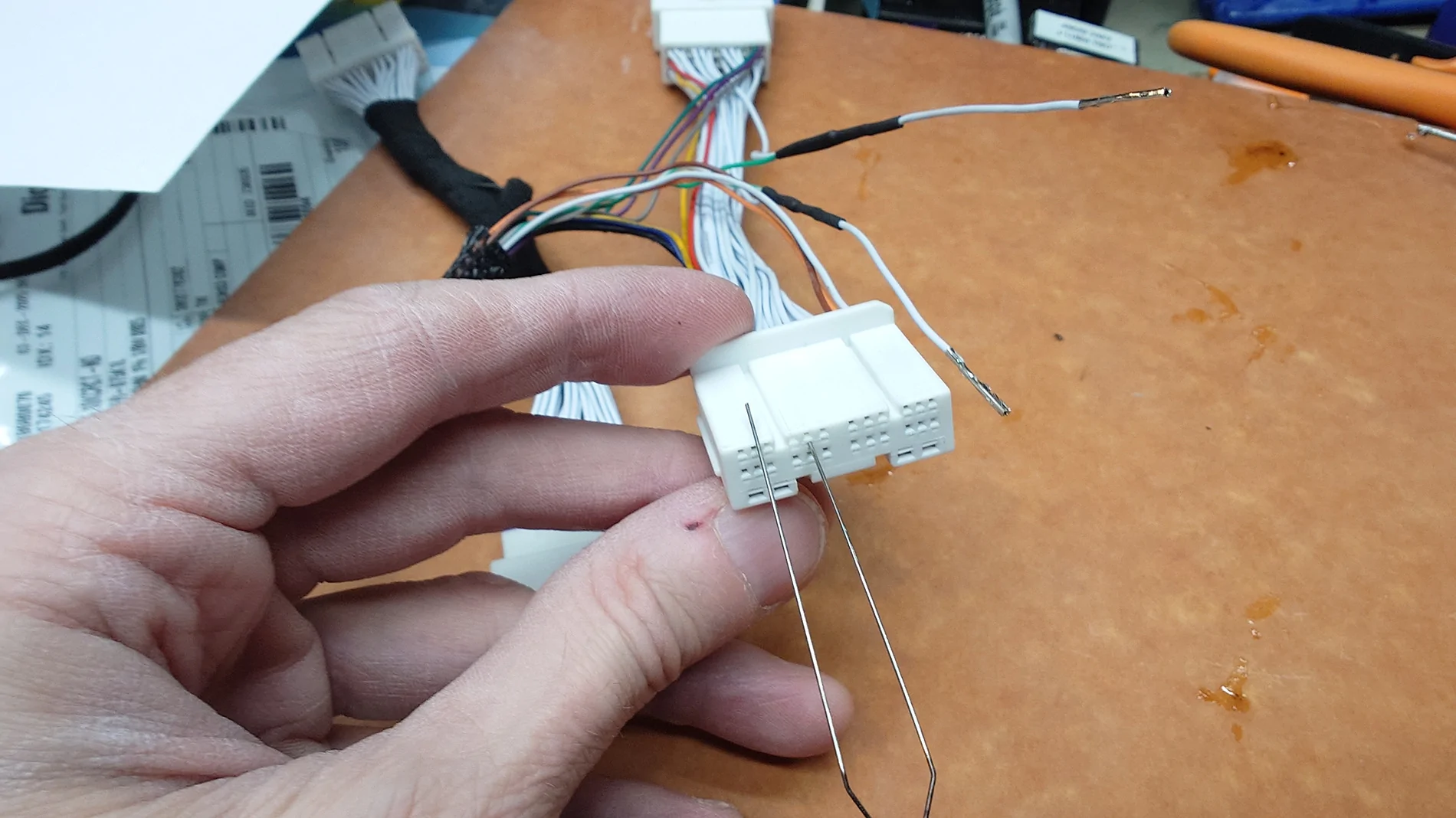
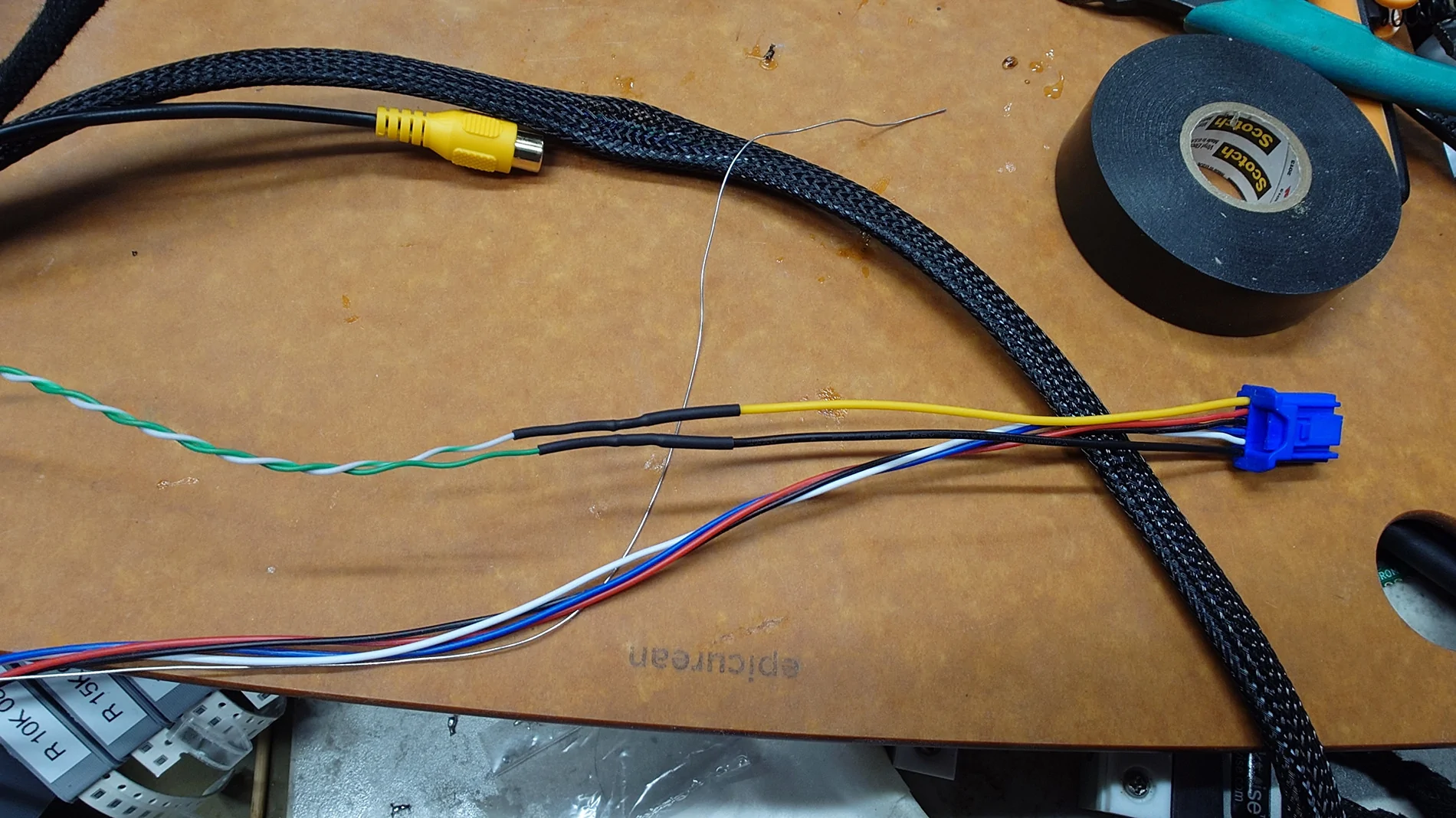
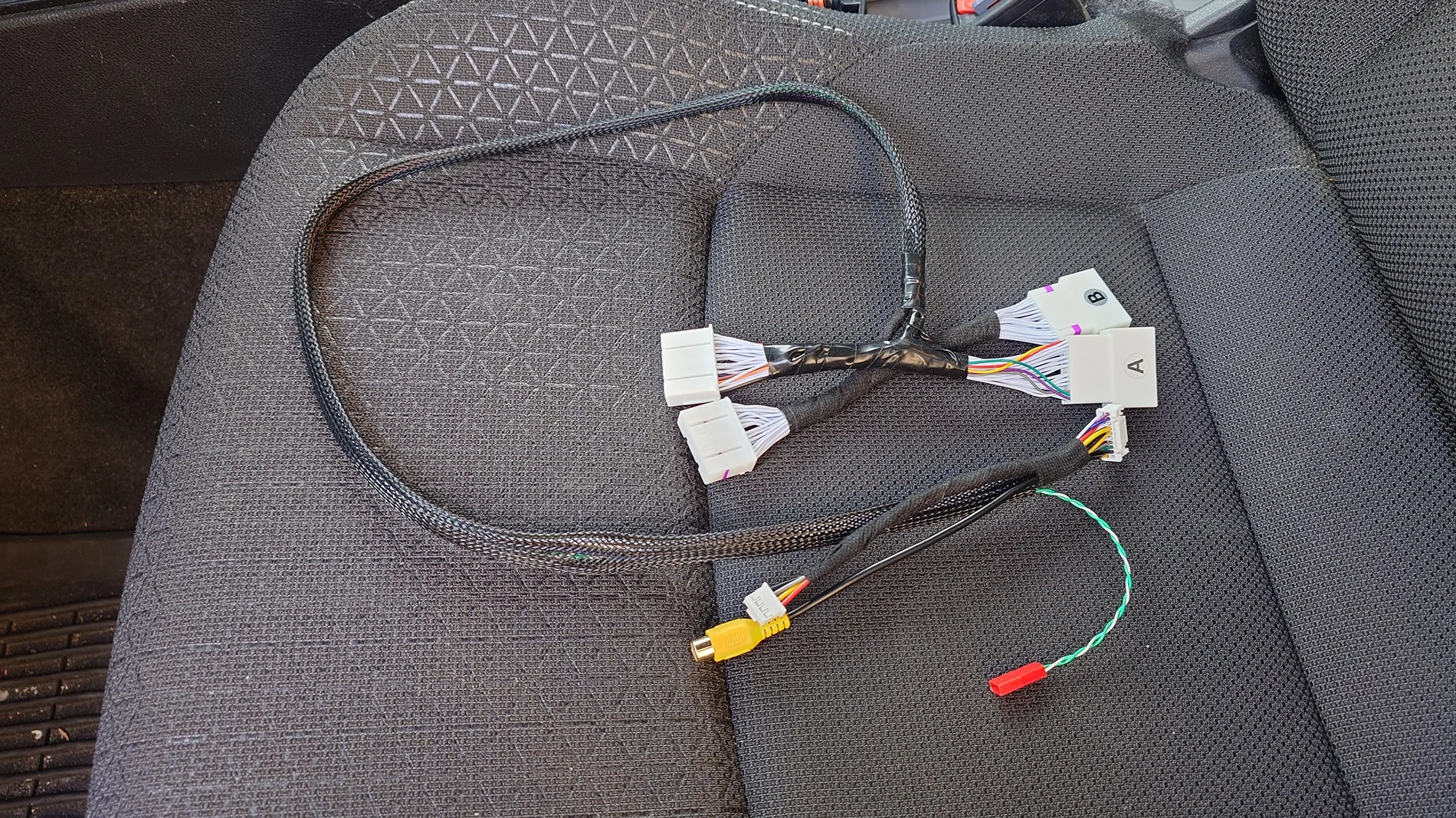
The alligator clip leads colors here all match the wires on the square switch. So those are the same connections you would make by color. The black wire is ground clipped to the frame.

This is after transplanting the blue & grey from the video harness to the main harness.
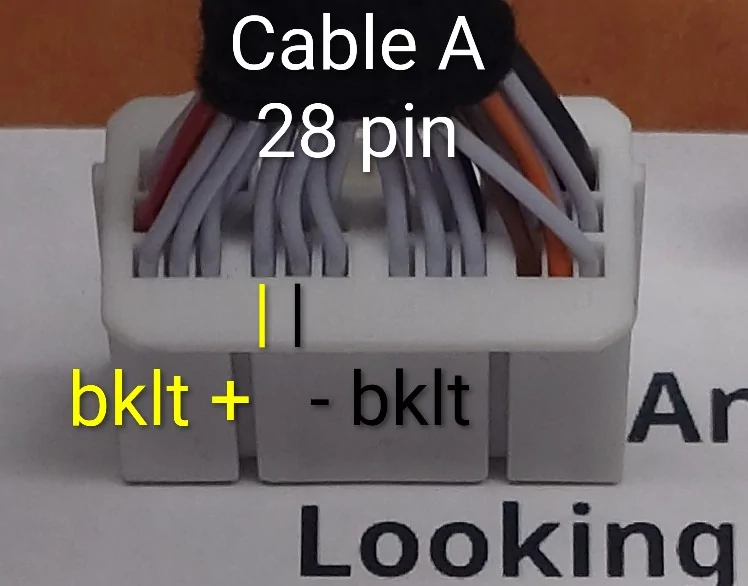
Grey: backlight - on pin24
Blue: backlight + on pin 25
If you want to avoid buying the video harness, all these do is just tap the wire. The wires still connect stright through from the male to femal plug. So you can just buy the tacoma 2025+ harness and just tap the wires on pin 24 & 25 any way you want.

Alternate places to get the parts:
28-pin jumper harness
https://www.autoharnesshouse.com/store/AHH-7589

Switch
https://ch4x4.com/product/ch4x4-cube-push-switch-for-toyota-camera-symbol/
(they have a ton of other switch faces including custom)

2025 4runner 6th gen Anyone tried this Anytime front bumper camera on SR5? 20250912_234036808


2025 4runner 6th gen Anyone tried this Anytime front bumper camera on SR5? 20250912_233935773


2025 4runner 6th gen Anyone tried this Anytime front bumper camera on SR5? 20250912_234007835


2025 4runner 6th gen Anyone tried this Anytime front bumper camera on SR5? 20250912_234048575
Sponsored

 
OP
OP

bkw777

SR5
Well-known member
First Name
Brian
Joined
Jul 31, 2025
Threads
12
Messages
184
Reaction score
91
Location
NJ
Vehicle(s)
25 SR5, 96 SR5
yeah the fuse was no problem. under the glove box, the 5A labelled PANEL. ATM-LP type.

2025 4runner 6th gen Anyone tried this Anytime front bumper camera on SR5? 20250913_111931229


2025 4runner 6th gen Anyone tried this Anytime front bumper camera on SR5? 20250913_111914849


2025 4runner 6th gen Anyone tried this Anytime front bumper camera on SR5? 20250913_111854429


2025 4runner 6th gen Anyone tried this Anytime front bumper camera on SR5? 20250913_112255280
 
Last edited:
OP
OP

bkw777

SR5
Well-known member
First Name
Brian
Joined
Jul 31, 2025
Threads
12
Messages
184
Reaction score
91
Location
NJ
Vehicle(s)
25 SR5, 96 SR5
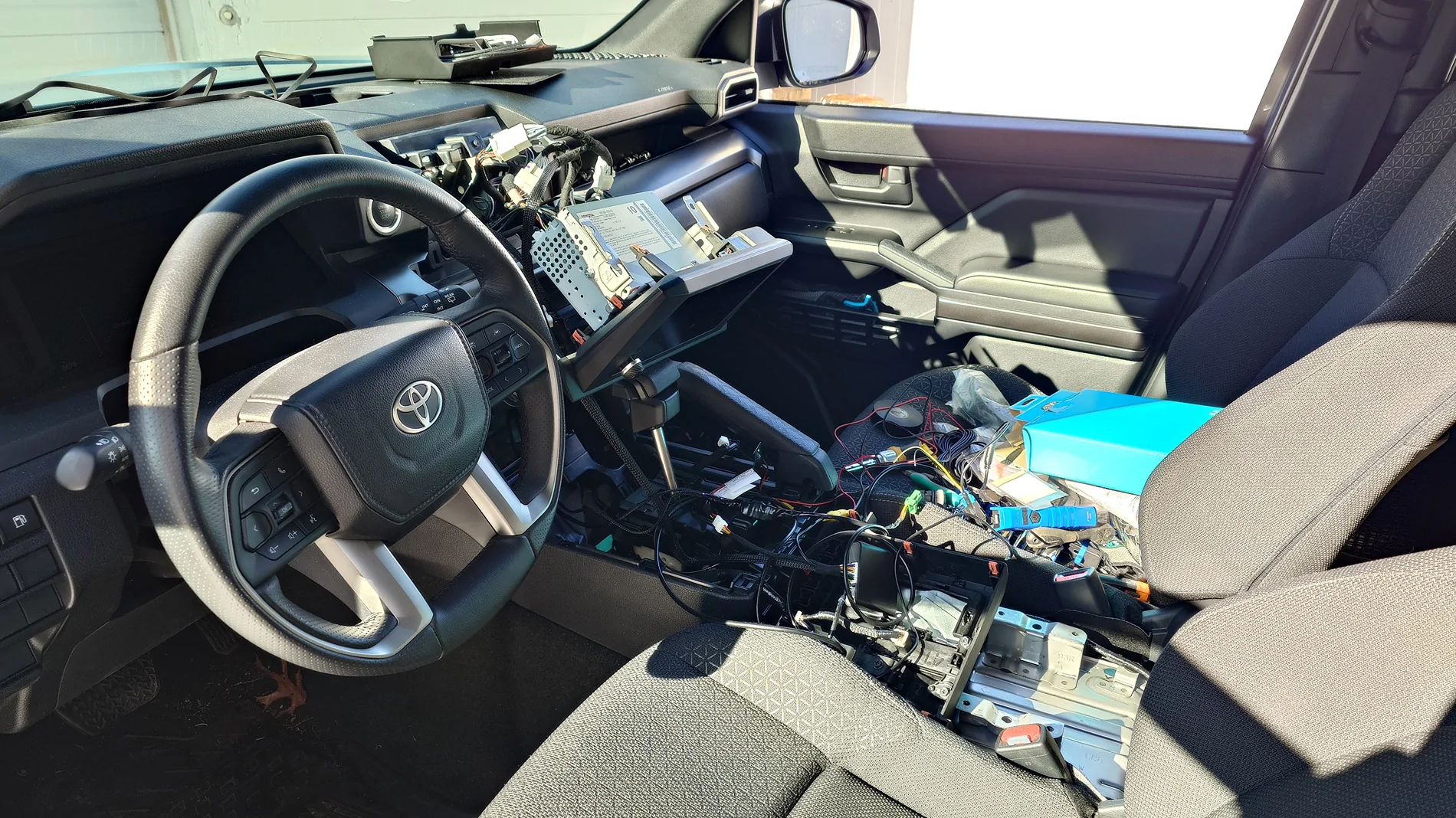
Zip-tie to fish a path from the radio down to the shifter. I taped the long wires from the harness to the end of the zip tie to pull them down from the radio area to the shifter area.

There's a great spot for ground under the console but it's just a tab with a hole, so you just need to supply your own speed nut & bolt to use it. M6 is overkill but I already happened to have this M6 speed nut and flange head bolt. Autozone has a bunch of different speed nuts, probably home depot & lowes too, ace hardware, etc.
https://www.autozone.com/nuts-bolts...eda-parts-m6-1-0-speed-nut-2-piece/551888_0_0
https://www.autozone.com/nuts-bolts...-m6-1-0-x-16mm-flange-bolt-8-piece/848414_0_0


The wires coming off the anytime backup harness are basically the perfect length to reach all the way to the switch installed where I have it below the shifter. I originally thought I was going to have to add some wire in the middle but in the end I just cut off the female bullet connectors I had on the switch and crimped males on and connected the harness wires directly to the switch wires. I taped up the bundleso the plastic insulators on the crimp connectors wouldn't rattle on the metal under the shifter.

The black wire from the switch goes to the speed nut. Crimp on ring terminal big enough to fit the bolt. Excess black wire zip tied to the nearby wiring harness to keep it from flopping around.

I still have to draw up a clear reference diagram but all of the necessary info is here at least in the form of a few of the pics and descriptions. I edited one of the early posts to add a pic of the stickers that come on the bags for the anytime backup harnesses, which was the only place that info existed anywhere. It's not even on their site. And a few more bits of reference pics below.

Short video of the camera switch working in both park & drive, reverse still working normally, including backlight that goes on/off/dim along with all the other dash backlights. (though it's very hard to see the dimmer having any effect here. In real life the top 2 levels are practically the same and the next barely perceptable, and the lowest still pretty bright. So a resistor might be in order.


This video is excellent for showing how to get the whole console apart, super quick & easy and the video doesn't take all day to deliver the key bits.


2025 4runner 6th gen Anyone tried this Anytime front bumper camera on SR5? 20250913_142327854


2025 4runner 6th gen Anyone tried this Anytime front bumper camera on SR5? 20250913_152209419_annotated


2025 4runner 6th gen Anyone tried this Anytime front bumper camera on SR5? 20250913_161225288


2025 4runner 6th gen Anyone tried this Anytime front bumper camera on SR5? 20250913_161331369


2025 4runner 6th gen Anyone tried this Anytime front bumper camera on SR5? 20250913_165416197
 
Last edited:
OP
OP

bkw777

SR5
Well-known member
First Name
Brian
Joined
Jul 31, 2025
Threads
12
Messages
184
Reaction score
91
Location
NJ
Vehicle(s)
25 SR5, 96 SR5
Apparently switching this kind of high speed data lvds is not so simple. The signals may be over 3gb and that requires special handling.
https://teslamotorsclub.com/tmc/thr...t-for-switching-front-and-rear-cameras.20657/

I mean I would still try it, it's only 4 pins, just switch all 4 with a 4-pole relay and see what happens. Maybe it works fine, maybe the data is so noisy the screen is just black, maybe it maosty works with noise and glitches. Maybe it would be good enough to enclose the entire relay in a shielding box.

But at the very least it means finding the part number for the official forward-facing camera, to get a camera that outouts the same kind of signal and so the image isn't left/right mirrored. I can't figure out the 4runner part number but I did find a tacoma part number and they are $150 on ebay, but they do look right with a 4 pin connector and fitting 2024-2025 tacoma.
https://www.ebay.com/p/25073231098

And if a simple relay corrupts the signal too much then it means a fancy circuit based on a DS25CP104A or equivalent high speed 4-bit lvds bus switcher. Blech.
 

ropdykex11

TRD Off-Road
Well-known member
First Name
Rich
Joined
Jun 26, 2025
Threads
4
Messages
67
Reaction score
34
Location
Portland, OR
Vehicle(s)
2025 4Runner TRD Off-Road
So you got the anytime switch working on the rear view camera, without interrupting the normal functionality of the camera when you switch into reverse.

The reason you didn't move forward with the forward facing camera was because of the mounting location/angle? When did that project die? I am super interested in trying to get that to work.
 
OP
OP

bkw777

SR5
Well-known member
First Name
Brian
Joined
Jul 31, 2025
Threads
12
Messages
184
Reaction score
91
Location
NJ
Vehicle(s)
25 SR5, 96 SR5
So you got the anytime switch working on the rear view camera, without interrupting the normal functionality of the camera when you switch into reverse.

The reason you didn't move forward with the forward facing camera was because of the mounting location/angle? When did that project die? I am super interested in trying to get that to work.
Re-read the last few posts.

The mounting angle is no problem. I didn't mention it because it no longer matters, but I found other cameras that are adjustable yet still pops right in the same hole no problem. But those cameras are not usable anyway because the problem is the type of video signal.

The head unit does not accept the old cvbs type of video signal any more.

In order to make a front camera now, you would need:

-- The oem front facing camera, to get a camera that isn't mirror image and outputs the new lvds high speed data kind of signal (or whatever it is, we don't actually know, it could even be usb). I don't know any of the actual 4runner part numbers, but I think I found compatible tacoma and rav4 front cameras from 2024+ on ebay. The camera probably works but the mounting bracket is wrong. I think the camera can be seperated from the mount and you make your own mount. The important part is it's a camera that speaks the new lvds signal and doesn't put out a mirror image like a backup camera does.

-- Male and female versions of the green 4+2 pin plug. I found some on aliexpress for $20 for a single plug, and only the female side (the same as the end of the wire in the car, not the jack in the head unit. It might be necessary to make these from scratch with wire and 3d printing.

-- Trial & error the pinout and hope that doesn't damage anything before you land on it. (not that risky because you can just buzz out the connections from the green plug to the rear camera and assume the front camera is the same, you can also look at the signals while running to find power and ground at least, probably.)

-- Some way to switch probably 2 or 4 conductors of 3ghz signals plus another couple simple power. I found some 12v 4pdt special RF relays that claim to handle up to 800 mhz or so. Maybe that would actually be good enough without having to design an actual pcb and schematic using a proper high speed bus switch ic. Though they are surface mount so hard to use without a pcb anyway.

So I have only the anytime backup part working. Press the button and get the rear view any time, and it's backlight works on the dimmer with all the other dash controls backlights.

That was doable only because that does not involve a camera or even touching a video signal, all it does is raise a single wire to 12v, which tells the head unit to do the rest itself.

But anytime backup is hardly useful for anything by itself. It was just a prerequisite to get a front camera on the factory screen.

When I get back home I'll post some links to the various components I found so far that might possibly go into a solution eventually.
 
Last edited:
OP
OP

bkw777

SR5
Well-known member
First Name
Brian
Joined
Jul 31, 2025
Threads
12
Messages
184
Reaction score
91
Location
NJ
Vehicle(s)
25 SR5, 96 SR5
Links I promised:

Generic camera that solves the mounting angle problem while popping right in to the same hole.
https://www.amazon.com/dp/B0739LLPYP
Except don't bother because you can't use it because the head unit does not accept this old style composite ntsc video signal any more.

Front camera part numbers that I think are probably compatible with the 6th gen 4runner wrt signal/protocol.
Tundra Sequoia 86790-0C330
Tacoma 86790-AK010
Better would be to just find out the actual 4runner part numbers, but the official toyota parts site is useless for that. Someone needs to look at their actual camera, or convince a dealer service department to tell you.
There will be at least 2 4runner part numbers from different trim levels, one for the upper grill location and one for the lower grill location. Also you may be able to get these cheaper because they are for vehicles that go back as far as 2023 in some cases. I think rav4 started using the new lvds standard in 2023. So older part numbers are easier to find more places and cheaper than brand new ones even if the part is essentially identical.
When looking for compatible part numbers you have to be careful and be sure the camera is a front facing part, not a backup camera.

Camera cable green plug. You have to manually select the green one.
I haven't found the male side anywhere, these are just the female side.
https://www.aliexpress.us/item/3256807346711823.html
https://www.aliexpress.us/item/3256806312088532.html
Those prices are crazy and we still need the male side, so it might be worth it to just make a connector from scratch from say, little bits of pcb, or 3d print with gold plated brass jewelry wire inserted.
This ^%$^$ site keeps re-writing the link below into an embedded copy of the whole document.
So I broke it up, so you have to copy& paste and suck out the spaces...
I just want to LINK to a part of that document, not INCLUDE the entire documentin the middle of this post...
https :// gist.github.com /bkw777/52d85d89eeff8445cc667685d05ea94d#wire
(ignore most of the document, just the part about sourcing the wire)

12v rf relay
https://www.digikey.com/en/products/detail/panasonic-electric-works/ARA200A12/646391
Good for maybe 1ghz? What is the actual signal? IDK. It will be difficult to rig up a way to probe with an oscilloscope since we don't have a way to make a proper male-female jumper harness to make a tap. I might have to pull the cover off the head unit and see if the signals are exposed inside. While it's all connected to the dash and running and currently displaying the rear view. Since I suspect the plug is totally dead unless calling for reverse view. IE the plug probably includes power, and power is probably not sent to the camera except when needed, and if no power is being sent to the camera, no video signal is being generated from it either, and so there is nothing to probe. Probably. My guess anyway.

Another idea that I have no idea if it would work, a plain solid state switch basically, but all 4 wires at once.
Why it might work is we don't need it to be able to switch at high frequency, just switch all 4 pins together like a 4pdt switch, and simply hold the connection. It might work because the total physical size of the chip is small and the total length of unsheilded traces plus chip could be small, and could all be put inside an rf shield can if needed.
https://www.digikey.com/en/products/detail/nexperia-usa-inc/74CBTLV3257PW-118/2530386
It requires a pcb but the total parts cost wouldn't be much.

We might not really have to switch all 4-6 pins with special high frequency care.
Probably there are at least 2 high frequency pins, a matched + & - lvds pair. Maybe 2 pairs.
But there are at least 4 pins to possibly 6 pins total including power and possibly non-video signals that need to be switched at the same time.
There are 4 obvious pins in the middle but also at least 2 possibly 4 other contact points. 2 of those look like shield and might not be contacts but just exposed parts of the crimp inside, and 2 look like they are actually contacts, and they might both be shield seperate from the power ground, or chassis ground, or 12v and ground.
Any ground or shield pins can be just connected all 3 ways together at all times, and only the 12v power and any signals need to be switched.

In a Tesla forum they are talking about the same problem, they want to add a front camera, but the head unit uses a fancy high speed digital lvds video signal not a 1980's composite video. And they are thinking that they need a really fancy chip and supporting circuit to switch that kind of signal.
https://teslamotorsclub.com/tmc/thr...t-for-switching-front-and-rear-cameras.20657/
"If those cameras are 3.125 Gbps, you may need something like a DS25CP104A instead."
https://www.digikey.com/en/products/detail/texas-instruments/DS25CP104ATSQ-NOPB/1953346
holy cow...
But I think we need anything exotic like that. We don't have to actually terminate a bus, nor maintain a valid loop on the un-selected side. Just make a dumb connection like unplugging one cable and plugging in another. The un-selected side is just a camera that totally loses power and we don't care about it at all. IE it's not going to some computer somewhere else in the car. (I think! I don't actually know.)

I can say that when I force the head unit into camera mode with the anytime switch, you can plug and un-plug the green plug all day. Unplugged the screen goes black. Plugged the camera view comes back. Simple.
So, *probably* all we have to do is just switch all 4-6 pins together like aplain 4 pole or 6 pole double throw (on-on) switch. But the camera on the other end of the wire is special, can't use any of the countless generic cameras out there, and the "wire" itself is special, meaning you might have to take special shielding measures for the entire path of the signal outside of the coax, and maybe not just any old relay or switch will work even if shielded. Won't really know until trying.

The cable from the camera to the relay will probably have to be something like a good quality usb cable or maybe foil shielded cat6 or cat7 maybe. low voltage differential signals in generalrely on twisted pairs of differential + & - rather than shielding. But the cable in the car is apparently some kind of coax or shielded pairs. These days there are lots of cables mass produced that need to carry similar signals though, usb, hdmi, gigabit, 10g, etc. So it should be no problem to find something not too exotic expensive.
 
Last edited:
OP
OP

bkw777

SR5
Well-known member
First Name
Brian
Joined
Jul 31, 2025
Threads
12
Messages
184
Reaction score
91
Location
NJ
Vehicle(s)
25 SR5, 96 SR5
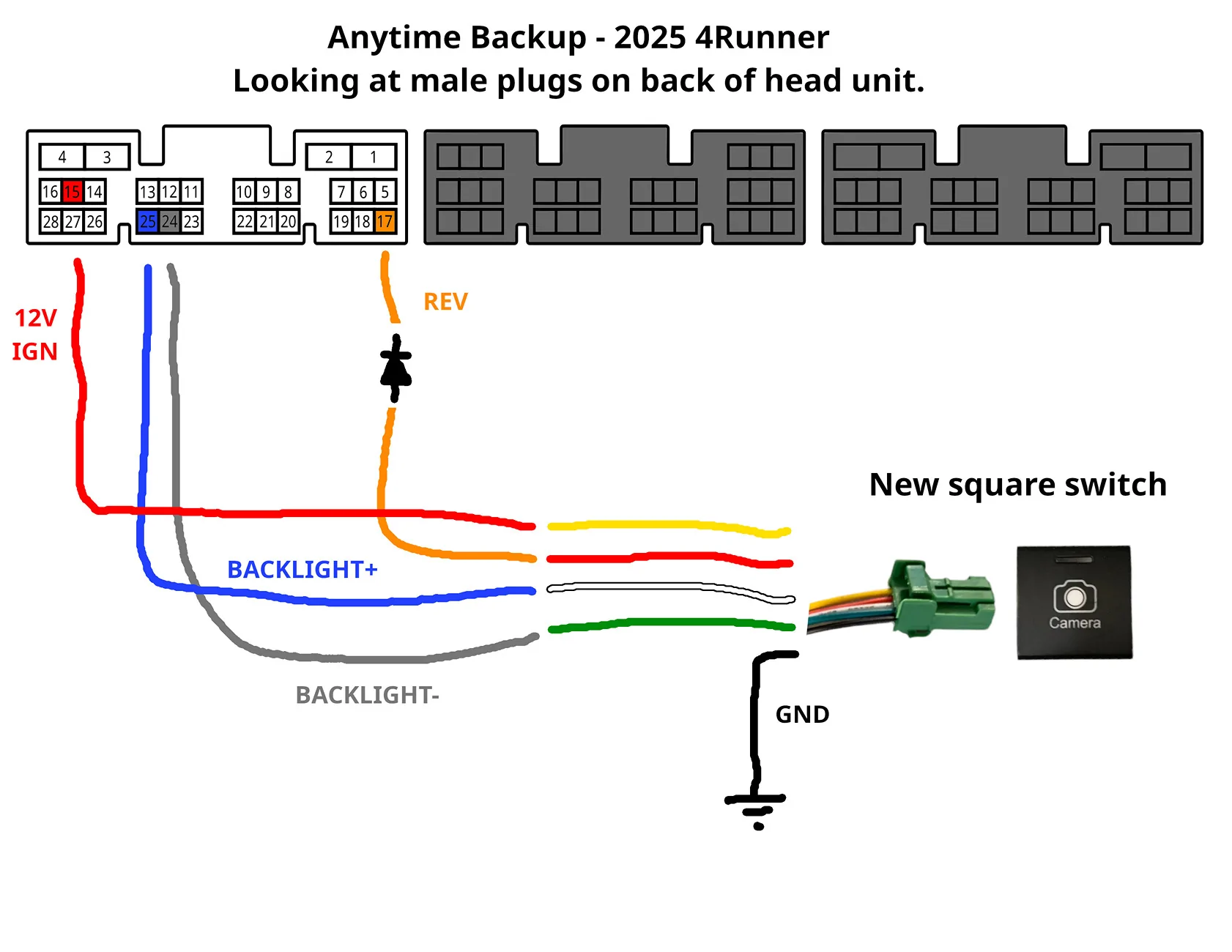
Wiring diagram.
The harness only comes with the red and orange wires.
You have to tap the pin 24 and 25 wires yourself.

2025 4runner 6th gen Anyone tried this Anytime front bumper camera on SR5? Anytime_Backup_Wiring_2025
 

ropdykex11

TRD Off-Road
Well-known member
First Name
Rich
Joined
Jun 26, 2025
Threads
4
Messages
67
Reaction score
34
Location
Portland, OR
Vehicle(s)
2025 4Runner TRD Off-Road
Ended up with a different approach.

I decided I only need the front camera when I am driving in treacherous terrain, and during that time, I also do NOT need a rear view mirror.

Bought this on flash sale today: https://www.amazon.com/dp/B0811Q28N6?ref=ppx_yo2ov_dt_b_fed_asin_title

The idea is that I will have it installed, but not plugged in when not in use. When I am going to offroad, I will simply hang the display over the rearview, plug it in and turn it on, boom I have a front camera.

I like Wolfbox's UI, you can customize all the HUD and recording settings, and just leave it on the whole time I'm offroading. A cleaner and all-in-one solution.

And yes, I know they make a version that has a bumper camera included. I already had another dash cam that is more minimal, IE doesn't include a giant screen to cover the rear view. That camera, plus this additional camera on sale, combined were cheaper than the Wolfbox 3 camera system, and it doesn't require me to leave the Wolfbox screen on my rearview 24/7.

TLDR: Cheaper, best of both worlds, modular.
 

time2playandy

SR5
Well-known member
First Name
Andy
Joined
Jan 20, 2025
Threads
15
Messages
118
Reaction score
80
Location
Utah
Vehicle(s)
SR5
Ended up with a different approach.

I decided I only need the front camera when I am driving in treacherous terrain, and during that time, I also do NOT need a rear view mirror.

Bought this on flash sale today: https://www.amazon.com/dp/B0811Q28N6?ref=ppx_yo2ov_dt_b_fed_asin_title

The idea is that I will have it installed, but not plugged in when not in use. When I am going to offroad, I will simply hang the display over the rearview, plug it in and turn it on, boom I have a front camera.

I like Wolfbox's UI, you can customize all the HUD and recording settings, and just leave it on the whole time I'm offroading. A cleaner and all-in-one solution.

And yes, I know they make a version that has a bumper camera included. I already had another dash cam that is more minimal, IE doesn't include a giant screen to cover the rear view. That camera, plus this additional camera on sale, combined were cheaper than the Wolfbox 3 camera system, and it doesn't require me to leave the Wolfbox screen on my rearview 24/7.

TLDR: Cheaper, best of both worlds, modular.
How difficult was it to install and wire up the front camera?
 

ropdykex11

TRD Off-Road
Well-known member
First Name
Rich
Joined
Jun 26, 2025
Threads
4
Messages
67
Reaction score
34
Location
Portland, OR
Vehicle(s)
2025 4Runner TRD Off-Road
How difficult was it to install and wire up the front camera?
took 10 whole minutes, and taking the display on and off the rearview is a snap with the included bungies. display lives in the cubby above the glove box when not in use. works great for rock crawling.

just gotta make sure you line up the camera with your tires.adjust it to your liking.
 

time2playandy

SR5
Well-known member
First Name
Andy
Joined
Jan 20, 2025
Threads
15
Messages
118
Reaction score
80
Location
Utah
Vehicle(s)
SR5
took 10 whole minutes, and taking the display on and off the rearview is a snap with the included bungies. display lives in the cubby above the glove box when not in use. works great for rock crawling.

just gotta make sure you line up the camera with your tires.adjust it to your liking.
Thanks! This is exactly what I want. A front camera only and only for off-road. Did you use the included backup camera as the front bumper camera?
Sponsored


Top